
Changelog
Get the latest feature updates in Truv
- We added support for Single Sign-on (SSO) to the Truv Dashboard using a Microsoft account. Once you navigate to Truv.com and click Log in, an option to ‘Continue with Microsoft Account’ should appear as a sign in method.
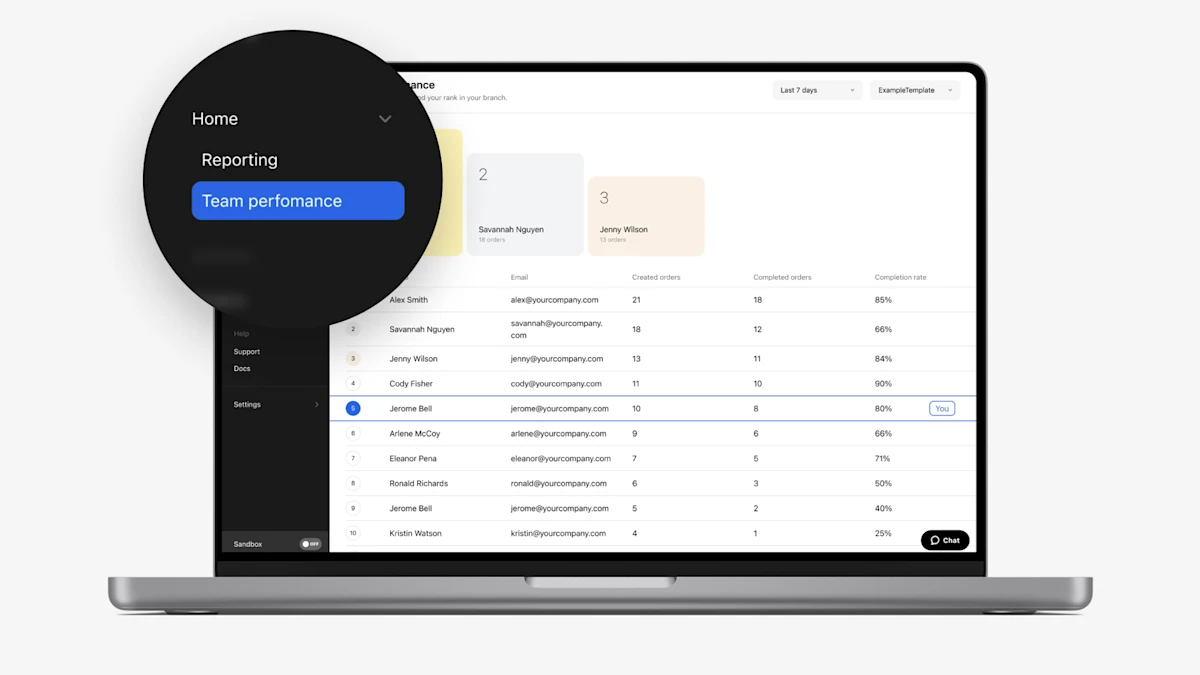
- To better enable clients to optimize Order Manager performance, we created a dedicated Team Performance tab under the Dashboard Home menu. This tab shows orders created, orders completed and completion rate for active Order Managers, with a leader podium for the top 3 performers by created orders. Additionally, the leaderboard highlights the logged in user’s place so they can see where they stack up against peers. This is made available for all roles in Truv dashboard including Owners, Admins, Developer and Order Managers.
- For clients who utilize Truv in both point-of-sale (POS) and loan origination system (LOS) OR implemented Truv’s embedded solution and utilize Order workflow.
- We have added an enhancement to streamline consumption of performance data that is shown on the Home (Reporting) tab in the dashboard, we now automatically pre-select a filter value for ‘Embedded’ or ‘Orders’ depending on consumption.
- For order clients for the Completed order turnaround time chart (for Orders only), we preselect the notification method with more created orders (Email and SMS, Email Only, SMS Only).
- To improve ease of navigation within the Dashboard, we show a small arrow icon next to menu items that have submenus. Clicking the menu item, will expand the submenu, clicking again will collapse the submenu.
- Previously, we limited webhook creation in the Truv Dashboard to 10 across all environments. This limit has now been increased to 100 webhooks. Accessible to Owners, Administrators and Developers, by logging in to the dashboard and navigating to the Webhooks menu item under Development.
- Add transactions with a ‘Generic error’ to the Truv Dashboard → Tasks tab in the dashboard and a corresponding filter option, which were both previously missing.
- For clients with embedded implementation or using Truv via point-of-sale integrations. We’ve added a enhancements to include all completed tasks to the Truv Dashboard →Users tab in the Truv Dashboard. Previously this tab just showed the most recent successful task for a user, but now it show all successful tasks as unique rows
- For clients using products type: Verification of Assets (VOA), Paycheck linked loans (PLL), and Direct deposit switch (DDS) we were previously missing report details for transactions on the Truv Dashboard → Users tab in the Truv Dashboard. These have now been added for past and future transactions. When clicking into a user row, the reports should automatically appear and be downloadable via the ‘Download report’ button under the product name.
- We updated the ‘Last 28 days’ filter option to ‘Last 30 days’ across the Truv Dashboard to align it closer to one month of data.
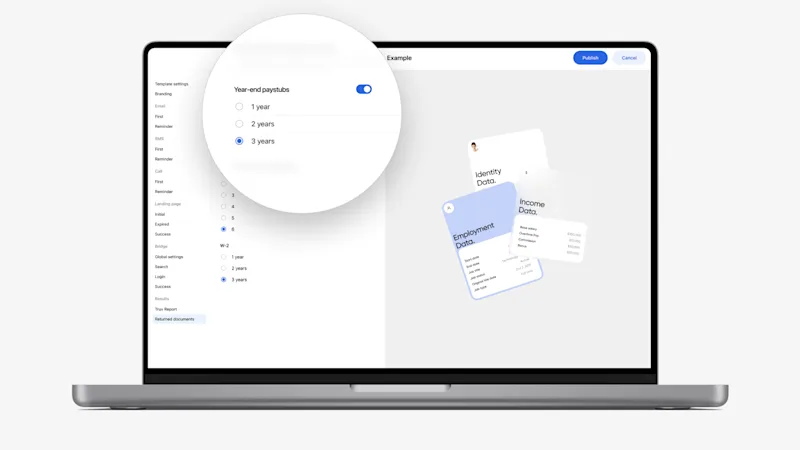
- In Truv templates, for the Income and Employment (VOIE) product we added the option to configure the number of Year-end paystubs that should be retrieved. Previously we would always try to return the year-end paystub for the last 3 years, but now lenders can reduce the number. For Owners or Admins, navigate to Templates and check Returned documents on any Income and Employment template.