
Changelog
Get the latest feature updates in Truv
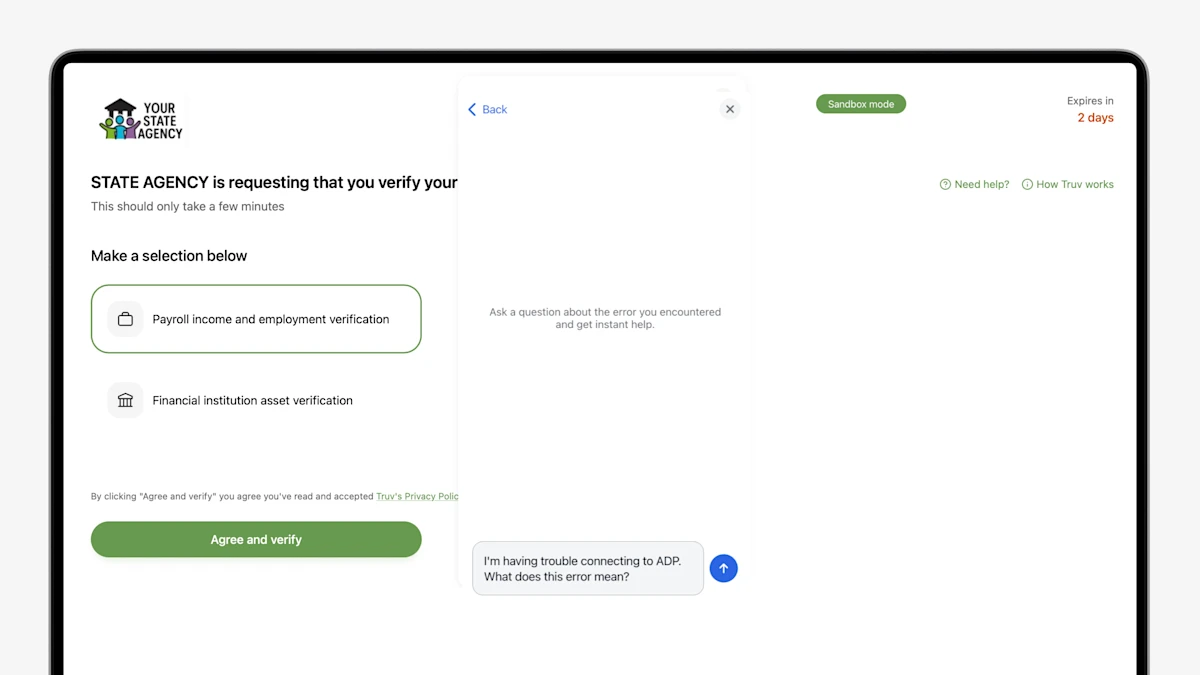
- Truv Bridge AI Assistance Feature: When a connection fails, end users now get an AI chat assistant right on the failure screen to troubleshoot and self-serve. This helps end users who'd otherwise drop off and cuts down on support tickets, all without leaving the flow.
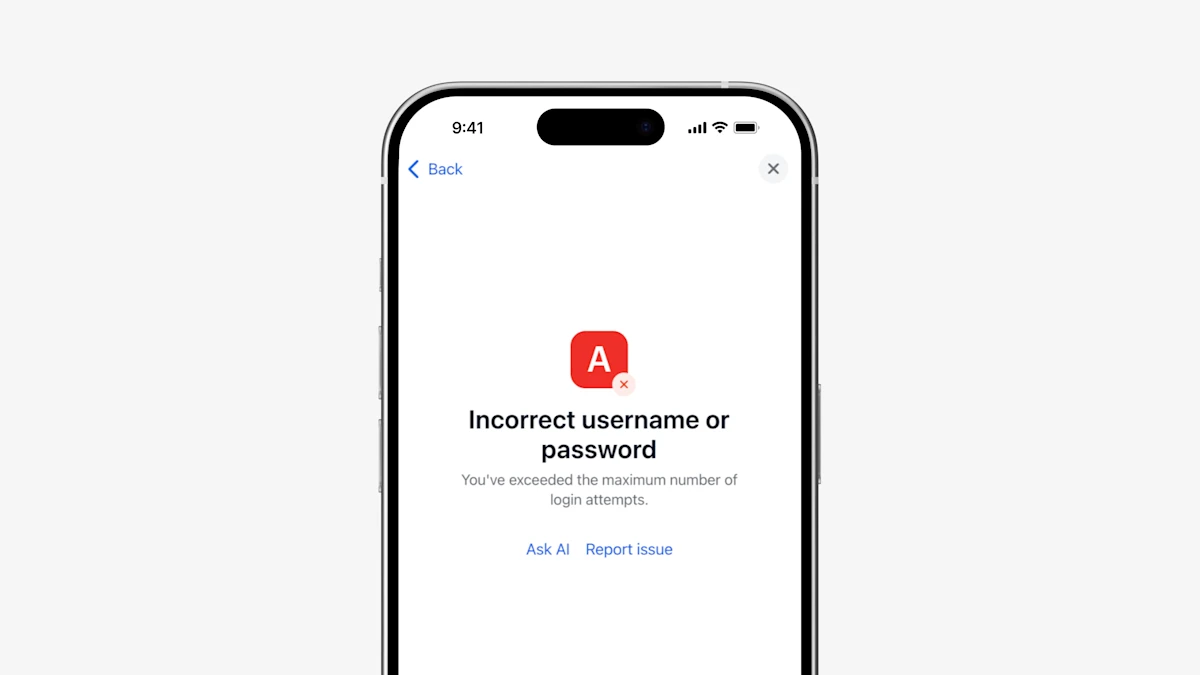
- Truv Bridge AI Assistance Feature: When a connection fails, clients now get an AI chat assistant right on the failure screen to troubleshoot and self-serve. This helps clients who'd otherwise drop off and cuts down on support tickets, all without leaving the flow.
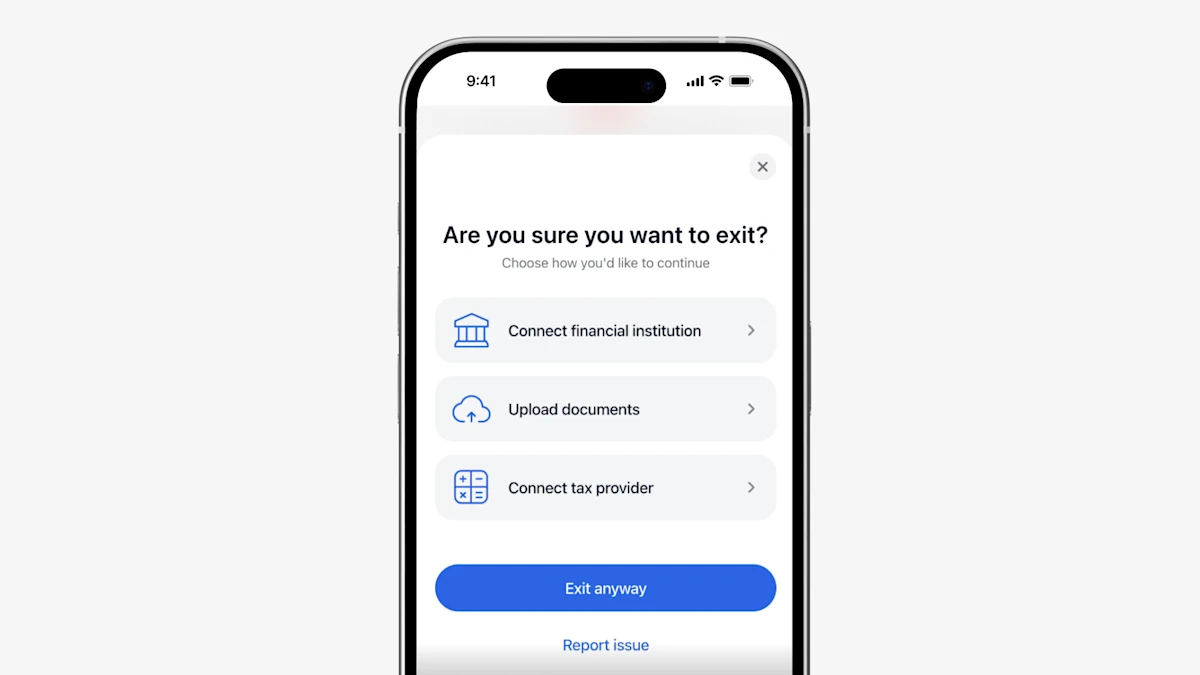
- Report an Issue in Truv Bridge: End users can now report issues directly within their Truv experience for faster resolution. For example, they can flag an incorrect employer-provider mapping or note that a login works on the provider's website but fails in Truv.
- 508 Compliant Orders Landing Page & Doc Upload Product: Truv's Orders workflow has been refined to support multiple modalities for accessibility, including keyboard + screen reader navigation, voice command with numbered overlays, and grid-based spatial navigation. 508 compliance also extends to our document upload product, empowering public sector clients with accessible verification experiences.
- Expanded Multi-Lingual Support: Truv expanded support for threshold languages within the Truv verification experience. In addition to our existing multilingual coverage, we now support Portuguese, Ukrainian, Mandarin, and Mien, helping agencies better serve diverse populations while maintaining a seamless, compliant user experience.
- Truv’s Doc Upload now supports Volunteer Verification Letters, helping state agencies efficiently verify community engagement and meet HR1 requirements. Agencies can process volunteer documentation with the same speed, reliability, and compliance they expect from Truv—while reducing administrative overhead.
- The Truv Order Landing Page and Truv Bridge can now be automatically translated into one of 15 languages (Armenian, Khmer, Chinese, Hindi, Hmong, Japanese, Korean, Laotian, Mien, Punjabi, Russian, Spanish, Tagalog, Thai, and Vietnamese). The language can either be set via the
localeparameter in the Create an Order endpoint, or automatically detected based on the user’s device language.
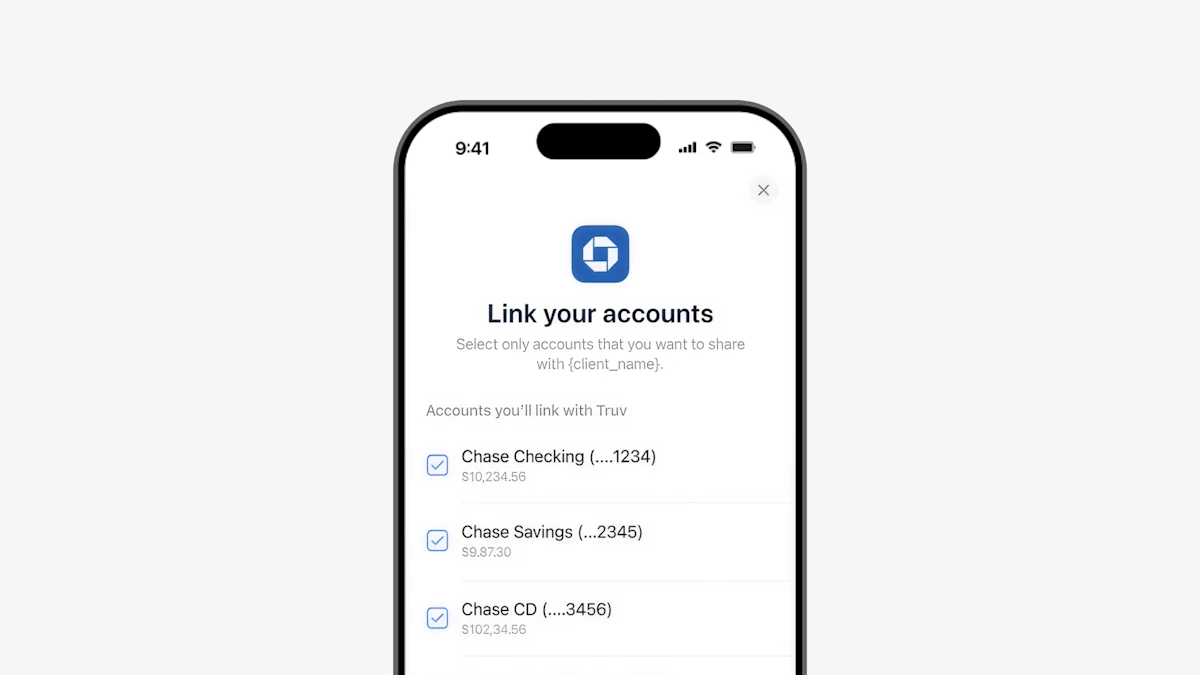
- Customizable account selection for non-oAuth VOA connections: Now, end users have the option to unselect accounts to share with the lender/company requesting verifications via bank aggregation for VOA (available for financial institutions with non-oAuth connections).
- Financial institution domains added to Truv VOA: To optimize for conversion and help users identify and select their bank(s), institution domains have been added to the Truv Bridge experience.
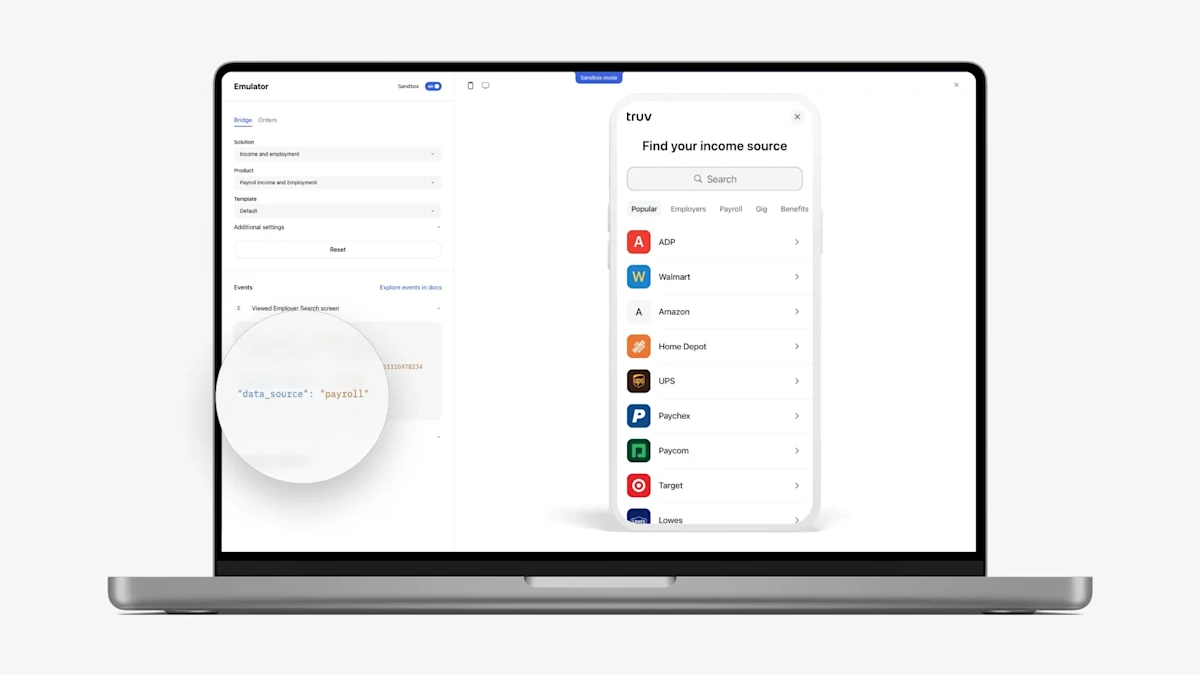
- Callback events: We have added
data_sourceinformation to theonEvent Callbackfor Truv Bridge events, allowing better differentiation of the current data source type. Thedata_sourcecan now indicate whether the event is associated withpayroll,docs,financial_accounts,insurance, ortax, improving event tracking and analytics. Available for all clients by Feb 3rd.
- We’ve enhanced accessibility by updating the navigation process to support screen readers and keyboard functionality. Truv is now fully ADA compliant, WCAG 2.2 AA certified, and meets Section 508 standards, ensuring accessibility for all users, including those with disabilities, and enhancing the user experience for a broader range of customers.
- The Kotlin SDK for Android is available now on MavenCentral. This update allows developers to easily build the integration with Truv Bridge. Example usage is provided to help get started quickly.
- Clients now have the option to select the language for Truv products during bridge token creation, by passing the parameter
localeases for Spanishanden for Englishfor language translation. This would be used if you are using a custom platform to invoke Truv. English is selected by default if nothing is passed when bridge token is generated. Previously, we had the automatic detection to trigger Truv Bridge in Spanish based on the browser setting, which we still support.
- The Truv Bridge now offers a combined search function, showcasing both providers and employers in search results, irrespective of the active tab. This search improvement has been rolled out across Truv Bridge for all our clients and partners.
- Added new widget events to Event Reference for Truv Bridge,
MANUAL_DDSandOAUTH_OPENED. - Added a position parameter for the Truv Bridge.
- Event name in the documentation was corrected,
LOGIN_COMPLETEDis actuallyLOGIN_COMPLETEfor the Event reference for Truv Bridge.
- Based on our user testing, we had some feedback on the UI/UX for SSA. We have improved the SSA experience to be more inline with our Truv Bridge redesign and better usability for our end consumers.
- Enhanced Walmart borrower/member experience, featuring a redesigned menu to match the website view and updated link styles for hints on forms
- Truv Bridge is now available in Spanish
- This functionality is available via Native SDK and webview
- Truv Bridge v4 redesign launched
Please find the guidelines and information about support of Freddie Mac’s AIM for VOIE with Truv in the documentation.
In select cases when login to the payroll provider is only available from the device enrolled into the corporate VPN we’ll offer user to open AppClip or download a Truv companion app to complete login from user’s device. It is currently enabled as a backup for cases where Truv is unable to login successfully.
For Direct Deposit Switch product now the manual pdf form can be added as a fallback option, if client has enabled this feature.
- Added document language detection to improve parsing performance
- Enhanced 1099 field extraction on multiple payer fields
- Added fraud detection enhancements
- Added additional optimizations to improve the parsing performance of native PDFs vs image PDFs
- Fixed React code sample for Truv Bridge SDK page
- Revised webhook field for
template_idinWebhook API referencepages
Taking customization to the next level, we’re pleased to introduce the ability to personalize your Bridge search screen. Add your preferred top companies, which will now display in the Popular tab instead of our default list.
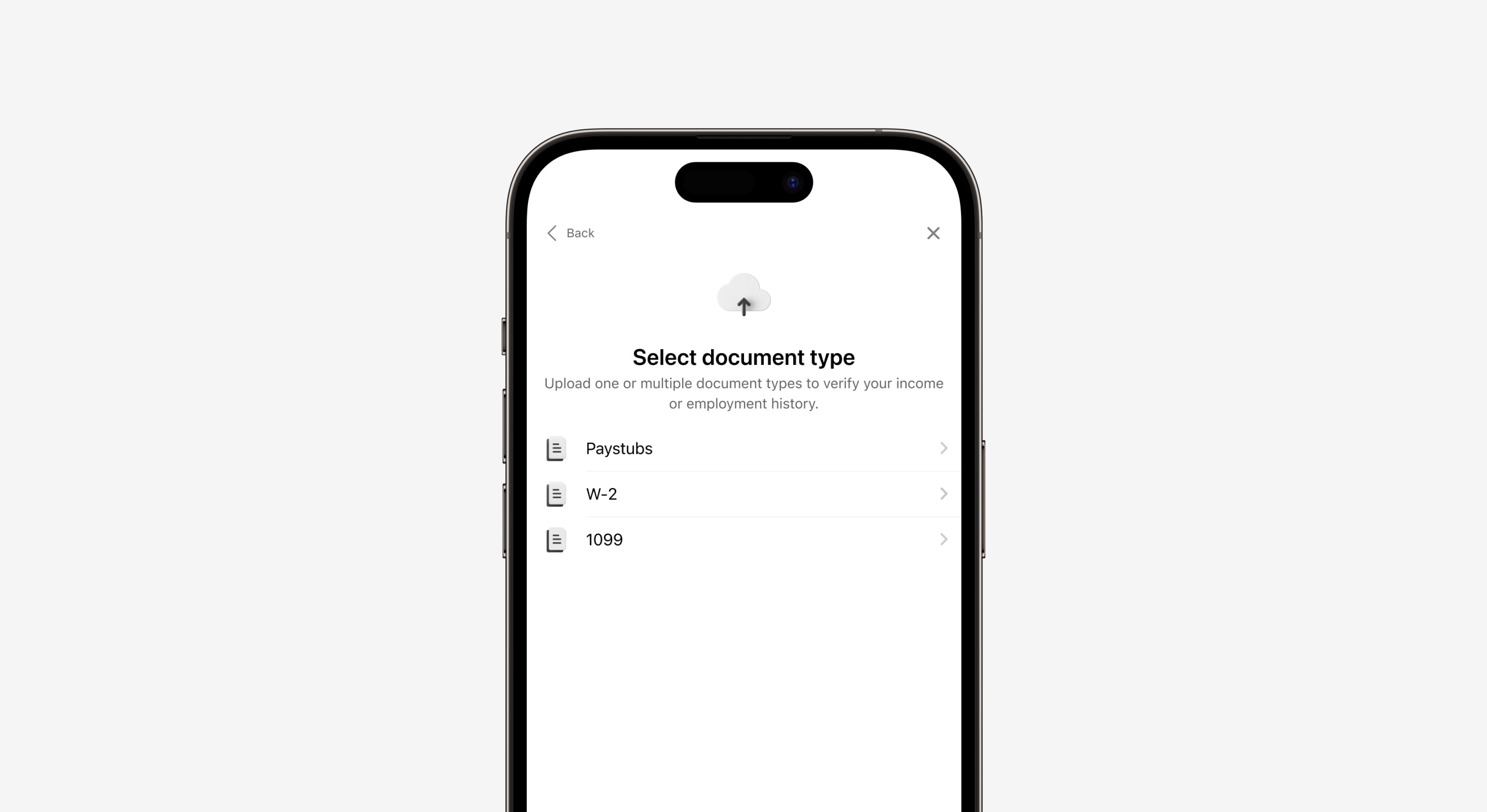
Truv is focused on providing the highest conversion rates possible to our income and employment verification and our employment history verification solutions. As a result, we’re expanding to new data sources to complete the verification.
- Document processing is one of those new data sources, where applicants are prompted to upload the necessary documents (W2s, 1099s, paystubs, etc.) to complete the verification. Through this product, we’ve always provided our customers with the parsed data from the uploaded documents.
- As an enhancement, we’ve added a new endpoint to also return the raw documents in a response, which enables your team to view the documents if any additional investigation is necessary.
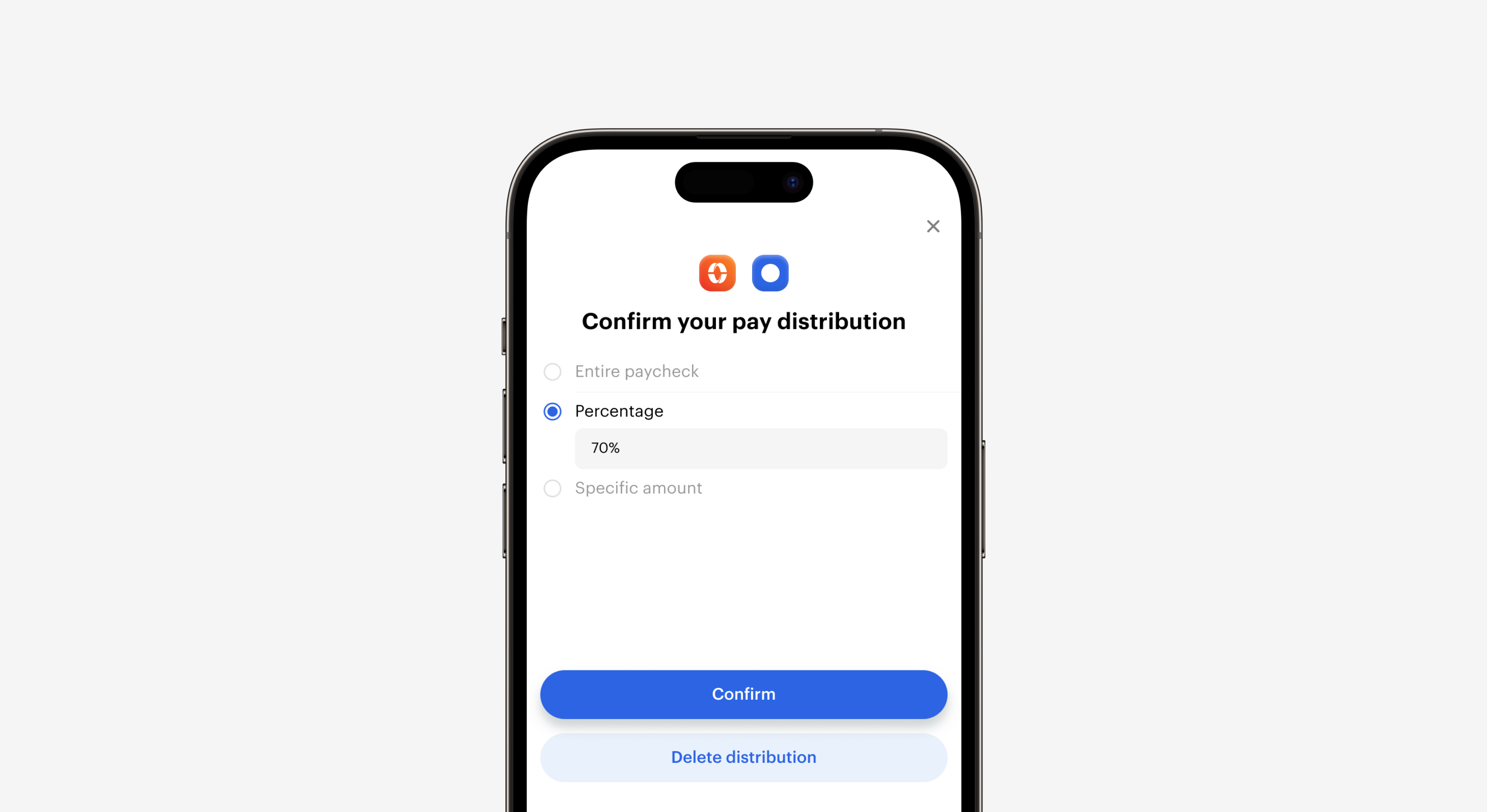
Truv’s direct deposit switching solution is built on the premise that consumers should be able to change their direct deposit distribution quickly and easily. In the end, it’s their money that they should have complete control over.
- To build on this notion, Truv’s direct deposit switching solution now fully supports the ability for consumers to both edit and delete previously established direct deposit distributions.
- This new functionality provides our customers with a complete solution to adjust and change direct deposit distributions at any time for any reason.
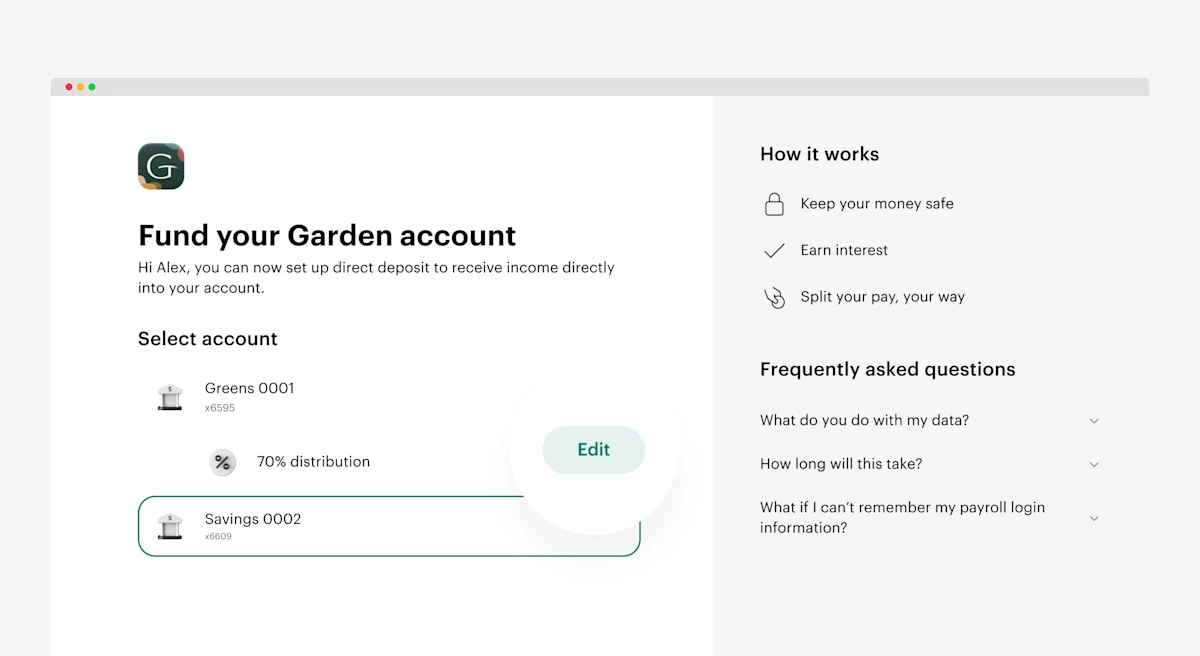
We’ve made it easier to adjust a direct deposit switch for customers using the Banno platform.
- When a user is reviewing their current direct deposit contribution, we now give the user the ability to edit the amount via a new
edit button. - This is a huge quality of life improvment for the end user and helps reduce any friction in the direct deposit process.
Login to Banno today to see the changes for your own customers.
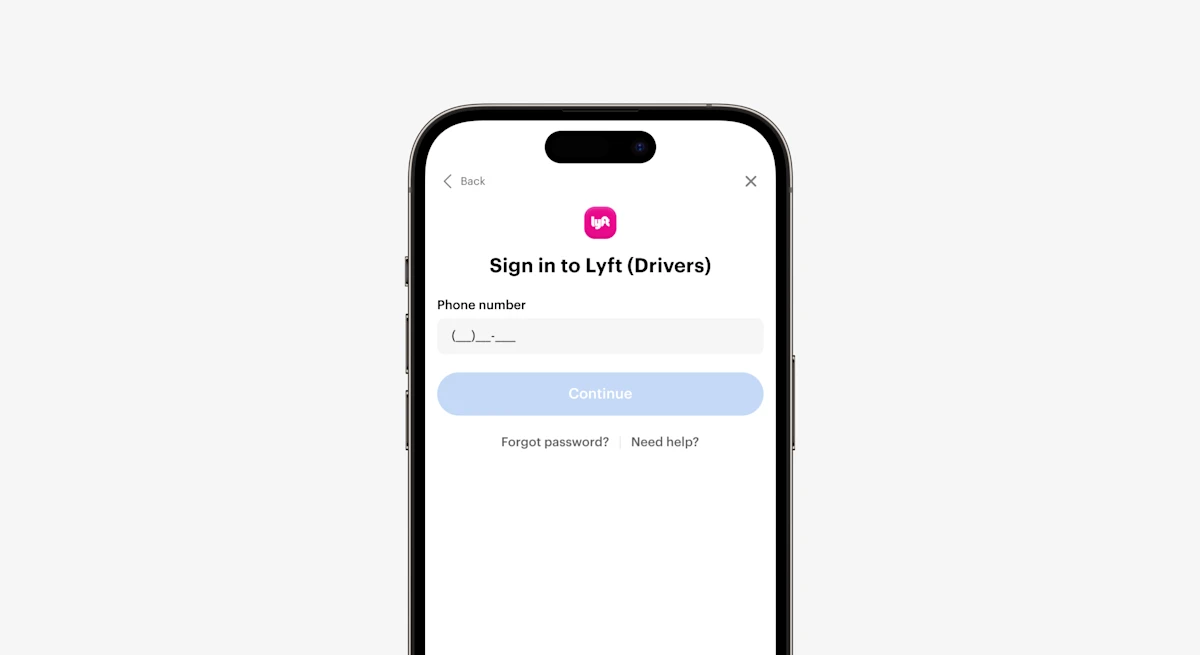
To help standardize data and improve the customer experience, we’ve added a phone data entry mask to our phone number entry field. This mask doesn’t allow applicants to enter any non-numerical character. It helps prompt applicants to enter phone numbers in the correct format.
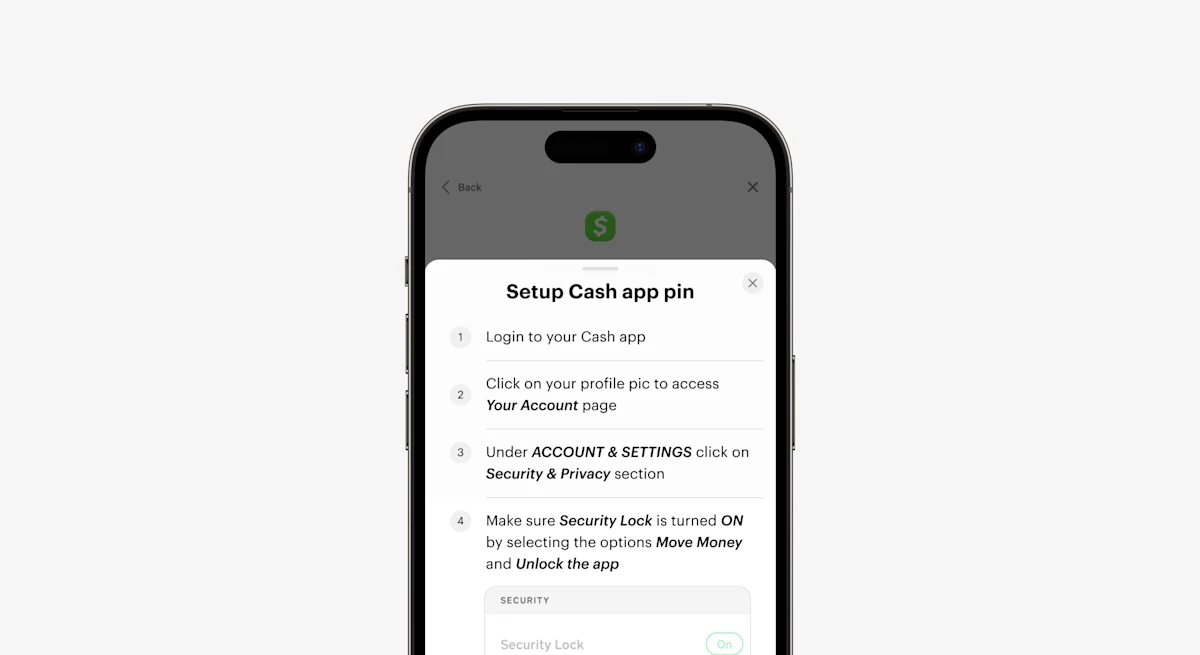
We’ve added CashApp pin setup instructions to the CashApp user flow. These instructions help users navigate creating a pin. This makes it easier to verify their income and employment with CashApp. These tactical UX changes help increase conversion rates.
This update includes various improvements and fixes. The sections cover Truv Bridge, a streamlined Encompass experience, and an Orders workflow update.
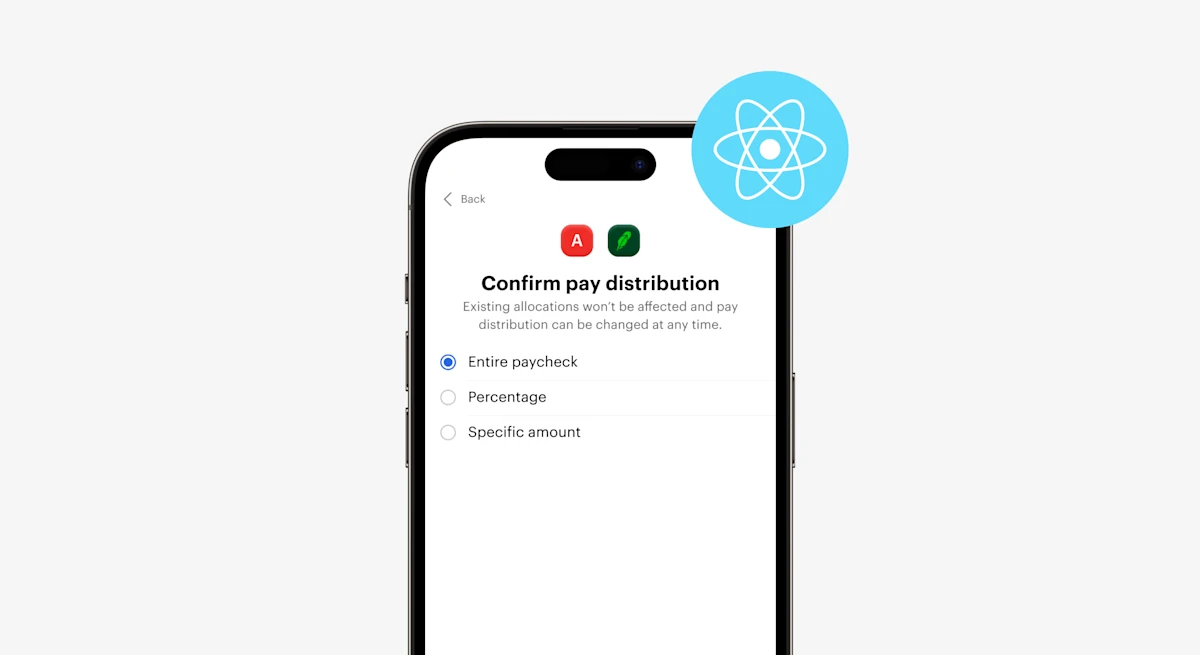
We’ve created a new React native SDK workflow for applicants. The new version addresses issues from the previous version, such as opening up a new window or tab when the end user attempts to navigate back with the back button to the first screen. This creates a better customer experience and helps drive conversions.
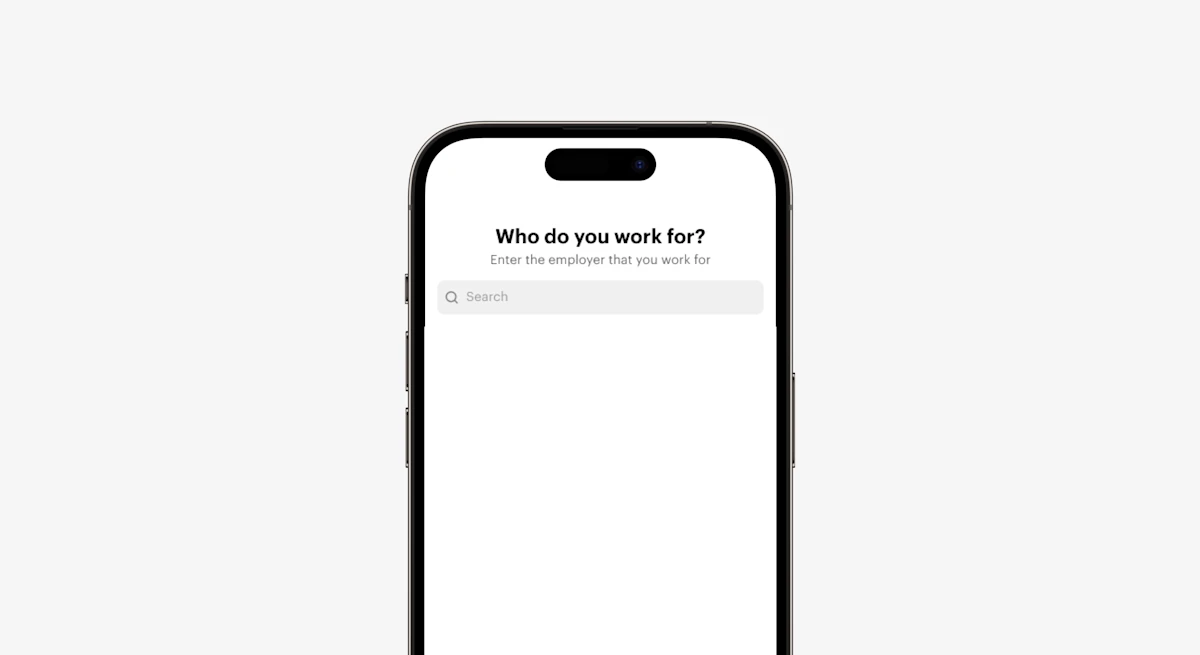
We’ve added additional customization to edit Headers and sub-headers within Truv Bridge as applicable. This allows fintech groups, lenders, and financial institutions to create a custom branded experience for their applicants. Contact your Truv implementation or customer support team to customize these items.
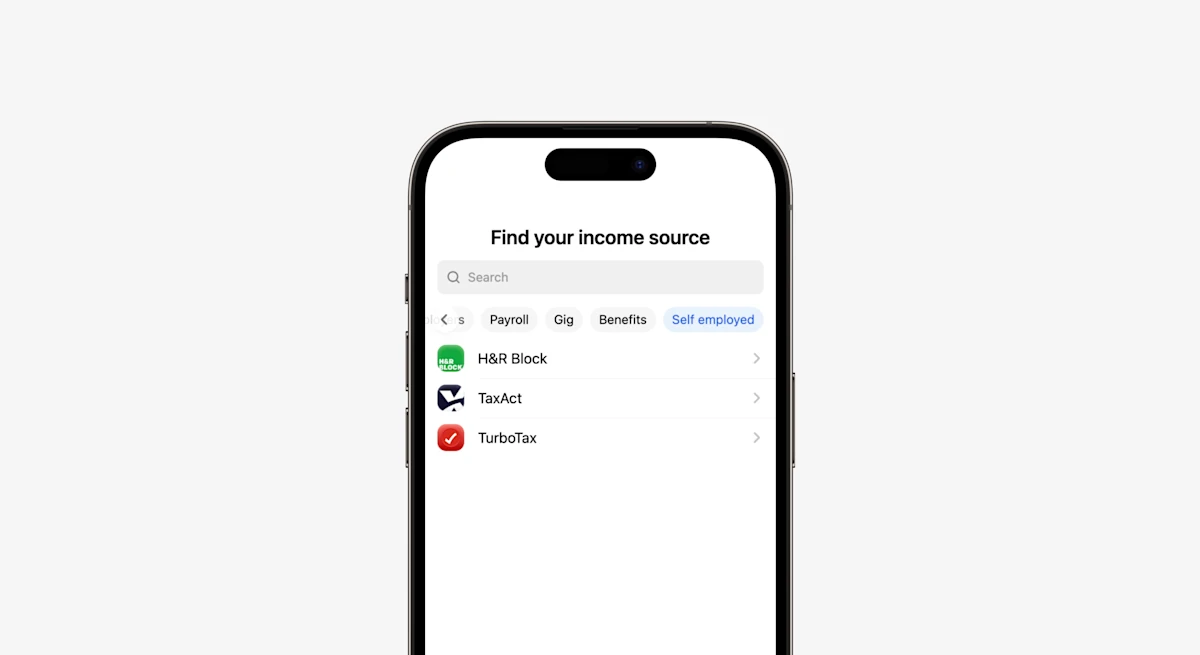
For clients with the Tax Verification product, we’ve streamlined the experience for self employed individuals. Truv allows users to find their verification source by adding a new category called Self Employed to the top of the Truv Bridge. This reduces applicant confusion and create a cohesive customer experience
Social Security Administration: We have made large improvements to our SSA integration. These improvements include additions for documents from Medicare Information, Verification Letter, and Social Security Statements. We have also added the ability for users to reset their SSA passwords natively in the Truv widget.
Direct Deposit Switch Update: We’ve added the ability to update and delete deposit connections directly in the DDS product.
We are proud to announce exciting updates across multiple areas, including the Truv Bridge, Orders, the Dashboard, our documentation, and more.
Mobile Landing Page Redesign: We’ve updated the UI and UX for our mobile landing pages. The new page design differs from the desktop and prioritizes order workflow simplicity. This helps increase conversion rates.
Fixed Race Condition Bug: We have fixed the issues for users opening Truv Bridge on multiple tabs or devices at the same time. Users now receive notifications about already filling out their information in another device or tab. This now prompts users to complete their verification there.
Multiple Products Exit Notification: For users with prompts to provide information for multiple Truv products, we’ve added a browser and Truv widget notification update. This warns users about exiting Truv Bridge as it results in lost progress for all products.
Document Upload Visibility: We’ve added a new document upload selection to our employer selection screen. This allows applicants to easily access document upload, if it’s the preferred data verification.
- Workday and Oracle seeing an uptick of conversion rate of 5% with Workday & 15% with Oracle
- Improved the ability to Social security administration via
login.govand additional mfa screens and prompts leading to an uptick of 24% in conversion rate - Improved
average timeto login for Paycom to be under 5s - Support now additional
MFA screensfor Amazon AtoZ login and native reset flow for Intuit Quick Books - Additional MFA screens supported for employers who use ADP for Direct deposit switch product
Clients using Truv’s solution now can use reset natively for MyPay. In cases where users are unable to login to their MyPay account, they can now easily reset their username and password within Truv Bridge and connect their accounts successfully.
Truv has added the Bank Aggregation product to the product suite, alongside payroll and insurance. Clients can now allow their users to connect to financial institutions. Clients can get details about users’ transactions and assets information from authenticated accounts for a specified period of time.
We have significantly improved fill rates for the points below. Truv remains relentlessly focused on data quality. Strong data quality and fill rates allow our customers to underwrite with confidence.
incomein theEmploymentobject across all integrationspay_frequencyin theEmploymentobject across all integrationsstart_datein theEmploymentobject for the Paylocity integration
We’ve added a net new provider to the supported integrations – Infor Lawson.
We’ve added a new product for Tax Verification. This provides new features and coverage for self-employed users. These users can now provide access to accepted IRS tax returns to lenders using Truv. We currently cover 85% of the U.S. workforce for verifying income and employment and our coverage continues to expand.
We’ve made improvements across many providers. See the list of companies below.
- Paylocity
- Oracle PeopleSoft
- Oracle HCM
- Ceridian
- UPS
- Amazon A-Z
- Rippling
We’ve added functionality to disable provider selection in Truv Bridge. You can now configure visible providers for users within the widget.
Truv remains focused on optimizing conversion rate to enhance the end-user experience and help provide our clients with a superior product. With this in mind, we’ve added couple of enhancements to the Truv Bridge.
- Ability to handle searching with typos
- Clear empty state for search with instructions & fallback options to better guide end-user
We’ve launched new categories in Truv Bridge. See the list below for the included categories. The payroll category is for users familiar with their providers. End-users can navigate to their most relevant category for and complete their verification more easily.
- Popular – Popular employers for your traffic
- Employer – top employers in US
- Payroll – Payroll providers sorted by share of market
- Gig – Popular gig economy companies
- Benefits – Retirement, disability and veteran benefits
- Improved fill rates for:
job_typein theEmploymentobject for Ceridian integrationjob_type,job_titlein theEmploymentobject for AmazonAtoZ integrationdate_of_birthin theIdentityobject for Intuit integrationaccount_number,routing_number,account_name,account_typeinBank Accountsobject for Intuit integration
- Improved data pull-through rate for employers: Lyft, JetNet, iSolved, CVS, Social Security Administration, Bamboo HR integrations
- Improved login error messaging for Oracle, Paycor, Paylocity, Workday, Intuit
- Replaced full
in progressscreen with the loader. When a user submits data, we used to show thein progressstep in full-screen mode. Now users see only the loader, and we keep the user in context by reducing the number of screens in the flow. - Added autosuggest for OTP codes on mobile keyboards
- Updated provider search rules to show more relevant results
- Now a
CLOSEevent is sent and theonClosehandler is called after closing the Bridge with a successful result
- Improved fill rates for
pay_rate,income, andincome_unitin the employment object for integrations with Ceridian, Gusto, Oracle HCM, Paychex, Paycom, Paylocity, and Workday - Improved data pull-through rate for employers: DoorDash and AT&T
Added a new error code, link_exists , for when a user’s account is already connected
- We introduced insurance verification flow in our Bridge. Now user is able to choose their insurance provider and share their active insurance details with the client
- Native reset flows for Intuit QuickBooks for password and username recovery
- We deployed new version of Bridge to all our traffic. Besides style and color changes we upgraded employer search screen and simplified navigation across the Bridge. A/B test we ran showed increase of the conversion rate to finding provider
- We added
Bridge eventsin Document upload flow so now client can get additional knowledge on user’s activity in alternative verification flow
- Improved the direct deposit functionality for Dollar General, and Oracle HCM
- Increased user login speeds for UKG provider
- Optimized the former employee login for ADP users
Improved fill rates for pay_rate, income, and income_unit in the employments object for ADP provider
Now together with paystubs you can also enabled W-2 as document type for users to complete their verification using alternative way
Truv Orders update: Option to skip the verification
We introduced an option to skip verification flow by the end-user when their login attempt is failed. It allows our order clients to get an update and move forward with fallback options.
Truv Bridge update: Paycom and Paychex reset flow
We introduced additional native reset flows for Paycom and Paychex when username or password are not available.
Bridge v3 as A/B test
Truv has rebranded to Blue and as part of this enhancement we have redesigned the Truv Bridge and rolled it out to 50% traffic. Key features include:
- New categories on the search screen, to help users to find their employers/providers easily and ability to login faster
- Additional options for end users on the login page to help them login to their payroll providers Need help page now shown as the bottom sheet and helps end users explore alternate ways to login
ADP update
Launched the new ADP workflow to align with the payroll provider experience. We tested this variant and see an uplift of 1.4 ppt conversion rate
- Added
Paycheck linked loans. - Added new
PATCH /bridge-tokens/{bridge_token}/Bridge. - Field
dates_from_statementshas been deprecated, please use arrayderived_fieldsto find which fields were derived.