
Changelog
Get the latest feature updates in Truv
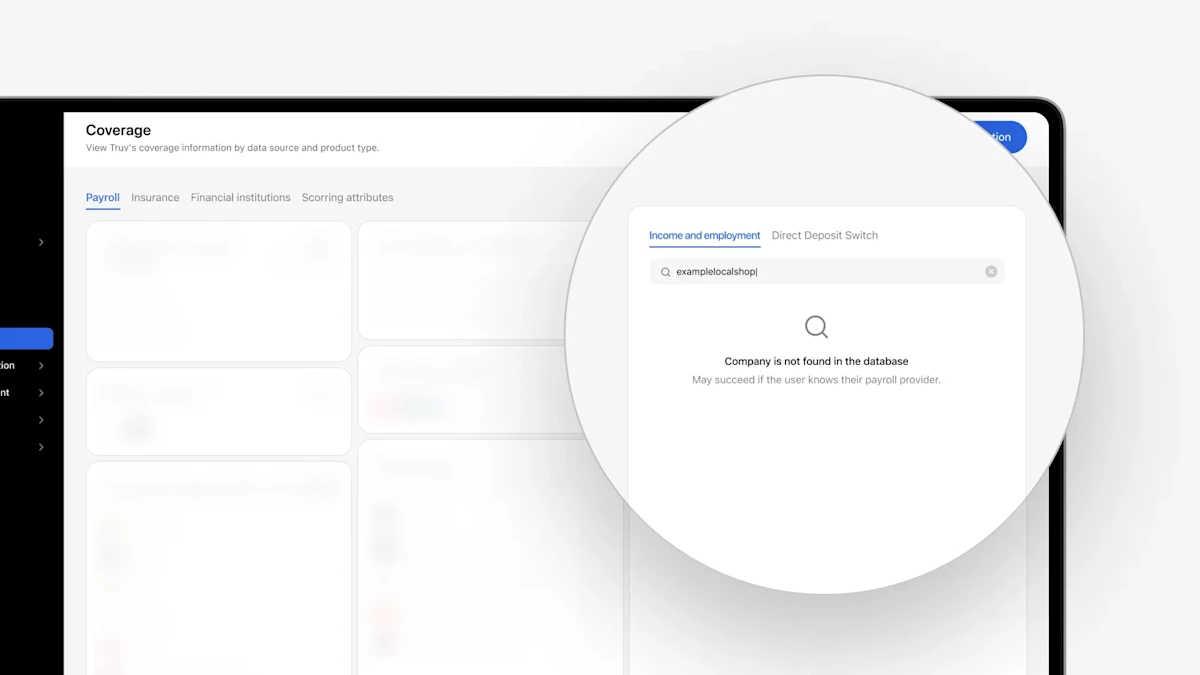
- Show ‘Not found’ empty state in the Coverage:
- Previously, unmapped companies were labeled with a ‘High’ coverage indicator, causing confusion as they were hard to distinguish from genuinely ’High’ coverage companies. Now, if a company doesn’t exist in Truv’s database, on the Coverage page we will show a
Company is not found in the databaseempty state. This update applies to Dashboard → Coverage, across all products, including Income & Employment, Direct Deposit Switch, and Paycheck-Linked loans.
- Previously, unmapped companies were labeled with a ‘High’ coverage indicator, causing confusion as they were hard to distinguish from genuinely ’High’ coverage companies. Now, if a company doesn’t exist in Truv’s database, on the Coverage page we will show a
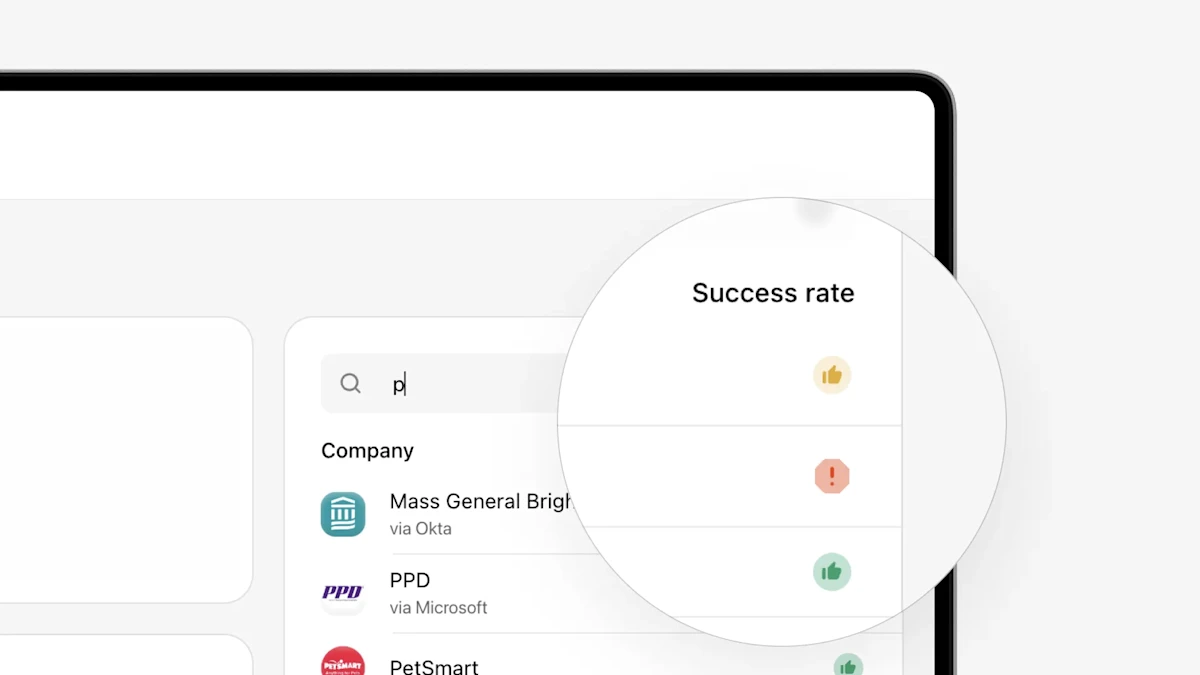
- Coverage updates in Truv Dashboard: In the Truv Dashboard, in the Company search feature on the right of the ‘Coverage’ tab and Employer search feature on the ‘Order Creation’ form, we showed coverage indicators that were small colored dots (green/yellow/gray) with explanation tooltips. These weren’t very visible and there was no context to explain what they meant unless users hovered over them. We have now updated these from green/yellow/gray dots to a green “thumbs up”, yellow “thumbs up” and red “warning sign” to make them more visible and better convey the meaning. When searching, we also added a Company and Success rate header over each column in the results to explain what is being shown if the user doesn’t hover over the tooltip. Lastly, we updated the tooltip descriptions to more clearly explain the success rate and provide a suggested action. These clearer indicators and suggested actions can help order managers improve their conversion with Truv by focusing on high success transactions and using alternatives where success isn’t likely. This is also accessible via Search compaines API.
- UI Design system change in Truv Dashboard: To create a standardized experience across the Truv Dashboard, we have rolled out the first part of a new standardized UI. Previously, there was a lot of variety in the placement of buttons, available actions, usage of fonts, size of pop-ups, etc, which could be confusing to users. In this release, there has been standardization in the usage of the following components across the Dashboard: checkboxes, buttons, dashboard cards, links, loading screens, text headers, pop-ups, switch buttons, tabs, tooltips and search fields.
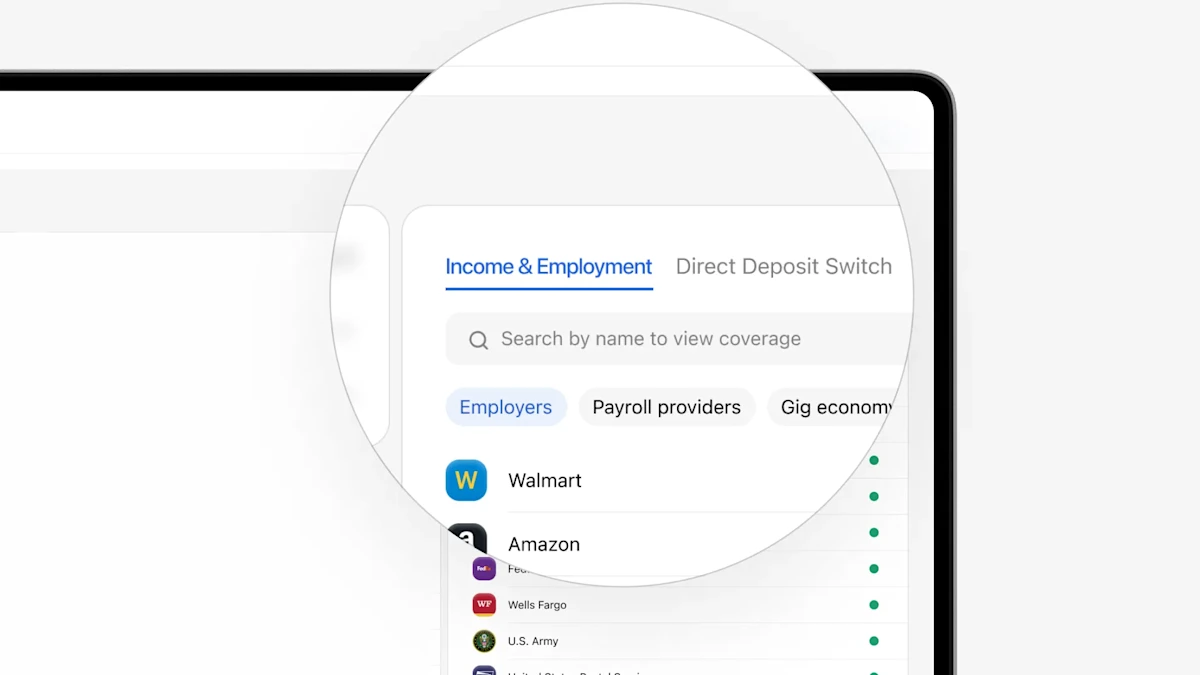
- On the right side of the ‘Coverage’ tab in the Truv Dashboard, we previously only showed company success rate for Income and Employment products (VOIE, VOE). This helps inform order creators when income and/or employment verification is feasible via payroll connection. For users with Direct Deposit Switch (DDS) and Paycheck-Linked Loans (PLL) products, we now also show the success rate for each employer based on historical transactions. If you only have VOIE/VOE or DDS or PLL products enabled, we will automatically show the success rate for that product. If you have multiple products enabled, we will show a product toggle to allow selection of which success rates you want to see.
- Previously in the Truv Dashboard on all tabs with a date selection (Reporting, Team Performance, Users, Orders, Tasks, Logs) we showed ‘From’ and ‘To’ date filters for results that included years from 1900 to 2099. Since there couldn’t be Truv results in these ranges, we updated it to make ‘From’ filter range from 2021 to present year and ‘To’ filter range from 2021 to present year.
- For users that have access to both Truv Employer-level and Borrower-level Report, we reduced the size of the Employer-level Report PDF download button and moved it directly under the corresponding employer to reduce confusion.
- We added Social Security Benefits and Veteran Benefits sandbox scenarios and to enable lenders and 3rd party integrations to test the results and benefit letters returned by Truv either via a sandbox order, emulator or API request. To test, open Emulator in the Truv dashboard and search for social security or veteran benefits and connect.
- To improve ease of navigation within the Dashboard, we removed the secondary sidebar menu and made those options nested under the sidebar main menu.
- Order Managers were granted access to the Coverage tab, which can be found in the Truv Dashboard on the main menu under ‘Activity’. This allows them to check Truv’s coverage across Payroll, Insurance and Financial Accounts providers. Previously this was restricted to only Owner and Administrator roles.
- Within the dashboard, the UX Guides tab has been removed since these will be move to Truv Docs. The Feedback tab has also been removed, please submit issues through Support and product feedback to the Truv team.
- In the spirit of transparency, for instances with partial data we have added disclaimers into the Truv Reports in addition to Truv dashboard (Orders and Users) to provide clients with any sections of the report that was not present in the payroll source.
- Coverage Search Visibility: Within the Coverage Tab in Truv Dashboard, when a company name is searched, we’ve added indicators to give loan officers/assistants heightened visibility into the likelihood of successful connections, based on recent Truv traffic.
- Green – Indicates a history of high success
- Yellow – Indicates a history of moderate success
- Grey – Indicates a history of low success
- For Bank aggregation product, for the responses in Truv Dashboard, we have now added ability to unhide account information via an “eye” icon next to each account. Additional fields such as Routing number, Account holders, and Account type, will be revealed on click of this eye icon.
- For Income and Employment product for retired and disabled borrowers, we are now able to retrieve their Benefits letter. In addition, we have updated the specific sections in Truv Dashboard responses and menu items to reflect the Benefits received.
- Insurance now contains the Total Premium value for each policy in the PDF report, enhancing transparency and providing users with a more comprehensive overview of their coverage and costs.
- Added refresh functionality via API for Insurance verification.
Truv is constantly improving coverage of the US workforce. With over 90% of working American’s covered we lead the industry in coverage. But we realize there may be some sources that we’re missing.
- In order to give our clients a voice in where we focus our coverage efforts, we’ve created a coverage request form on the coverage dashboard page. This form will allow clients to submit
employers,payroll providers, andfinancial institutionsthat they would like to see incorporated in the Truv platform. - You’ll be helping us on our mission to reach 100% coverage of the US workforce!
Request coverage sources here
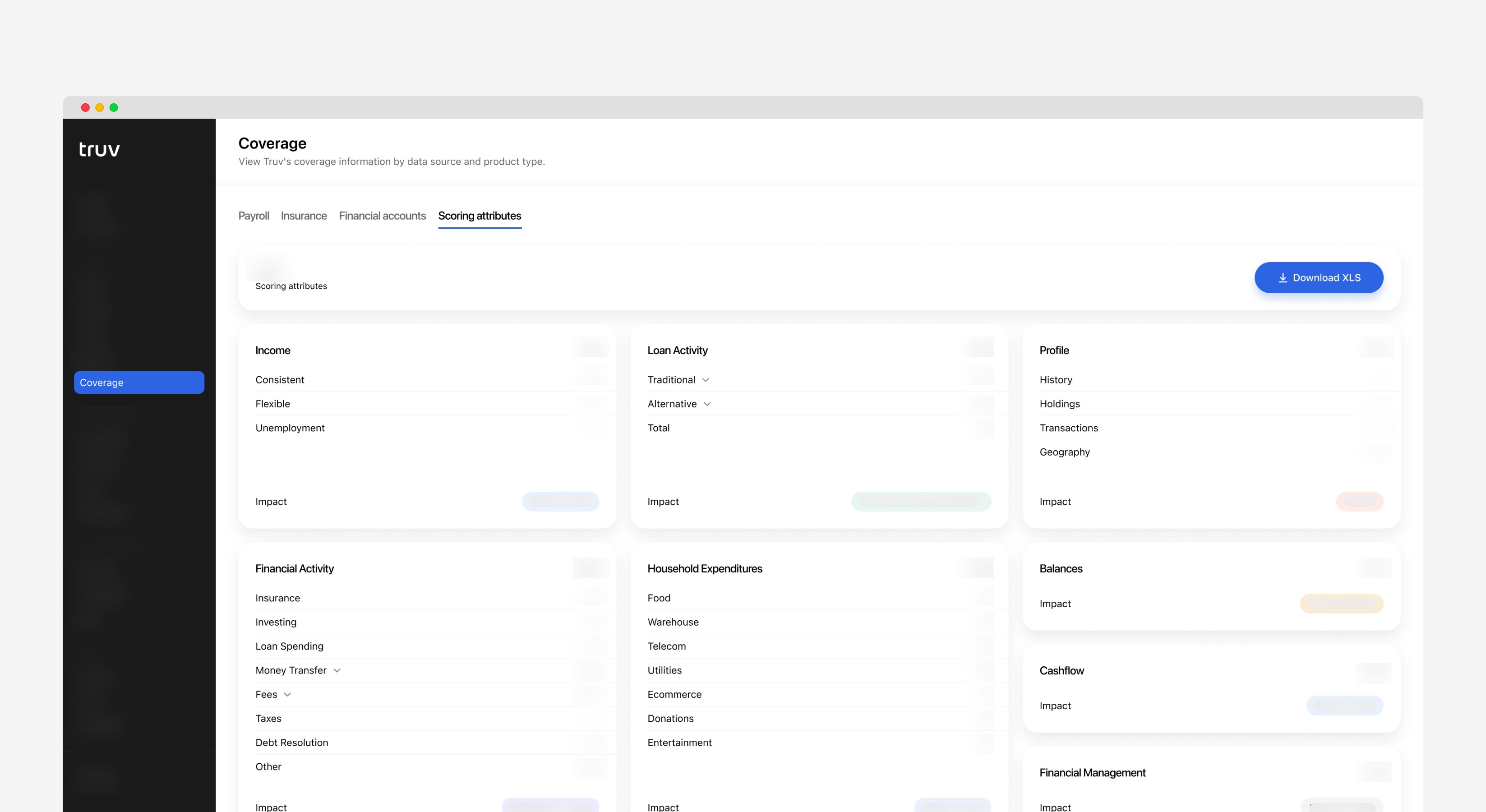
Truv has the best coverage in the industry, but its equally important to provide transparency into our coverage claims.
- This sprint we’ve added a detailed overview of our
Scoring Attributes product coverage. You can find this information under the coverage section in the left side menu of Truv’s dashboard. - The information in the
Scoring Attributespage directly relates to Truv’s Scoring Attributes product used to decrease risk while increasing funded loans through acquiring more data to make more informed lending underwriting decisions. Through this view, Truv’s dashboard users will have access to a list of attributes supported by Truv. - We will continue to provide transparency into our product coverage so that our customers can make informed decisions.
View Scoring Attributes Coverage Page
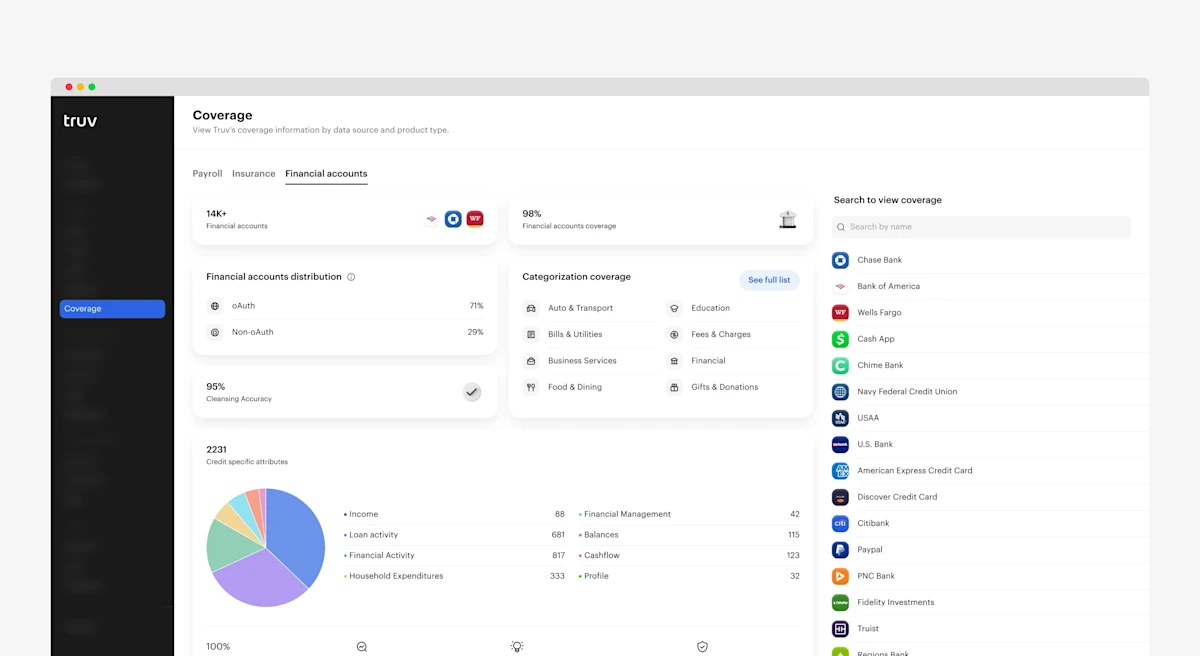
Truv has the best coverage in the industry, but its equally important to provide transparency into our coverage claims. This sprint we’ve added a detailed overview of our Financial Accounts coverage.
Users can find this information under the coverage section in the left side menu. The information in the Financial Accounts page directly relates to Truv’s Financial Accounts product used to verify income and employment. We will continue to provide transparency into our product coverage so that our customers can make informed decisions.
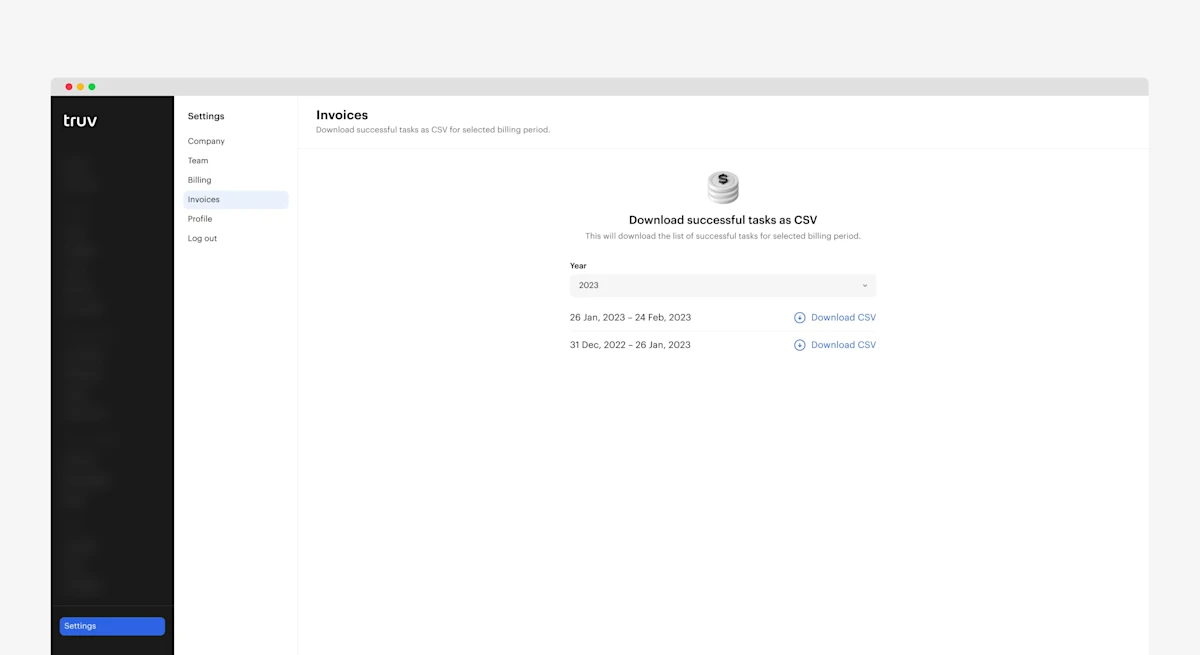
Truv is making it much easier to find and download invoices. In the Truv Dashboard we have added a new section dedicated to making it faster and simpler to find your Truv billing information.
Paying users will need to login to their Truv dashboard, navigate to the invoices tab on the left side bar, and the select the invoice they wish to view from the drop down list. This new invoice search process will provide transparency into Truv billing and help us better serve our customers!
Log into your dashboard today to try it out!
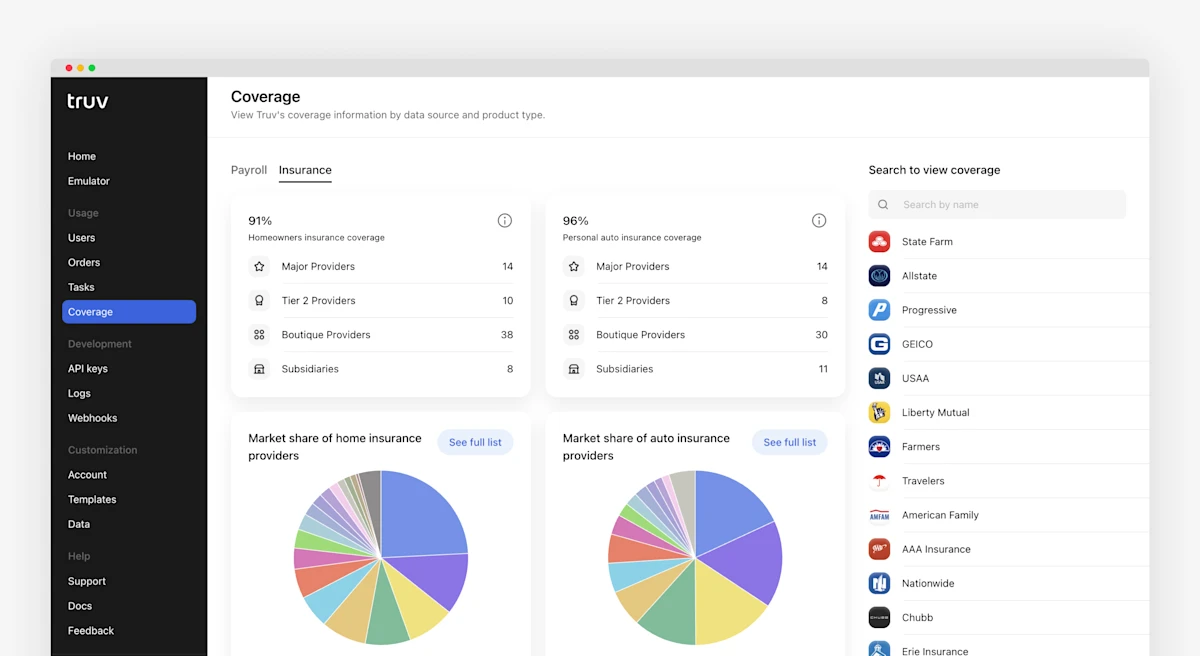
In the coverage section of the Truv Dashboard, we’ve added a new tab for coverage metrics for our home and auto insurance products. This view allows clients to easily verify the top insurance provider needed to verify insurance for their borrowers.
Social Security Administration: We have made large improvements to our SSA integration. These improvements include additions for documents from Medicare Information, Verification Letter, and Social Security Statements. We have also added the ability for users to reset their SSA passwords natively in the Truv widget.
Coverage page in Truv Dashboard is now updated to display the latest coverage numbers in terms of US population covered, US Employers covered, PEO’s covered, payroll providers covered, Single Sign On covered and some critical benchmarks.
- Launched new integration with Rover for gig workers
- Improved data pull through rate for employers: Lockheed Martin
- Improved the direct deposit functionality for Uber
- Built a new integration with Social Security Administration for users who are on unemployment and disability benefits
- Improved data pull through rate for employers: Compass Group , Employment Report, and Rippling
- Optimized the former employee login for ADP users
Improved fill rates for deductions and deductions YTD in the statement object for Gusto provider
- Improved data pull through rate for employers: Kelly Services
- Increased user login speeds for The Home Depot employer
- Improved the direct deposit functionality for Rippling
- Improved data pull through rate for employers: Spherion, General Motors, Compass Group
- Increased user login speeds for Oracle PeopleSoft, Insperity, Paylocity provider
- Improved the direct deposit functionality for Paylocity, iSolved, Justworks, Amazon AtoZ, MyEPP, and Rippling
- Enhanced our data refresh success rate for MyPay, Paycor, and iSolved
- Improved data pull through rate for employers: Randstad, Marriott, Uber, LAUSD, and Spherion
- Improved fill rates for
deductionsanddeductions YTDin thestatementobject for Workday, UKG, Paycom, and Team Software providers - Full history of
statementsis now supported for the UKG integration - Improved fill rates for
bank accountobject for Amazon AtoZ, Justworks, and iSolved providers
Pay rate field added: the new field contains the rate of pay per pay cycle for salaried employees or anyone who has stable payments every pay cycle.
Basis of pay supported values: Daily is now supported among others.
The new field and values are available in the VOIE report endpoint