
Changelog
Get the latest feature updates in Truv
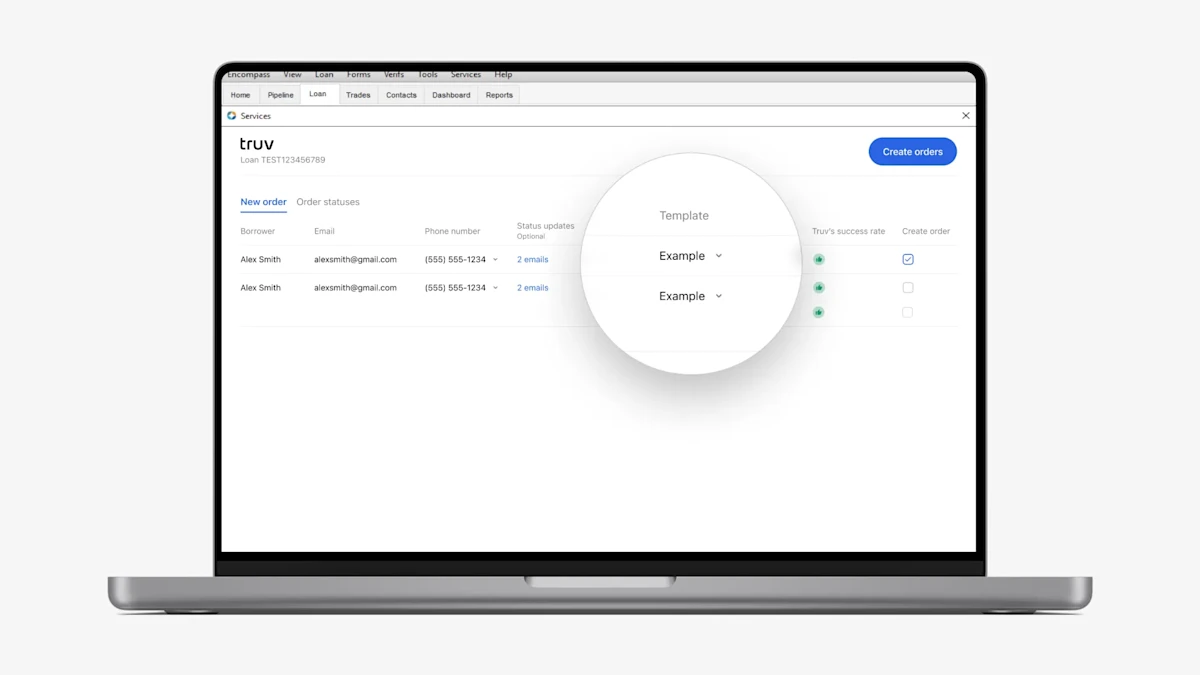
- Show user-assigned templates only: To help with large lender usability, in Encompass → New order tab, we now automatically filter the list of available Truv templates in Encompass based on the list of templates they have assigned in the Truv Dashboard. Previously, if a lender had a large number of branches or DBAs, it would be difficult for the Loan Officer or Processor to identify their template in the dropdown list. Now that the list is filtered based on the user and selected product type, in most cases there should only be a handful of options to select from, making template selection significantly more user friendly.
- As an Admin or Owner, to check assigned templates in the Truv Dashboard navigate to Settings → Team page and select an Order Manager. The assigned templates are visible under the ‘Available orders’ field.
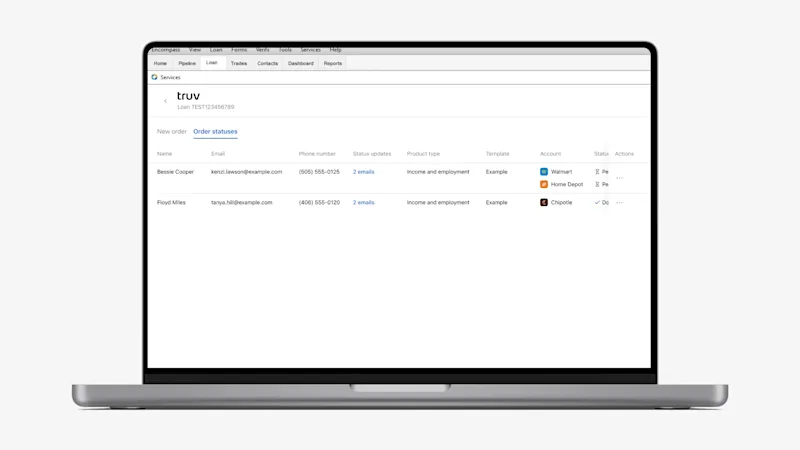
- Updated table UI and actions: In both the Encompass → New order and Order statuses tabs, we rolled out new standardized UI components for the tables. Tables now have horizontal scrolling to prevent crowded and overlapping column text on small screens. Additionally, in the Order statuses tab, we transitioned the action icons on the right side of the table into an organized action list that can be opened when clicking the three dots (…).
- Employer sorting: To reduce the likelihood of manually ordering Truv on the wrong employers in Encompass, we now sort employers in the Encompass → New order tab based on their order in the loan application.