
Changelog
Get the latest feature updates in Truv
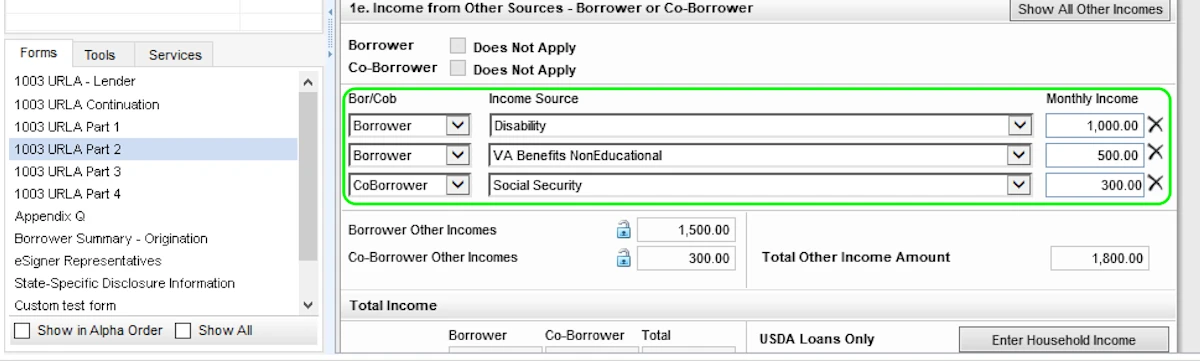
- In Encompass we enabled ordering Truv verifications for Disability, Social Security, and VA Benefits NonEducational income sources. When one of these eligible benefit types is entered into ‘Section 1e. Income from Other Sources’ in Encompass, it will automatically appear as a verification option in the Encompass Truv app. When the borrower successfully completes the order, we will return a report and the most recent Benefits Letter.
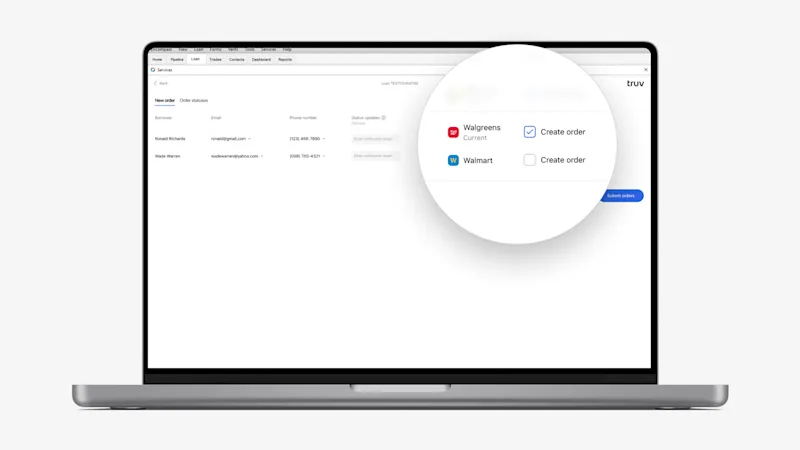
- In Encompass, we’ve added a setting to pre-select ‘Current’ employers in the Truv order creation screen. Any employers entered into the Previous Employment section in Encompass won’t be pre-selected. This feature is also applicable to clients using Automated Service Ordering called as ASO. If the lender creates Truv orders automatically with ASO, the order will be placed with only the pre-selected ‘Current’ employers. Reach out to the Truv team to enable this setting.
- In Encompass, previously we had a setting to automatically CC the email address of the Loan Officer and/or Loan Processor on the file to status updates for the Truv Order. This was previously only working for Manual Truv orders. We have now scaled it to also work for Automated Service Ordering (ASO). If an Encompass role is set to automatically be CC’d for Truv status updates and an ASO order is placed, they will be CC’d. Reach out to the Truv team to enable this CC setting.
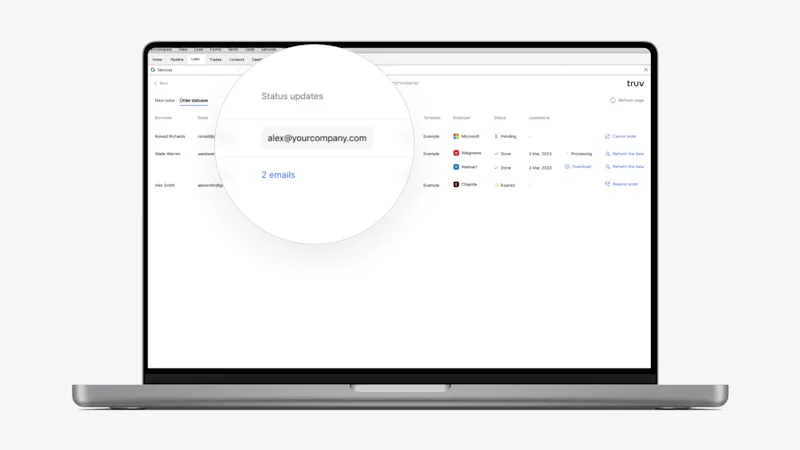
- Previously, lenders couldn’t change the CC email addresses for Truv order status updates prior to refreshing the data in Encompass. We now allow users to add or delete email addresses in the Status updates column for completed orders, prior to ordering a refresh. This is particularly useful for lenders who need to keep underwriters, closers or others in the loop when a 10 day PCV of employment has been ordered.