

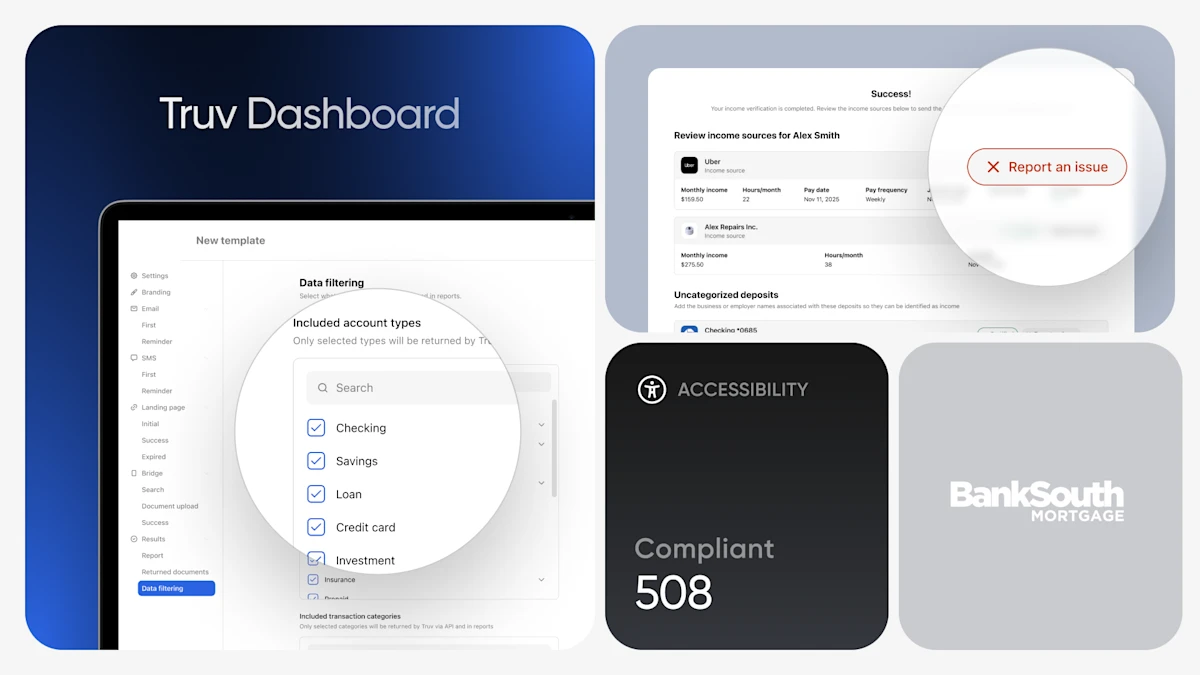
March brought another round of brand new updates from Truv, with targeted improvements for public sector clients and new features and functionality for lenders to sharpen team workflows and raise the bar for the end-user experience.
Public Sector Updates
Truv Dashboard Updates
Truv’s latest Dashboard improvements give users greater visibility and control, with new tools for triaging connections, customizing report templates, and streamlining bulk order creation.
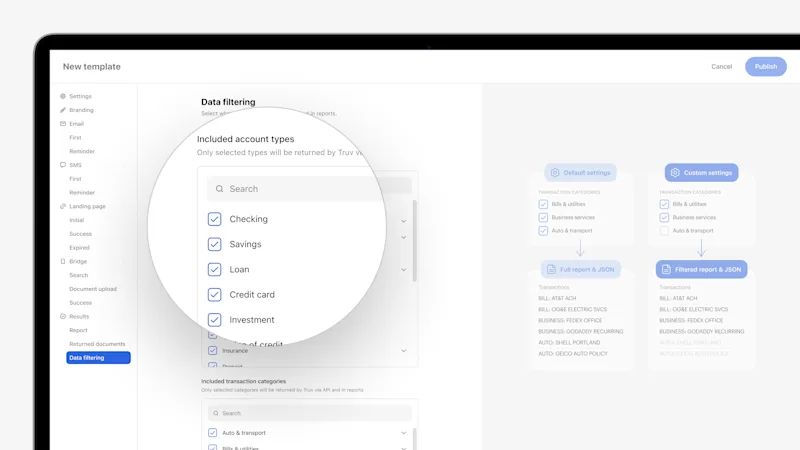
- Self-Employed Income Report Template Customizations: For Truv’s public sector clients, we have updated Self-Employed Income templates to include customization of which account or transaction categories are included in the returned report JSON and PDF, including the ability to filter categories in Truv templates. Additionally, templates also support customizing which categories are visually labeled in the report PDF.
- Bulk Upload Orders Enhancements for Public Sector: In Truv Dashboard, public sector teams can now upload a CSV file to bulk create up to 100 orders at a time, instead of one-by-one. We have enhanced this feature to support additional Truv products, including Self-Employed Income, Wage Earner Income + Self-Employed Income, and fields (status updates), as well as clarified instructions.
- Show Latest Error Message in ‘Connections’ for Orders and Users: To make troubleshooting unsuccessful connections easier, we have added the Error Message for the latest attempt for each provider to the ‘Connections’ section in Orders and Users.
Self-Certification Page Improvements
As an expansion to our self-certification page for public sector, clients can now self-attest, review, and manage their income details in one comprehensive view — reducing back-and-forth and giving caseworkers cleaner, more accurate data to work with in real time.
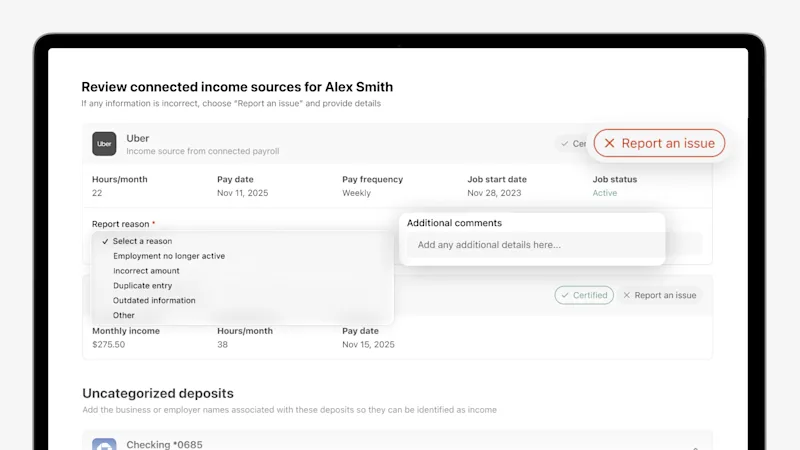
- Reporting an Issue: Clients can flag inaccuracies directly on any listed income source or employer in the self-certification page view. By selecting “Report an issue,” they can choose a reason from a dropdown (such as employment no longer active, incorrect amount, or outdated information) and add clarifying comments pre-submission.
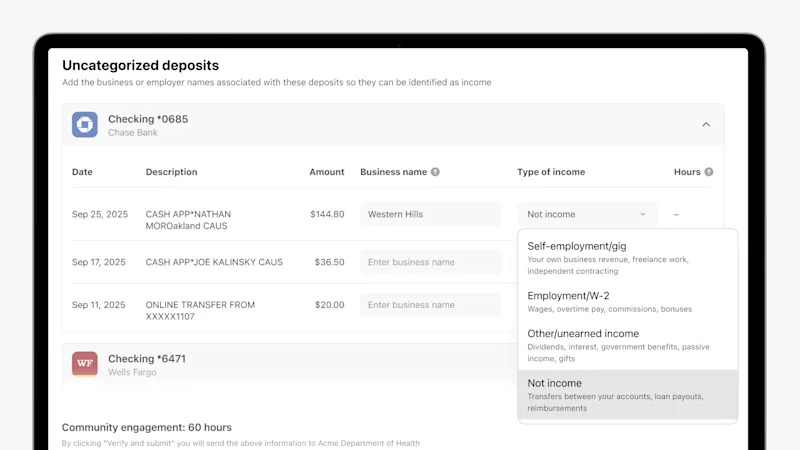
- Adding Unidentified Income from Bank Connections: If a client doesn’t see an income source listed, they can now identify it themselves. In the Uncategorized Deposits section, clients can enter the business name and type of income alongside the corresponding bank transaction. This input is automatically displayed in the Truv Report and JSON response returned to the agency for caseworker review.
Compliance & Accessibility Enhancements
- 508 Compliant Orders Landing Page & Doc Upload Product: Truv’s Orders workflow has been refined to support multiple modalities for accessibility, including keyboard + screen reader navigation, voice command with numbered overlays, and grid-based spatial navigation. 508 compliance also extends to our document upload product, empowering public sector clients with accessible verification experiences.
- Expanded Multi-Lingual Support: Truv expanded support for threshold languages within the Truv verification experience. In addition to our existing multilingual coverage, we now support Portuguese, Ukrainian, Mandarin, and Mien, helping agencies better serve diverse populations while maintaining a seamless, compliant user experience.
Truv Dashboard Updates
Truv’s latest Dashboard improvements give lending teams deeper insights into verifications and connection details.
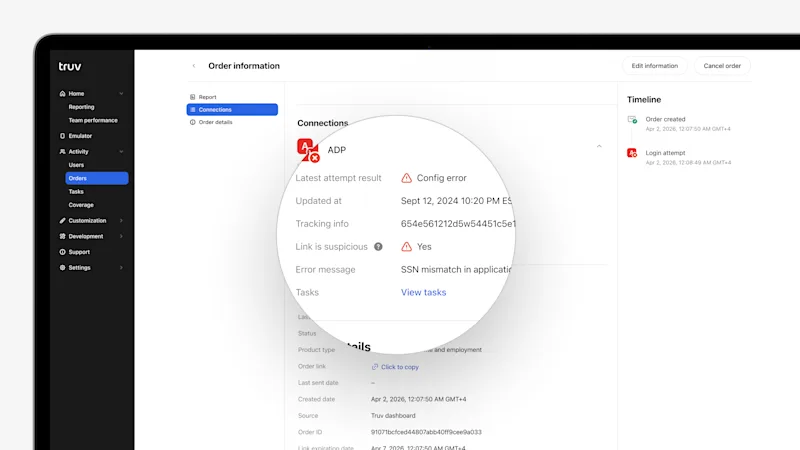
- Enhanced ‘Link is Suspicious’ Column in Orders and Users Tables: To provide quick reference for suspicious links in Truv Dashboard, we have added a ‘Suspicious’ column to the Orders and Users tables, showing if the latest task for each provider is suspicious.
- Show Latest Error Message in ‘Connections’ for Orders and Users: To make troubleshooting unsuccessful connections easier, we have added the Error Message for the latest attempt for each provider to the ‘Connections’ section in Orders and Users.
Truv Bridge & Orders Updates
- Expanded Orders Support for Mobile SDKs: We’ve expanded the Truv Mobile SDK with orders support. The latest SDK versions include this functionality out of the box — Truv Documentation will be updated shortly to reflect the changes.
Conversion Improvements
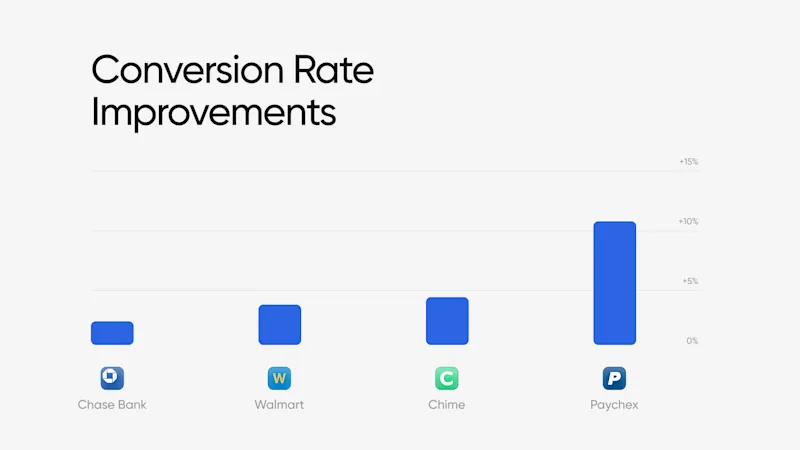
Truv’s engineering team works around the clock to keep every data connection running at its best — proactively monitoring performance, resolving issues, and fine-tuning integrations across payroll providers, employers, and financial institutions.
Verification of Income & Employment
| Company | Prior 30 days | Last 30 days | Improvement |
|---|---|---|---|
| Paychex | 70.02% | 80.36% | +10.33% |
| Walmart | 75.09% | 79.13% | +4.04% |
Verification of Assets
| Financial Institution | Prior 30 days | Last 30 days | Improvement |
|---|---|---|---|
| Chase Bank | 84.58% | 86.76% | +2.18% |
| Chime | 82.46% | 87.10% | +4.64% |
Customer Spotlight
Before partnering with Truv, BankSouth was spending approximately $400,000 annually on income and employment verifications with a legacy verification provider. By transitioning to Truv’s consumer-permissioned verification solutions, BankSouth realized $100,000 in VOIE cost savings while improving borrower experience and operational efficiency with integrations in ninon and Encompass. Check out the case study.
Customers Come First
Every update we ship is a reflection of the conversations we have with our clients. March is no different — your feedback fuels our roadmap, and your partnership pushes us to keep raising the bar. Thank you for growing with us!


