

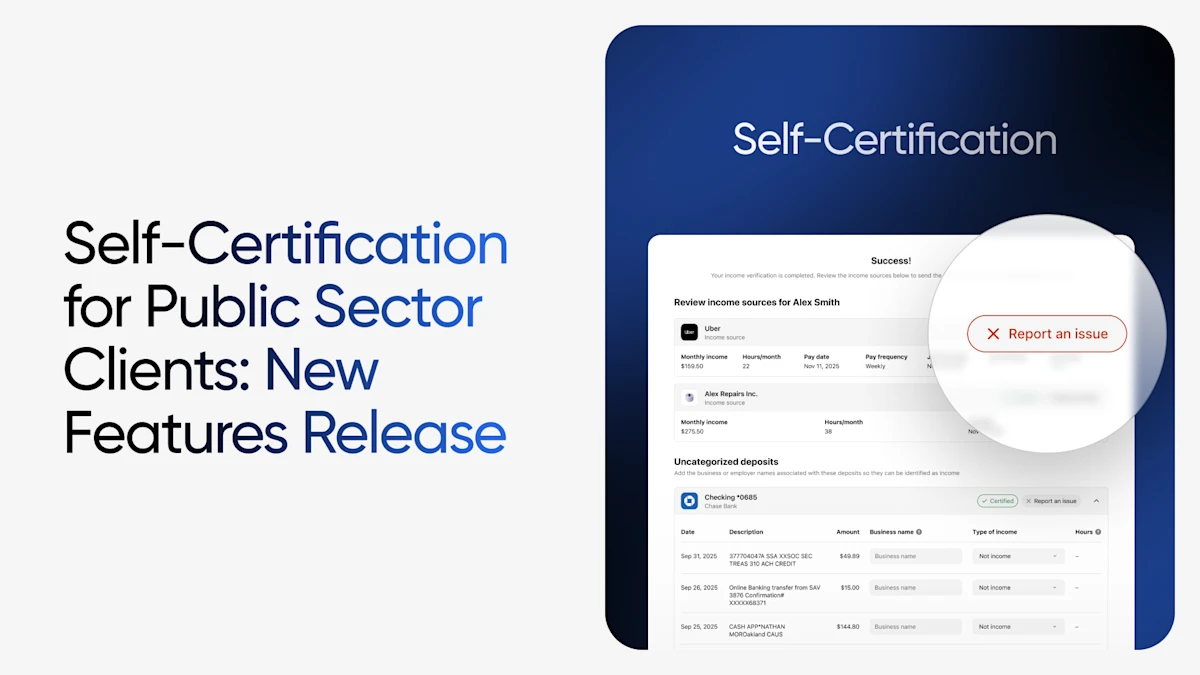
When we launched Self-Certification late last year, the goal was straightforward: give clients visibility into their own verification data and make them active participants in the process. The response from agencies and caseworkers has reinforced that when clients can see and confirm what's being shared, everyone wins.
As a fast follow, we've released two new enhancements that build on transparency and participation, giving clients the ability to take action when something doesn't look right — and to fill in the gaps when their full income picture isn't automatically captured or needs adjusting.
A Quick Recap: Self-Certification for Public Sector Clients
For those new to the feature: Self-Certification allows clients to review and confirm the accuracy of their income, employment, self-employment, and community engagement data immediately after connecting their sources through Truv.
Upon completion, clients are displayed a results screen with the information pulled from their connected sources to certify data that looks correct and flag discrepancies — all within the same seamless experience, without separate forms or additional logins. For caseworkers, certified submissions arrive with dashboard status indicators, audit-ready timeline entries, and automatic inclusion in PDF reports.
Now, we're extending that capability further.
What's New: Two Enhancements to Self-Certification
1. Reporting an Issue
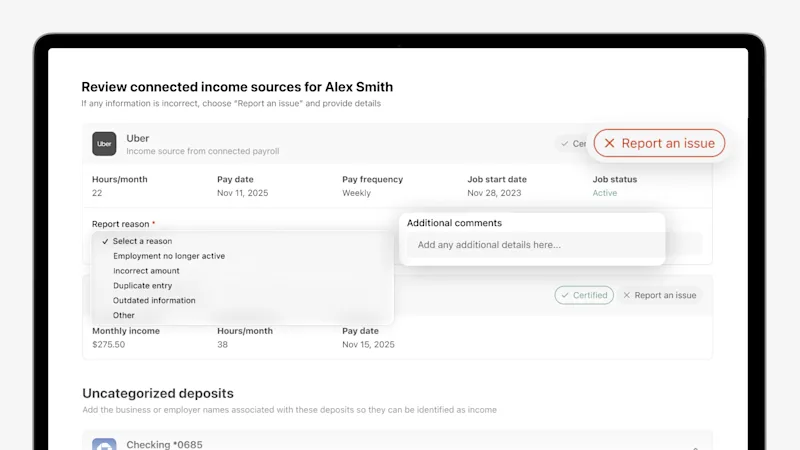
Clients can now flag inaccuracies directly on any listed income source or employer within the Self-Certification page view — without needing to contact their caseworker, call a helpline, or wait for a follow-up appointment.
By selecting "Report an Issue" on any income or employer entry, clients are prompted to choose a reason from a structured dropdown. Options include:
- Employment no longer active
- Incorrect amount
- Outdated information
- And more
Clients can also add clarifying comments before submitting, giving caseworkers the context they need to resolve the discrepancy quickly and accurately.
This structured input matters. Rather than receiving a vague flag or a freeform note, caseworkers get a categorized issue type alongside any supporting detail the client provides — making resolution faster and more targeted. Combined with the existing "Issue Reported" Truv Dashboard order status indicator, caseworkers can immediately identify which cases need attention without opening individual files.
The result: fewer back-and-forth touchpoints, cleaner case notes, and a faster path to eligibility determination.
2. Adding Unidentified Income from Bank Connections
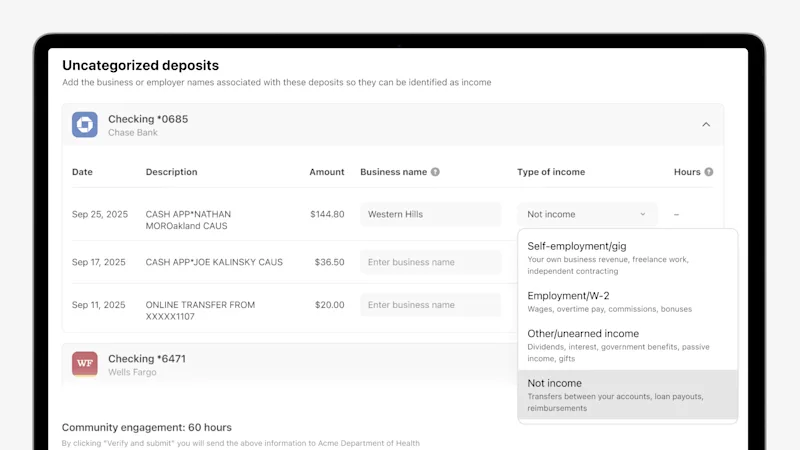
Truv automatically identifies and categorizes income from connected bank accounts — but not every deposit arrives with clean metadata. For part-time income, informal work, and other non-traditional sources that don't get automatically categorized, clients now have a clear path to identify and report that income on-demand, in real time.
In the Uncategorized Recurring Deposits section of the Self-Certification page, clients can identify and name income sources that weren't automatically categorized. For each unrecognized recurring deposit, clients can enter:
- The business or payer name
- The type of income
Once submitted, it is automatically added into both the Truv Report PDF and the JSON response returned to the agency.
Rather than leaving deposits unexplained or requiring clients to bring in supplemental documentation at a later appointment, clients are empowered in the moment and agencies gain the full financial picture upfront.
Why This Matters for Public Sector Agencies
Together, these enhancements move the Self-Certification experience from a review-and-confirm flow to a truly comprehensive income source management view. Clients can now:
- Attest to the accuracy of automatically pulled data
- Dispute entries that don't reflect their current situation
- Identify income that wasn't automatically captured
For caseworkers, this means cases are reviewed from a more complete, more accurate starting point. Issues are pre-categorized. Unidentified income is labeled. And every client action leaves a clear record in the case timeline.
This is the kind of data quality improvement that doesn't require more staff or more manual steps — it comes from building the right tools directly into the client experience.
Getting Started
Both enhancements are available now as part of the Self-Certification feature for public sector clients. No additional configuration is required. Agencies already using Truv's Self-Certification will see these capabilities automatically within the existing workflow.
If you're not yet using Self-Certification and want to learn how it fits into your agency's verification process, contact our team.


