

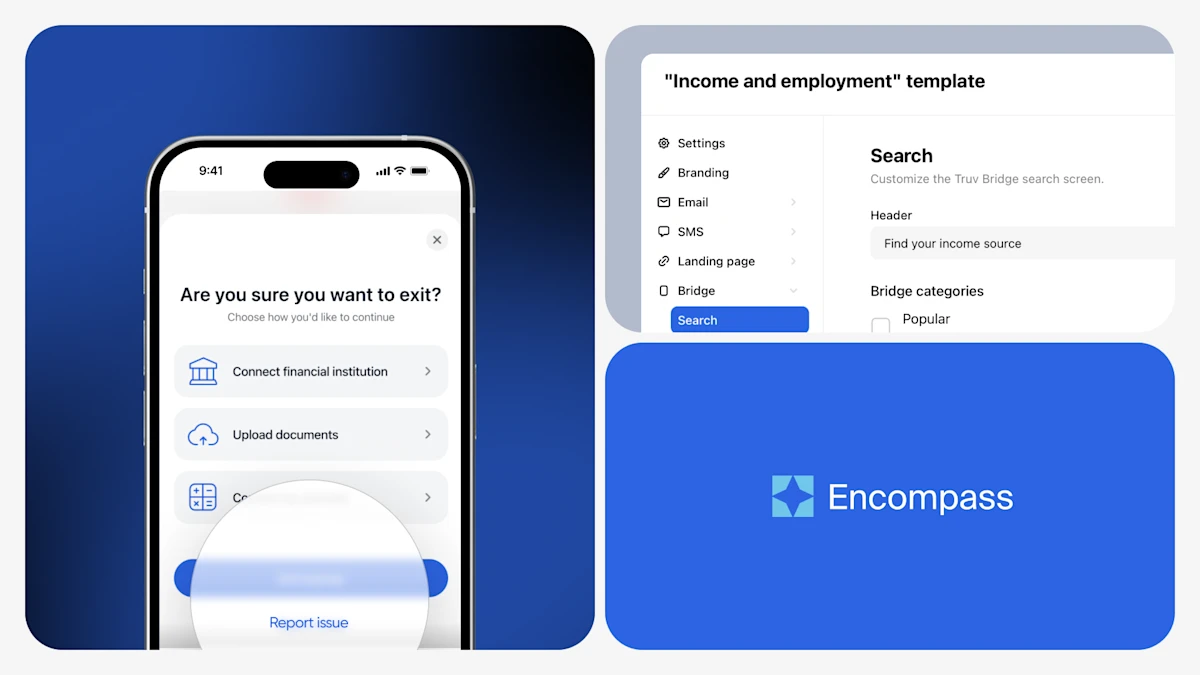
Truv's May product updates span new improvements, smoother verification workflows, and a range of enhancements, with targeted improvements for our public sector and mortgage lending clients.
Public Sector Updates
Truv's recent feature improvements include enhancing the client experience and improving order visibility and transparency for agencies.
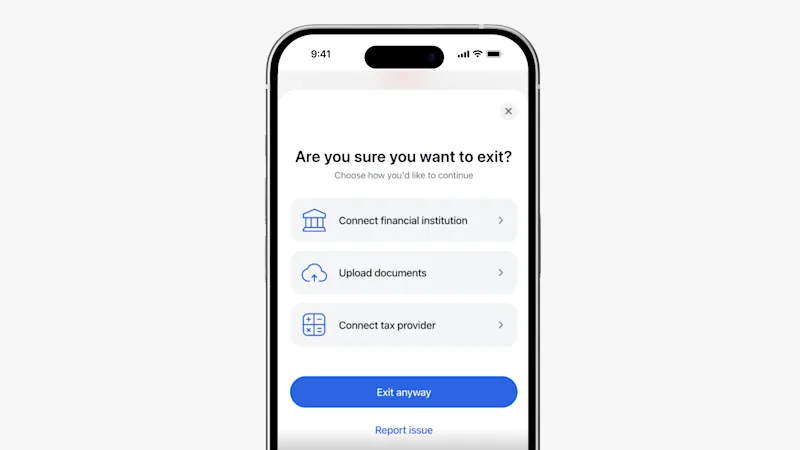
- Report an Issue in Truv Bridge: Clients can now report issues directly within their Truv experience for faster resolution. For example, they can flag an incorrect employer-provider mapping or note that a login works on the provider's website but fails in Truv.
- Show Connected Employment Duration to Clients: In the order landing page, when a client connects to an employer or payroll provider, Truv now shows a summary of the employment history to the client. Minimum requirements can be set in Truv templates.
- Auto-Prompt Client to Connect Additional Required Data: In the order landing page, when a client connects to an employer, provider, or financial institution, Truv now flags next steps to add additional sources if employment duration requirements were not met.
- Auto-Open Controls for Combination Products: For orders that have combination products, you can now select one product to auto-open for the client, guiding the borrower and improving conversion.
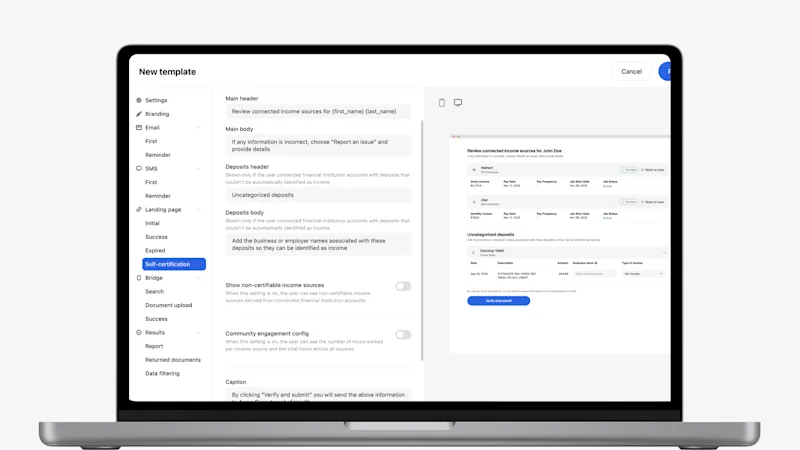
- Expanded Customization for Self-Certification Page: Manage the client experience and level of customization your client has on the self-certification page in Truv Templates, including showing non-certifiable income sources, community engagement configuration, and customizable instructional messaging for the client.
Mortgage Lending Updates
Truv's recent Encompass enhancements give lenders greater control over order requests sent to borrowers as well as greater flexibility with billing details post completion.
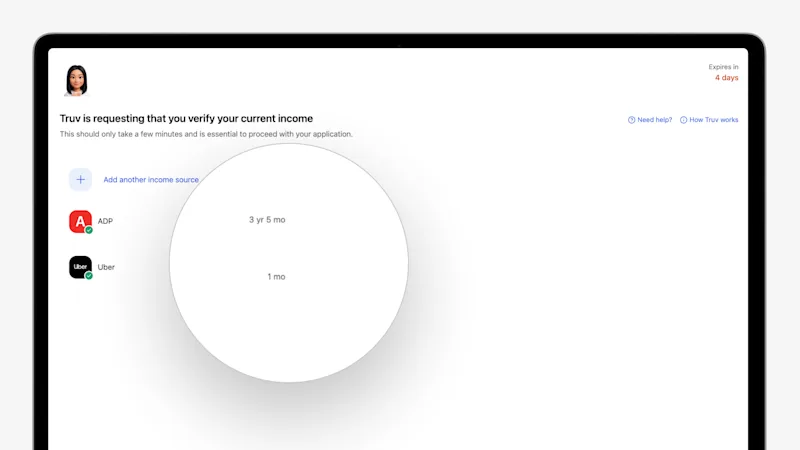
- Show Connected Employment Duration to Borrower: In the order landing page, when a borrower connects to an employer or payroll provider, Truv now shows a summary of the employment history to the borrower. Minimum requirements can be set in Truv templates.
- Auto-Prompt Borrower to Connect Additional Required Data: In the order landing page, when a borrower connects to an employer, provider, or financial institution, Truv now flags next steps to add additional sources if employment duration requirements were not met.
- Report an Issue in Truv Bridge: Borrowers can now report issues directly within their Truv experience for faster resolution. For example, they can flag an incorrect employer-provider mapping or note that a login works on the provider's website but fails in Truv.
- Auto-Open Controls for Combination Products: For orders that have combination products, you can now select one product to auto-open for the borrower, guiding the borrower and improving conversion.
- Access Monthly Bank Statements from Verification of Assets: Truv has enabled clients the option to download monthly bank statements from VOA orders, unlocking use cases where statements are required for underwriting (i.e. brokerage/401K/investment accounts where vesting and net balances need documentation for reserves, construction, non-QM, and non-investor loans). Lenders on Encompass have the ability to push bank statements directly to the Encompass eFolder.
- New Fields and Source Filtering for Applicants by SSN in Encompass: The
/system/applicants-by-ssnendpoint now returnslink_id,order_group_id, andsourcein its response, giving you richer context to render results directly in Encompass. You can also exclude results by source (e.g.,exclude_source: encompass) to filter out specific origins and prevent duplicate orders when the same borrower is verified across multiple systems. - Import Documents from Previous Orders in Encompass: Documents from previous tasks and orders can now be imported into Encompass, bringing past verification data into your current workflow. The new endpoint automatically reuses or creates a transaction to deliver the documents, eliminating manual handling.
Truv Dashboard & Orders Updates
Truv's latest Dashboard improvements give teams using Truv deeper insights into verifications and connection details.
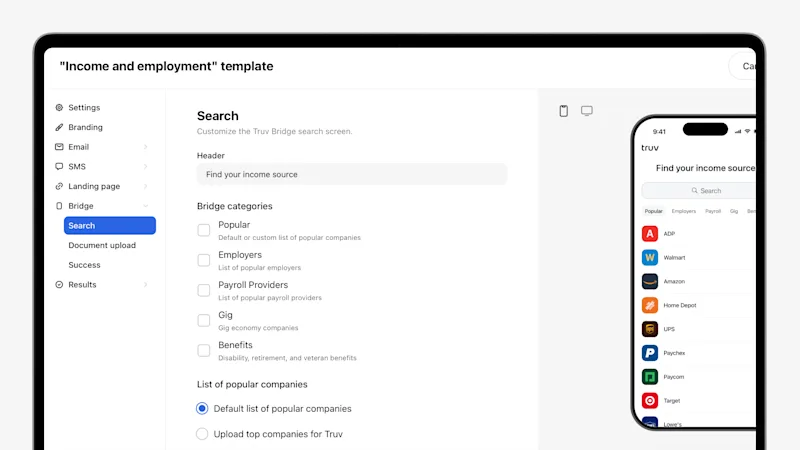
- Enhanced Truv Template Design: Truv Templates have been redesigned with a new layout, additional fields, expanded customization, and updated field grouping for all Truv customers. Setting up and managing templates for Truv clients is faster, more flexible, more intuitive, and easier to use.
- Rich Text Support in Orders Landing Page: The orders landing page now supports rich text formatting, giving you more granular control over how your end-user experience looks so you can tailor every detail to your brand and preference. Use bold, italics, links, and other styling options to craft clearer, more compelling messaging that drives stronger conversion.
- Auto-Completed Orders for Partial Connections: To improve conversion by capturing partial connections that would otherwise be at risk of drop-off, now when an end user connects one employer, provider, or financial institution in an order but not the others, Truv auto-completes the order in 24 hours. If you need to verify additional sources that were not connected, create a new order with the same
external_user_idand Truv will recognize that the connections belong to the same end user. Configuration available by request.
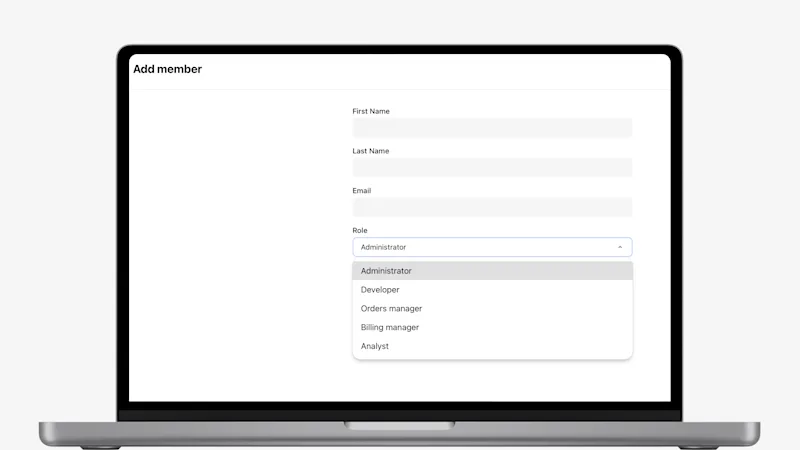
- New Analyst Role Available to Assign to Team Members: In Truv Dashboard, under Settings > Team, your admins now have the option to assign team members to a dedicated role with access to Truv reporting and insights.
Conversion Improvements
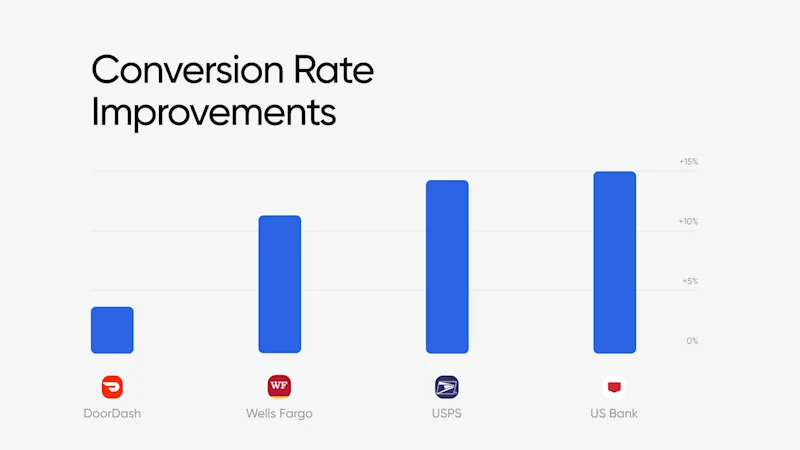
Truv's engineering team works around the clock to keep every data connection running at its best — proactively monitoring performance, resolving issues, and fine-tuning integrations across payroll providers, employers, and financial institutions.
Income and Employment Verification & Wage Earner Income Verification
| Employer | Prior 30 days | Last 30 days | Improvement |
|---|---|---|---|
| USPS | 63.78% | 78.32% | +14.55% |
| DoorDash | 70.65% | 74.91% | +4.26% |
Asset Verification & Self-Employed Income Verification
| Financial Institution | Prior 30 days | Last 30 days | Improvement |
|---|---|---|---|
| US Bank | 79.44% | 94.56% | +15.12% |
| Wells Fargo | 83.66% | 95.31% | +11.65% |
Customers Come First
Many of May's updates each started as a piece of feedback, a workflow that needed smoothing, or a gap that was flagged. That's the way we like to build: with the people who use Truv every day. Thank you for helping us raise the bar and improve the Truv experience across the board!


