

At Truv, we believe verifications should be a painless process, not a pain point. That’s why Truv provides lender-aligned verification solutions with lender-aligned pricing.
Managing loan files just got easier. Truv’s new data patching feature gives loan officers complete control over how verification data flows into Encompass, eliminating manual data entry and reducing errors in the loan origination process.
Granular Control of Your Loan File Updates in Encompass
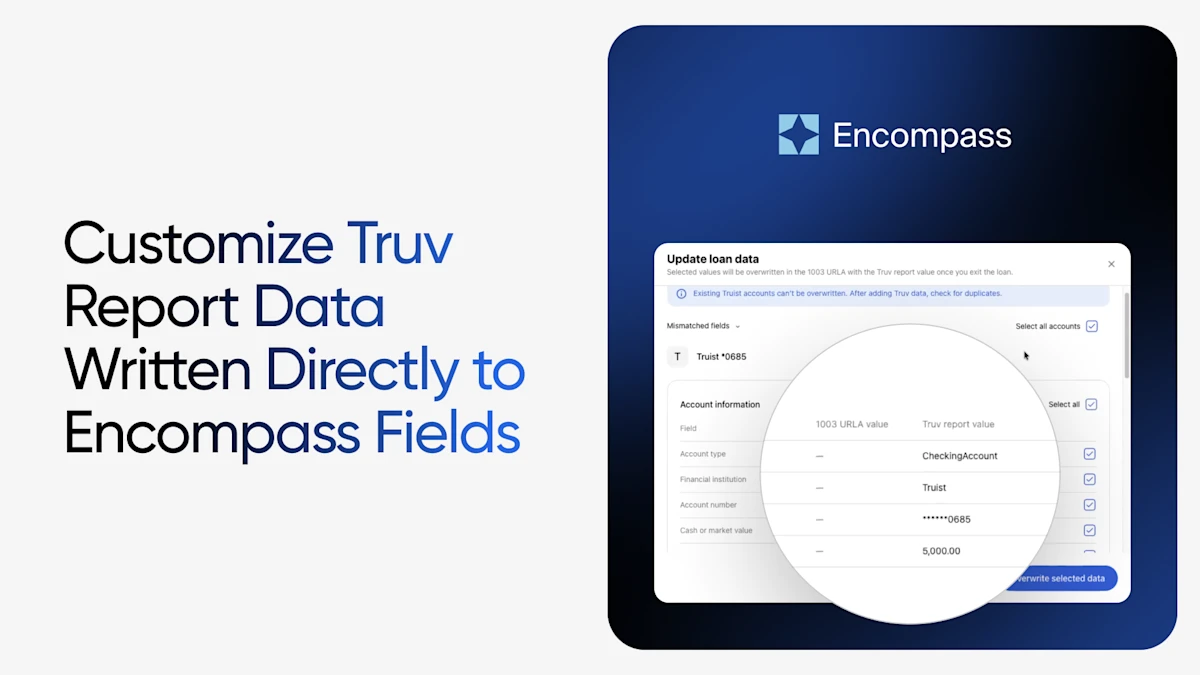
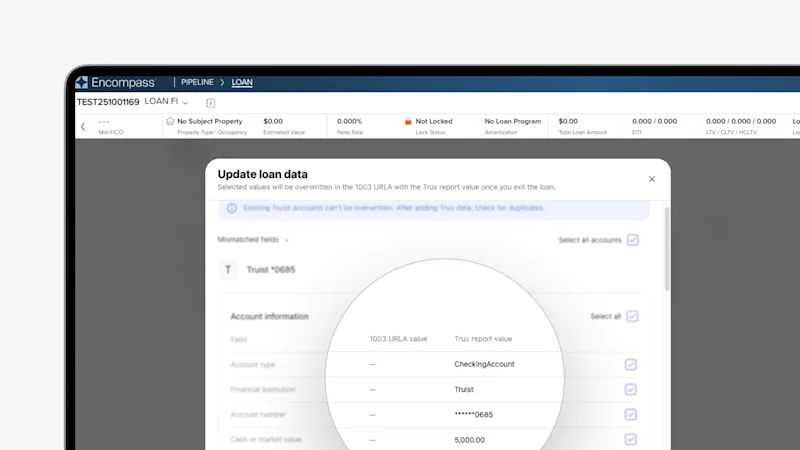
When Truv’s Verification of Income and Employment (VOIE), Verification of Employment (VOE), or Verification of Assets (VOA) order is completed by the borrower, you can now instantly update your Encompass loan files with the returned data. Our intuitive side-by-side comparison view displays your existing loan file data (1003 URLA value) alongside the Truv verification report results, allowing you to review and select exactly which fields to update.
Why This Matters for Your Lending Operation
- Reduce Manual Entry: Eliminate the time-consuming process of manually transferring data from verification reports into Encompass loan files. What once took minutes of careful data entry now happens with just a few clicks.
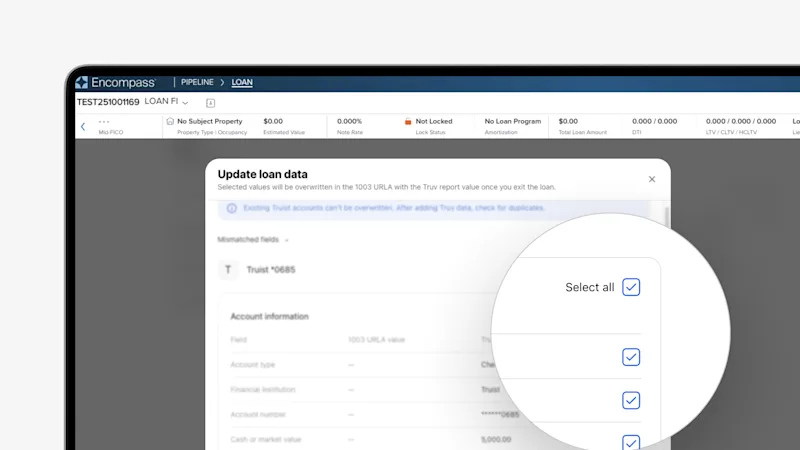
- Customizable Fields: Choose to update all fields with one click, or selectively update individual fields as needed. This field-level control can help prevent accidental overwrites of manually entered information or special cases.
- Flexible Configuration: Lenders can enable or disable this feature at the organizational level, giving you the flexibility to match your operational preferences. Lenders who prefer centralized control can restrict access, while others can empower loan officers to manage updates directly.
- Extended Transaction Window: Verifications remain open for 30 days, giving lenders ample time to review reports and patch data exactly when it makes sense for your workflow—similar to how the Truv asset verification process currently works.
Supported Data Fields
The data patching feature supports comprehensive field mapping across all Truv’s suite of verification solutions:
- VOIE/VOE orders: Update employment history, employer information, job titles, start dates, income details, and more.
- VOA orders: Update account numbers, account types, financial institution names, ownership information, current balances, and more.
All supported fields align with Encompass 1003 standards, ensuring seamless integration with your existing loan processing workflow.
Report ID & Document Transfer to LOS from POS
Truv takes automation even further with seamless report ID and document transfers. VOIE and VOA Report IDs are automatically written from Truv’s reports directly to Encompass, ensuring reference numbers populate in the corresponding LOS fields for submission to automated underwriting systems. Additionally, Truv reports, invoices, and income documents are available inside the LOS automatically—no manual uploads required. By removing manual data entry at this critical stage, lenders can reduce processing time and minimize the risk of errors that could impact loan approval requirements in the short term and lead to costly buybacks in the long term.
Getting Started
This feature is available now and can be enabled through your Customer Success Manager. Our CSMs will work with you to configure the settings according to your operational needs and preferences.


