
Changelog
Get the latest feature updates in Truv
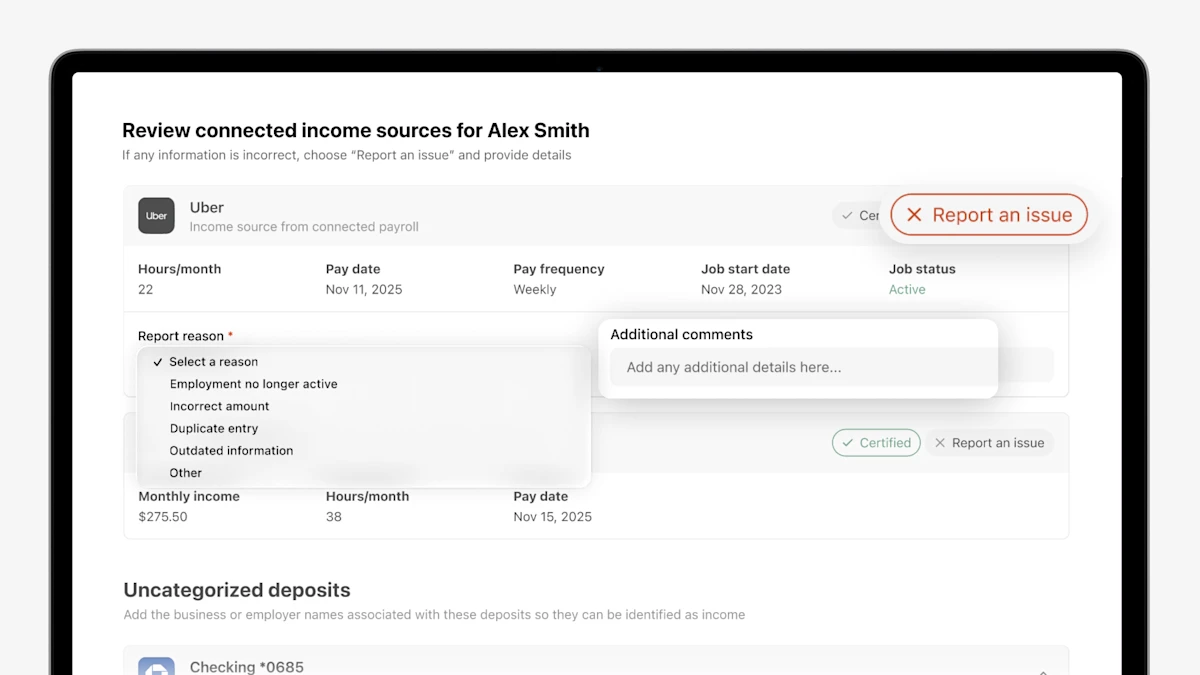
- Reporting an issue: Clients can flag inaccuracies directly on any listed income source or employer in the self-certification page view. By selecting "Report an issue," they can choose a reason from a dropdown (such as employment no longer active, incorrect amount, or outdated information) and add clarifying comments pre-submission.
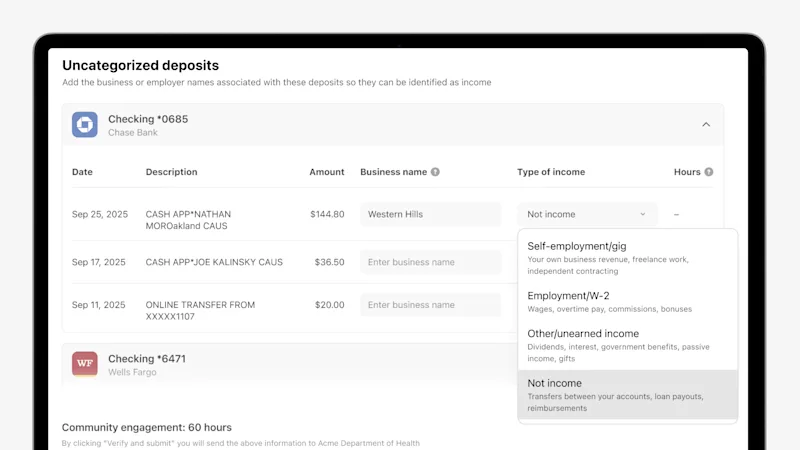
- Adding unidentified income from bank connections: If a client doesn't see an income source listed, they can now identify it themselves. In the Uncategorized Deposits section, clients can enter the business name and type of income alongside the corresponding bank transaction. This input is automatically displayed in the Truv Report and JSON response returned to the agency for caseworker review.