
Changelog
Get the latest feature updates in Truv
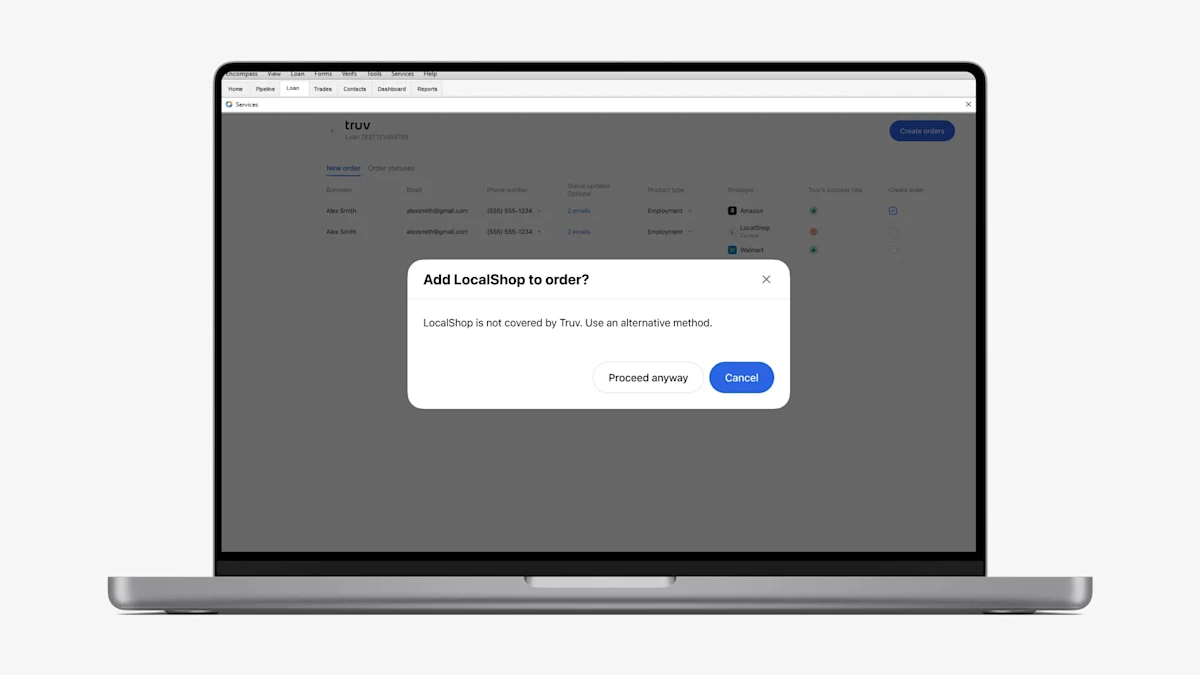
- Warning pop-up when adding unsupported employers: To help Encompass users decide the best verification solution to use for each borrower or employer, we have added a warning pop-up when trying to add an Unsupported company (red caution icon) to the Truv order in the New order tab of Encompass. Note, if the Document Upload solution is enabled on your account and template, we won’t show this pop-up since the verification can still be completed successfully with this solution.