
Changelog
Get the latest feature updates in Truv
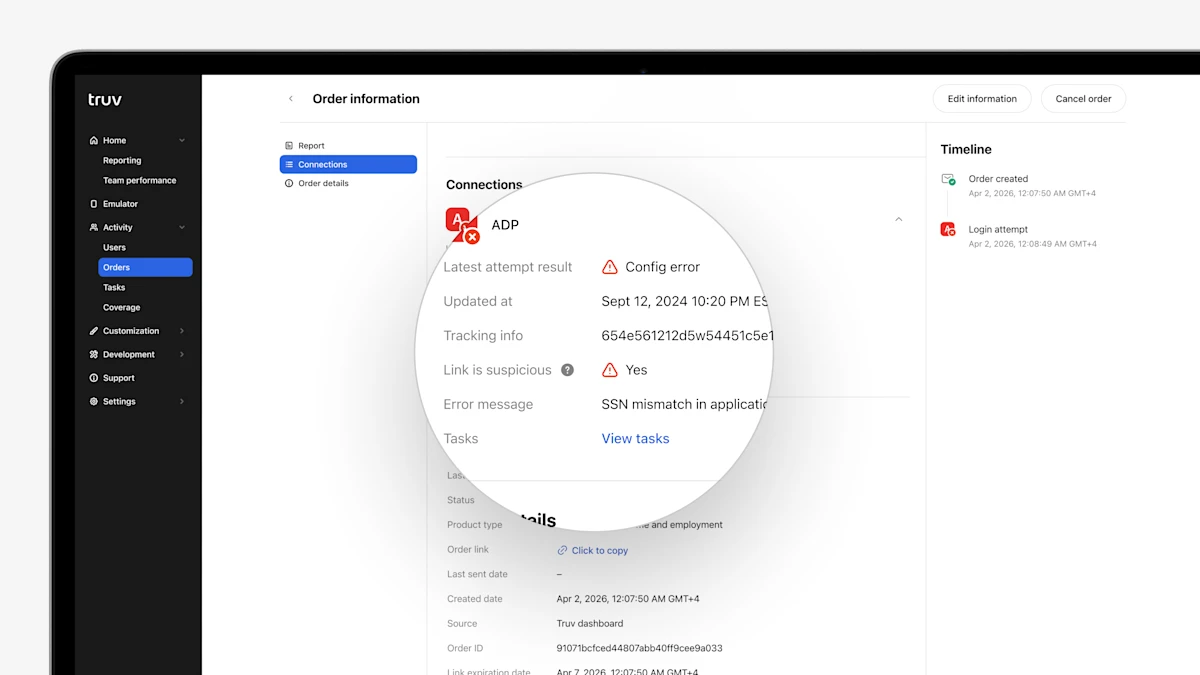
- Link is suspicious column in Orders and Users tables: To provide quick reference for suspicious links in Truv Dashboard, we have added a 'Suspicious' column to the Orders and Users tables, showing if the latest task for each provider is suspicious.
- Latest error message in 'Connections' for Orders and Users: To make troubleshooting unsuccessful connections easier, we have added the Error Message for the latest attempt for each provider to the 'Connections' section in Orders and Users.
- Performance per Template in Reporting: To improve visibility into verification volume and performance, we have added a table to show volume and conversion by template and initial vs. refresh order to the Dashboard Reporting tab.
- Self-Employed Income report template customizations: For public sector customers who want to control which account or transaction categories are included in the Self-Employed Income report JSON and PDF, we have added the ability to filter categories in Truv templates. Additionally, templates also support customizing which categories are visually labeled in the report PDF.
- Bulk upload orders enhancements for Public Sector: In Truv Dashboard, public sector teams can now upload a CSV file to bulk create up to 100 orders at a time, instead of one-by-one. We have enhanced this feature to support additional Truv products, including Self-Employed Income, Wage Earner Income + Self-Employed Income, and fields (status updates), as well as clarified instructions.