

This month's product update introduces new features, expanded product functionality, updates to the Education Verification product for state agencies, as well as enhancements designed to make verifications faster, workflows more efficient, and everyday tasks easier for all Truv by Checkr customers.
Public Sector Updates
Truv's September release makes verifications easier for agencies and their clients, with improvements across the client experience, caseworker tasks, and agency workflows.
Education Verification
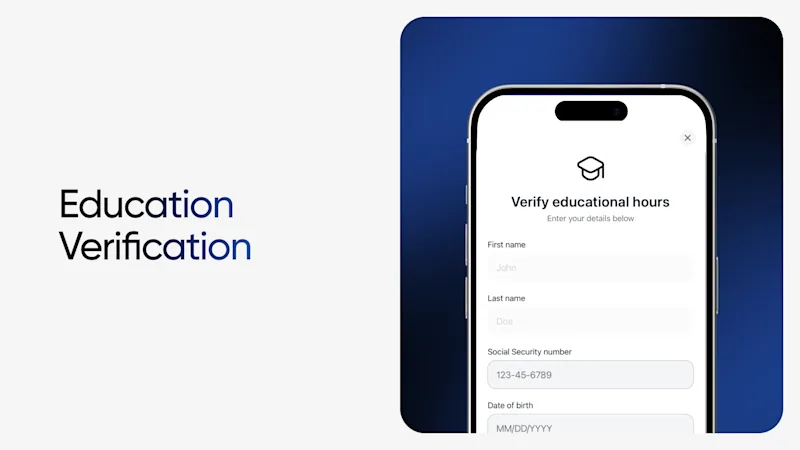
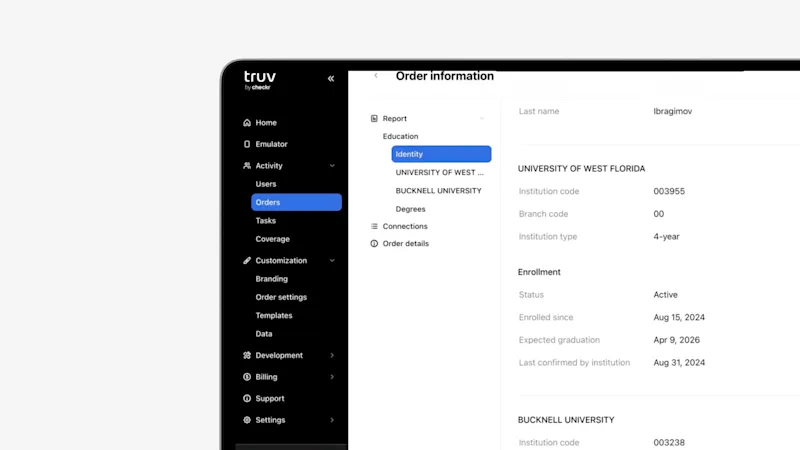
Following the recent launch of Education Verification, which powers confirmation of enrollment status directly with the institution instead of chasing registrar records, we've made it easier to capture a client's full education history and tailor the experience to your agency's workflow:
- Complete Education History: All records are matched to the person, so the full history is returned in the report rather than a partial view.
- Customizable Institution Display: In Dashboard > Templates, agencies can customize the institution list that's displayed in the Bridge list for clients to choose from.
- Built for HR1 and Community Engagement: Supports community engagement verification hours as part of qualifying activity, helping agencies meet HR1 requirements.
- History Display in Self-Certification Page: Every matched university appears on the self-certification screen, so clients can review them before submitting to the agency.
Book time with the team to see a demo and learn more.
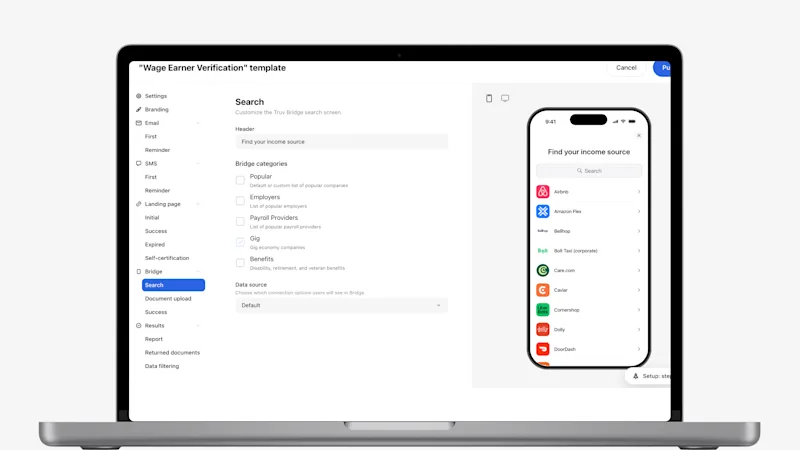
- Wage Earner Verification Search Bar Added to Gig-Only Bridge Experience: For public sector teams using the gig-only experience in Templates, the Bridge now includes a search field, so clients can find their gig platform without scrolling through the full list.
- Accessibility Improvements for Clients Using Safari: We've improved ADA accessibility in Safari, ensuring radio buttons expose the correct roles and screen readers pronounce phone numbers and email addresses correctly, making the widget easier to use for people who rely on assistive technology.
- SFTP Delivery Supports Existing Imaging Software for Agencies: Completed verification reports can now be delivered automatically to an agency's SFTP folder and customized for their imaging software to read, so reports reach caseworker systems structured correctly, with no manual handling.
Dashboard & Orders Updates
Our latest updates make Dashboard more accessible, more customizable, and more useful for the teams who rely on it every day.
Introducing Mobile Dashboard
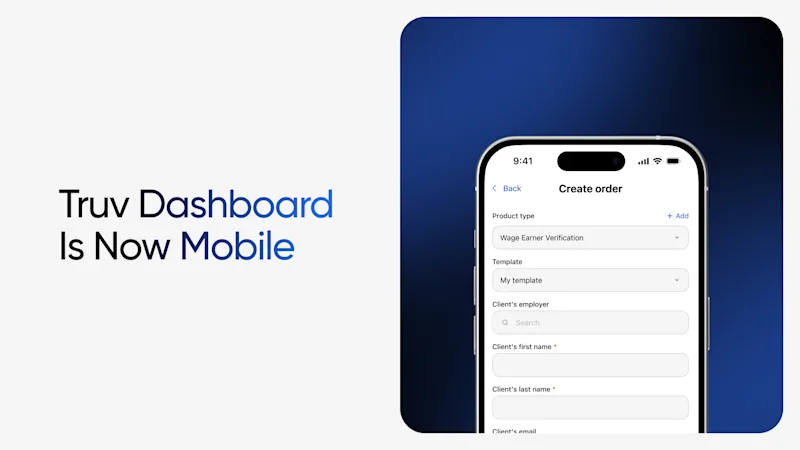
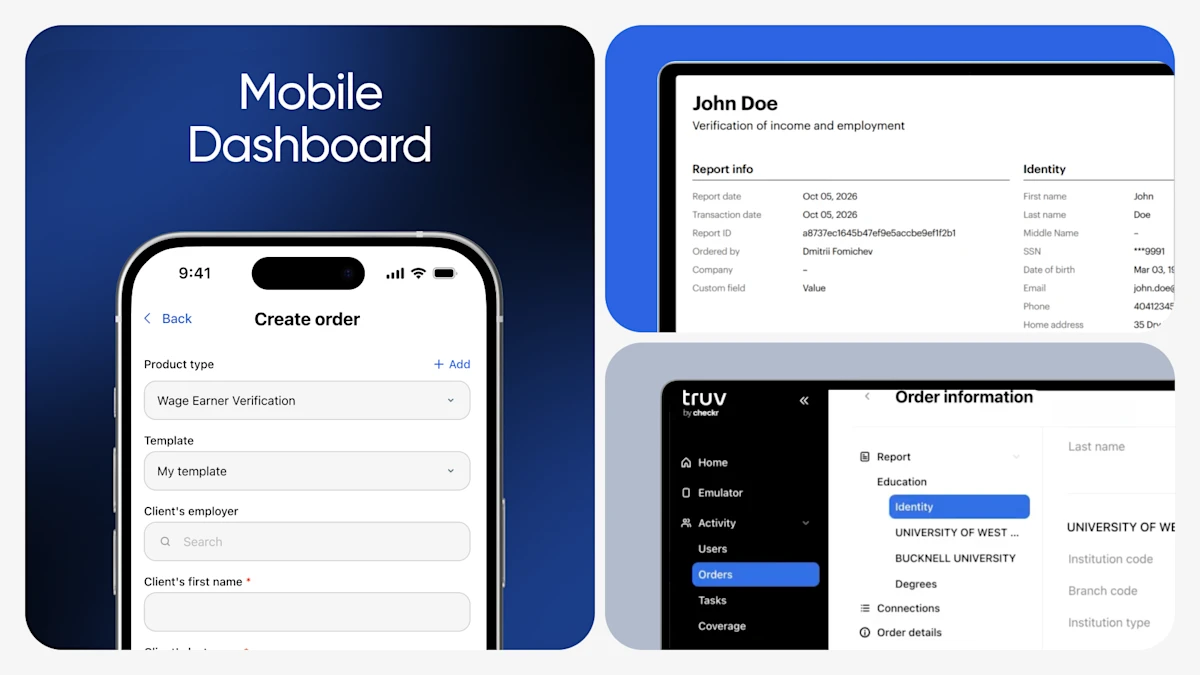
Dashboard is now fully mobile-friendly, giving you access to nearly everything you've been completing on desktop from your phone's browser, with no app download required. Layouts are rebuilt for a small screen, so the experience matches desktop. Access Mobile Dashboard to:
- Create and track orders: Start a new verification, send it to the end user, and monitor orders in flight with current statuses, all in a layout built for scrolling on a phone.
- Review order details: Check status history, see which data sources are verified, refresh order data, and download reports once the end user completes their verification.
- Manage your account: Invite teammates and update roles, edit templates, update company branding and profile, manage API keys, and review subscription details.
- Work from anywhere: Handle intakes between appointments, answer status questions while away from the office, or add a teammate before their first shift, without waiting for a laptop.
- Same dashboard, same access: Sign in with your existing credentials. Permissions, environments (including the Sandbox and production toggle), and order history carry over.
See more: https://truv.com/blog/truv-dashboard-is-now-mobile
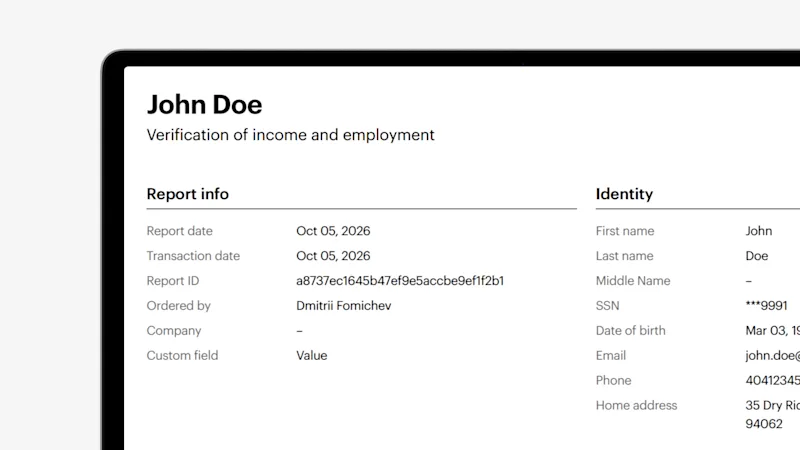
- Custom Field Display in PDF Report: If a custom field is enabled in a Template, it now displays in the report to view on the returned PDF.
- Improved Search in Dashboard Orders Page: In Dashboard > Orders, search is now faster and more intuitive by end user name. It has been enhanced to ensure that search by end user name quickly pulls up all associated orders, saving time and cutting down on manual filtering.
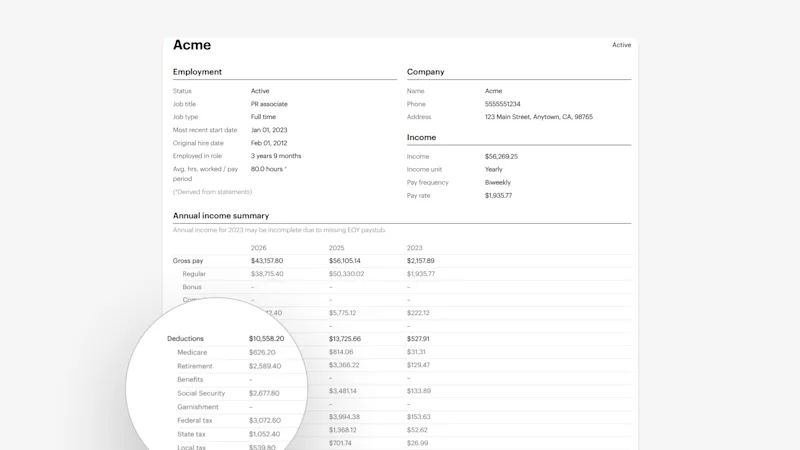
- Deductions Section Now Shown in Link-Level Income Reports: The Deductions category in the Annual Income summary now displays correctly in link-level PDF reports for income and employment verification from payroll connections, so users no longer need to open the user-level report to see the full breakdown.
- Doc Upload Product Improvements for "Capture Only" Mode: We've improved the Doc Upload flow for agencies requiring "capture only" mode, where Truv collects the client's source documents without parsing the data.
- Added Insurance Documents as Supported Document Upload Types: Doc Upload now supports insurance documents as an acceptable document type in Bridge, returning source documents to order managers. Reach out to your Technical Account Manager to enable.
- Customize Order Consent Text: Dashboard Admins can now customize the consent text on the order page in Templates. Legal links remain present to ensure compliance.
Upcoming Events
NAMD Annual Conference
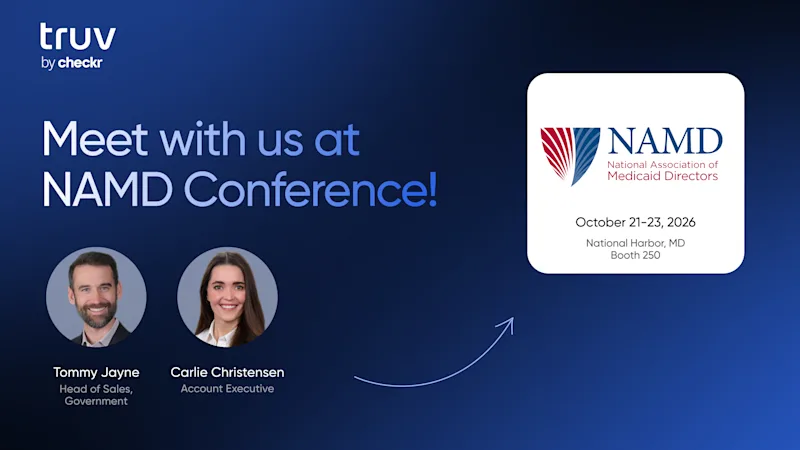
October 21–23, the team will be on the ground in National Harbor, Maryland for the National Association of Medicaid Directors (NAMD) Conference. This brings together state Medicaid directors, federal policymakers, and industry leaders to discuss evolving Medicaid policies, program administration, funding challenges, and innovations in technology and care delivery.
Customers Come First
Great products are built together. Thank you to our clients for the feedback, ideas, and partnership that shaped this month's release. We're always listening and excited for what's ahead!


