

Truv spent February laser-focused on platform enhancements to improve ease of use. Our latest improvements make Truv even more intuitive to streamline your experience with our suite of products. Explore the latest updates below.
Truv Platform Updates
Encompass Improvements
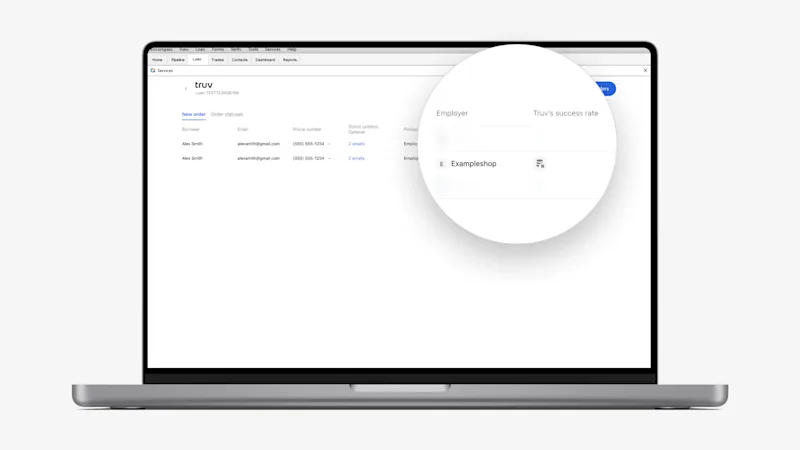
- Company ‘Not found’ Coverage Indicator: If a company is added to an Encompass order that doesn’t exist in the Truv database, we’d updated our coverage indicators to show a
Company is not found in the databasetooltip for the next best course of action. - Create New Open Order With Additional Employers: For use cases in which employers change payroll providers during a borrower’s employment, we’ve introduced open orders. From the ‘Order statuses’ tab, select ‘Add income source’ for orders with employers in terminal status. Choose up to 5 additional employers or payroll providers in the pop-up, and a new verification order will auto-send to the borrower.
Truv Dashboard & Order Updates
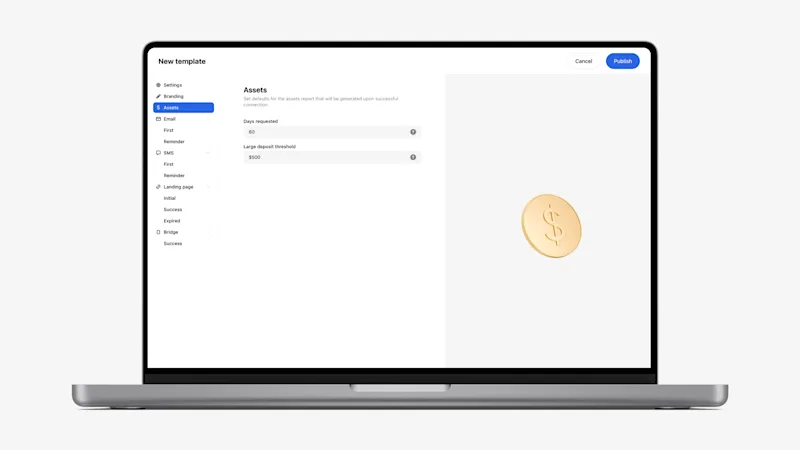
- Template Customization for Assets Parameters: For clients who use our VOA product, we have added the ability to customize the ‘Days requested’ and ‘Large deposit threshold’ in Truv Templates (new and existing) for the returned report. Clients using VOA in an embedded workflow can now request tailored thresholds on the assets report for different scenarios.
- Enhanced Truv Templates Configuration Options: In Truv Dashboard →Templates, the support email address field and expiry dropdown have been added to streamline template setup. For additional insight, Truv Documentation on order and link expiration has been linked within the template page.
- New Emulator Settings in Truv Dashboard: The Emulator in Truv Dashboard now displays available products according to the use case selected. In Sandbox, select ‘Additional settings’ to test products by use case. In Production, the client’s use case auto-applies.
- New Solutions Added to Sandbox: ‘Smart Routing’ opens the financial accounts verification experience, if the selected employer has a low historical success rate. ‘Fallback’ opens Truv’s Document Upload solution, if the user is unable to login via payroll or tries to exit.
- Updated ‘Create Order’ Experience in Dashboard: The order creation pop-up has been transformed into a full-page form to allow space to customize orders and preview orders without additional clicks.
- Company ‘Not found’ Coverage Indicator: Our coverage indicators have been updated for cases when a company doesn’t exist in Truv’s database. The Coverage page displays a
Company is not found in the databaseempty state. This applies to all payroll products: Income & Employment, Direct Deposit Switch, and Paycheck-Linked loans.
Conversion Improvements
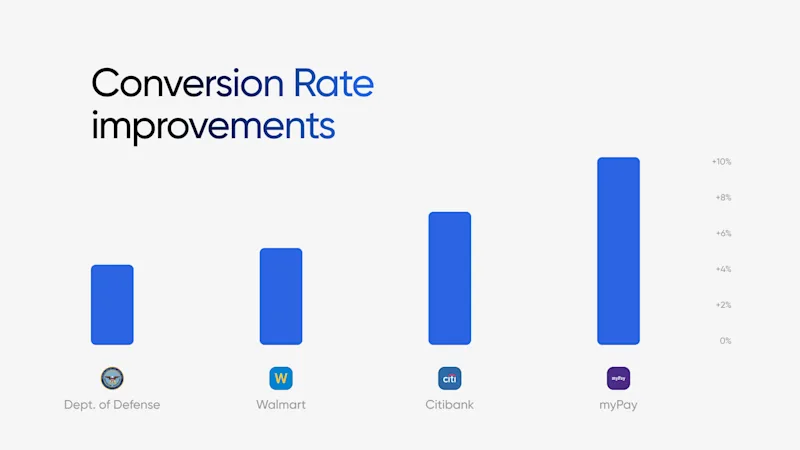
At Truv, we measure our success through conversion performance. Truv’s network of payroll systems and employers is continuously monitored to identify and resolve any friction points that might affect data retrieval and parsing. Here’s a summary of recent conversion enhancements across our product suite:
Verification of Income & Employment
| Company | Prior 30 days | Last 30 days | Improvement |
|---|---|---|---|
| Dept. of Defense | 82.08% | 86.6% | +4.52% |
| Walmart | 80.67% | 86.02% | +5.35% |
Verification of Assets
| Provider | Prior 30 days | Last 30 days | Improvement |
|---|---|---|---|
| Citibank | 92.86% | 100% | +7.14% |
Direct Deposit Switch
| Provider | Prior 30 days | Last 30 days | Improvement |
|---|---|---|---|
| myPay | 41.82% | 52.72% | +10.9% |
Upcoming Events
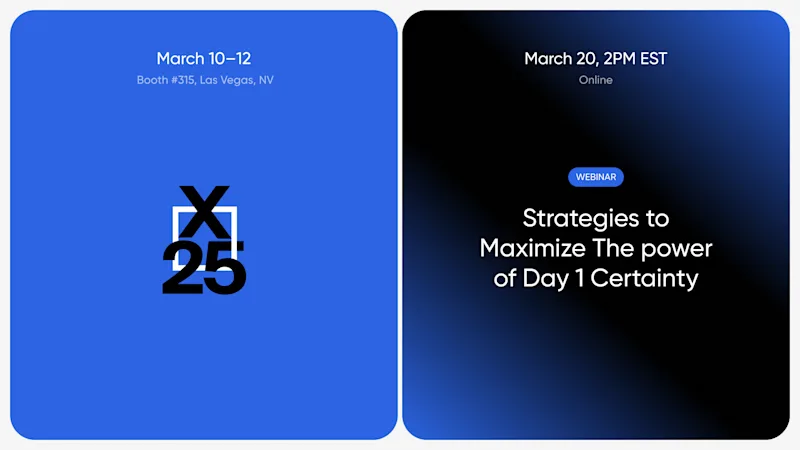
Dive into our library of on-demand event recordings or stay ahead of the curve by joining the Truv team at upcoming events this month:
- ICE Experience 2025: Schedule time to meet with us or stop by Booth #315 at the event in Las Vegas, NV from March 10-12.
- Strategies to Maximize The power of Day 1 Certainty® Webinar: Register for the first in a dynamic series of live events featuring industry leaders from Fannie Mae, nCino Mortgage, Truv, and Revolution Mortgage on March 19 at 2pm.
Feedback for Truv
Client feedback fuels our innovation at Truv. We value your input and continuously refine our solutions to enhance your experience. Have suggestions? Let us know!


