
October’s product update introduces new features, expanded product functionality, updates to our suite of products for state agencies, a new product release for banks and credit unions, as well as enhancements designed to make verifications faster, workflows more efficient, and everyday tasks easier for all customers.
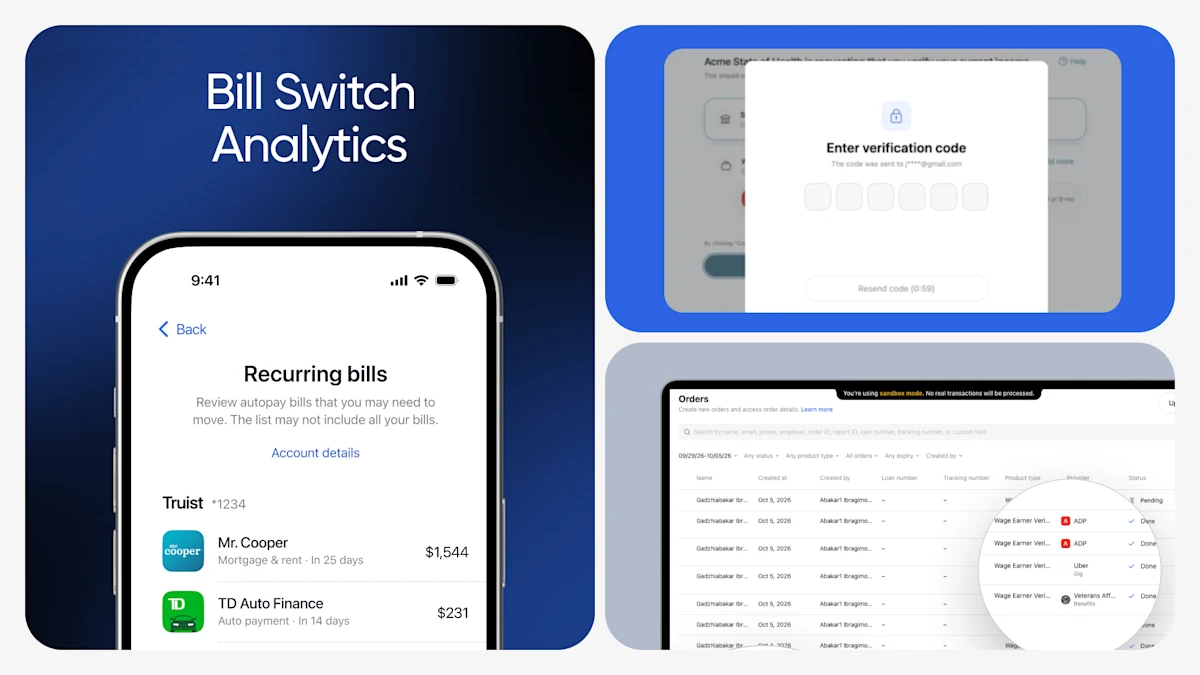
Bill Switch Analytics is Now Available
Partner feedback shows 30–50% of users don't move their recurring payments after switching their direct deposit, leaving mortgages, utilities, credit cards, and subscriptions tied to their old bank. This means that a funded account isn't necessarily a primary account.
Right after a Direct Deposit Switch, members can now connect the accounts where their bills are paid, and we identify their recurring payments in one clear list, with upcoming due dates and amounts. For bills that can't be switched automatically, members get the routing and account details they need to update the payment directly.
How it works for the member:
- Moves paycheck
- Connect account(s)
- Review recurring bills
- Update payment(s)
For banks and credit unions, that means a stronger path from account opening to primary account adoption. Learn more: Introducing Bill Switch Analytics.
Introducing Onboarding Checklist & AI Chat in Dashboard
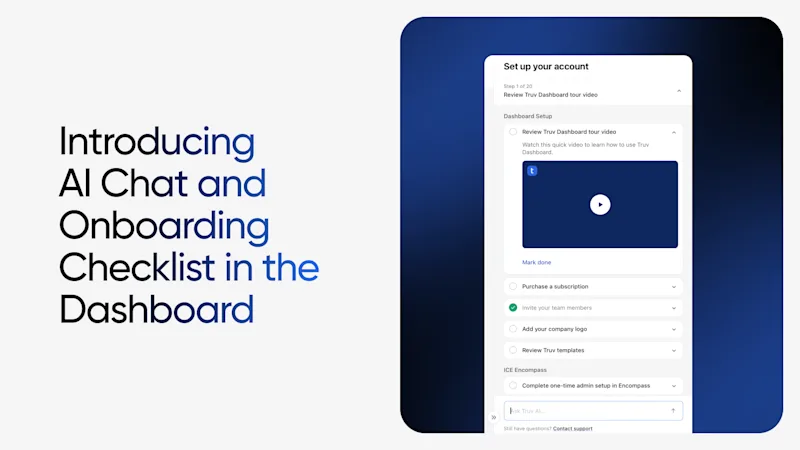
Getting started with your account setup just got easier. Our new onboarding checklist keeps your next steps clear, and Truv AI Chat is built-in, giving you access to answers directly in the experience.
- Onboarding checklist: track your progress, with company and personal steps
- AI Chat: ask questions about navigation, how Truv by Checkr works, and order statuses
- Page awareness: get answers in the context of the page you're on
- Data lookup: pull up orders, account info, and reports
- Place orders: create orders and refreshes right from the chat
- Support tickets: open one from the chat with your transcript included
Available now on desktop and mobile for all customers. Log in to your Dashboard account to check it out!
Public Sector Updates
Truv's October release makes verifications easier for agencies and their clients, with improvements across the client experience, caseworker tasks, and agency workflows.
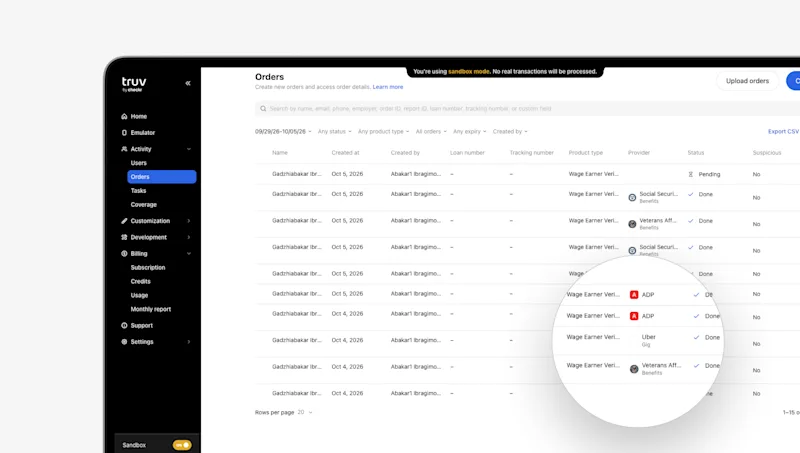
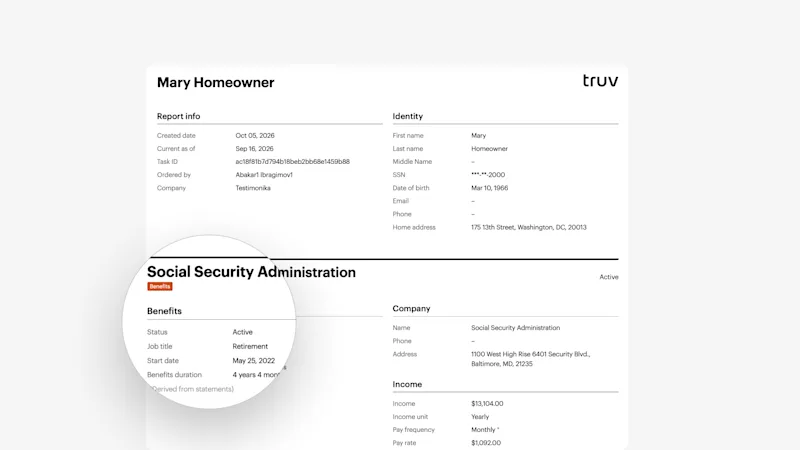
- Added Tag for Gig & Benefits Providers in Orders tab, Dashboard Report & PDF Report: Providers are now tagged as “Gig” or “Benefits” so you can quickly distinguish income source types at a glance across the Orders tab and both report formats.
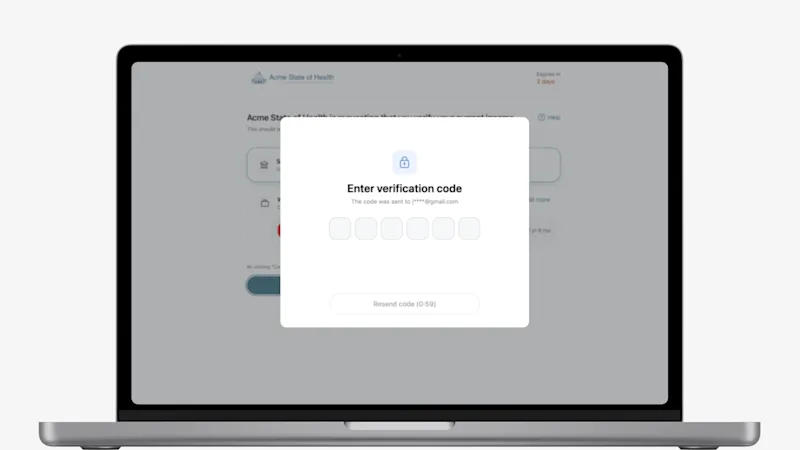
- Added MFA on Orders Landing Page & Self-Certification for Returning Clients: State agencies using orders can now require an MFA verification code on the certification page and orders landing page for returning clients. When at least one account is already successfully connected in an order and the client returns to the page, they must enter a one-time code sent to their email or phone before details display any report data.
Contact your account team to enable this feature.
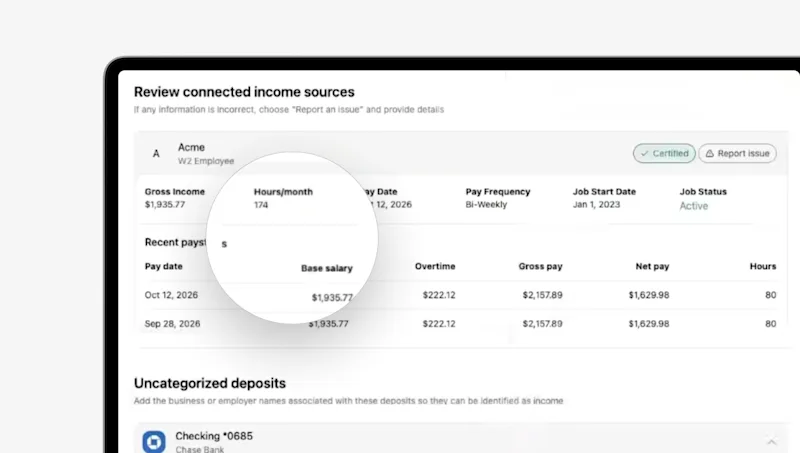
- Certification Details Added to Link-Level PDF Reports: Link-level PDF reports now include certification details, returning payroll-sourced hours per month at the top of the self-certification page when community engagement is enabled in Dashboard Template settings.
Dashboard & Orders Updates
Our latest updates make Dashboard more accessible, more customizable, and more useful for the teams who rely on it every day.
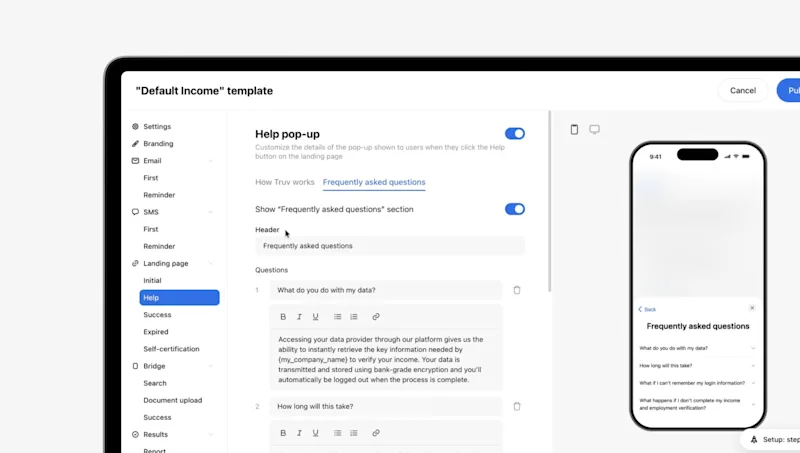
- Customize the Bridge Help Button Display in Dashboard Template Settings: Admins can now fully customize the Help section of the Bridge experience, including the “How Truv Works” and FAQs content, by editing the header, updating each step, and choosing whether to show or hide the video.
- New Uploaded Documents Section Added to Orders Page: Uploaded files now have their own section on the Order information page, so you can view and download them without digging through the report.
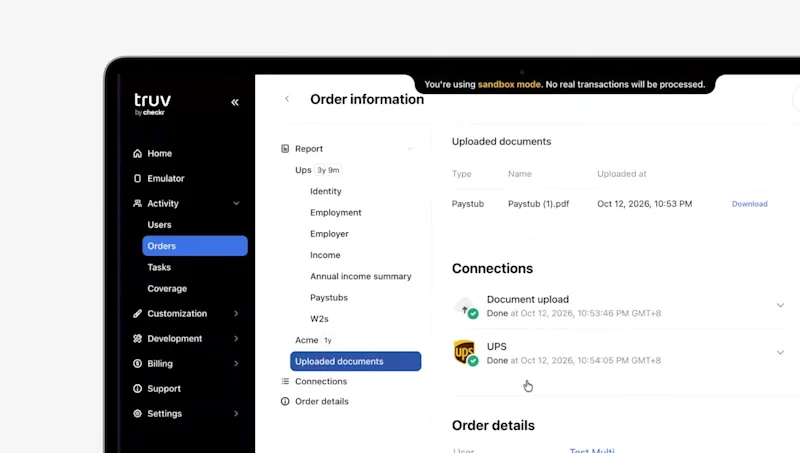
- Doc Upload Shows No Data Order Status for Fraudulent Doc Identified: When a submitted document is flagged as fraudulent, the Document Upload order now completes and shows a “No data” status instead of a configuration error for clients to understand results better.
Bridge & End User Experience Updates
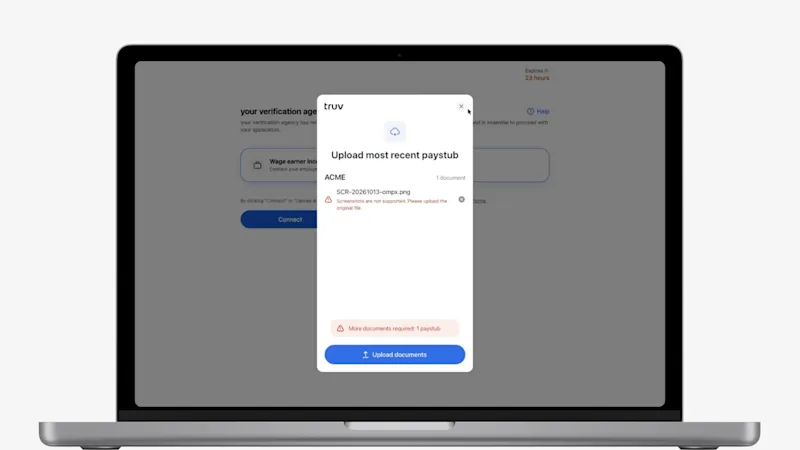
- Doc Upload Now Flags Screenshots with Error Message: When a screenshot is uploaded in a flow that requires original files, users are immediately notified with an error message so they can resubmit the correct file type.
Upcoming Events

Colorado Human Services Directors Association Winter Conference
November 30 - December 2, the team will be on the ground in Jefferson County, CO for the CCI Foundation Winter Conference in-person gathering for over 350 county decision makers to network, share information, and build relationships. It also serves the Foundation’s goal of strengthening public/private partnerships by connecting county officials with sponsors and vendors who offer products and services to local governments. Book time with the team.
Customers Come First
Every update this month started with a conversation. Thank you to our clients for the feedback, ideas, and partnership that continue to shape our products and your experience. We’re listening, and we can’t wait to show you what’s next!


