

Efficient Verification
Quickly verify employment and income details during the application stage
Reliable Data
Accurate information and payroll documents sourced directly from trusted accounts
Ongoing Monitoring
Connected accounts monitored continuously. Updated reports generated throughout the loan process.
No Code Required
One-time admin configuration. No development work needed.
How it works
Borrower connects payroll
During the pre-application stage, borrowers are prompted to connect their payroll accounts and share income and employment information through Truv.
Reports generated and delivered
Once accounts are connected, Truv generates verification reports and delivers them, along with payroll documents (pay stubs, W-2s, employer reports), to the connected LOS (e.g., Encompass®) and eFolder.
Go Live with Truv in Floify
Configure Templates
Set up verification templates in the Truv Dashboard for branding and document delivery.
Floify Setup Guide
Company Dashboard
Step 1: Go to the Company Dashboard and select Company Settings.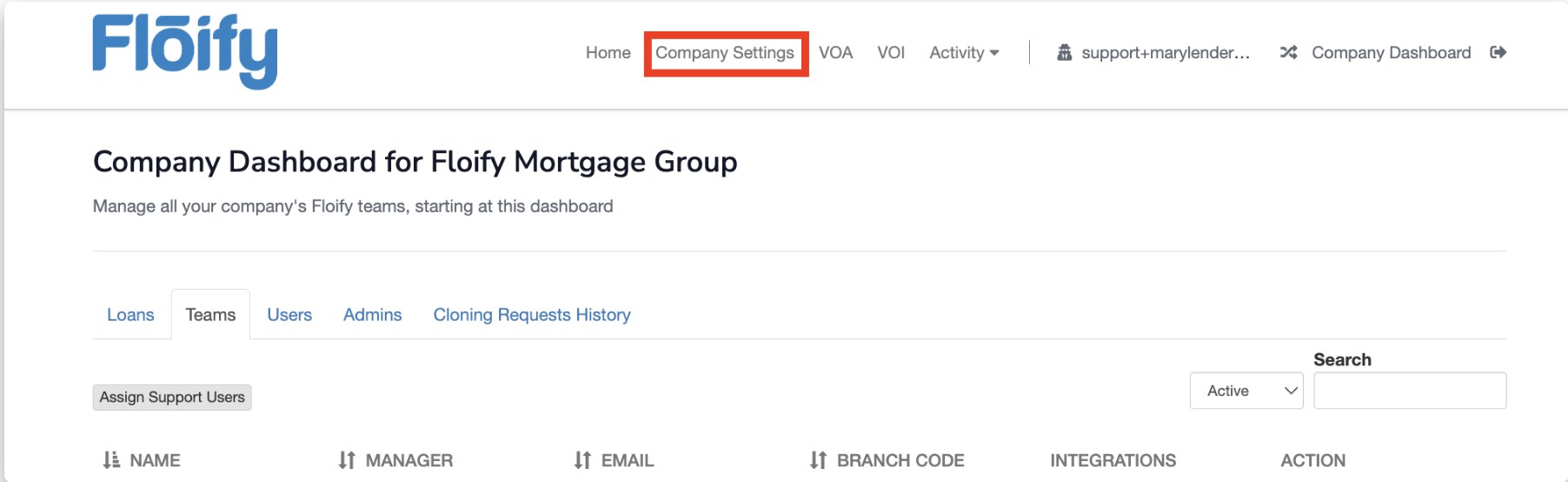 Step 2: Click the Integrations tab.
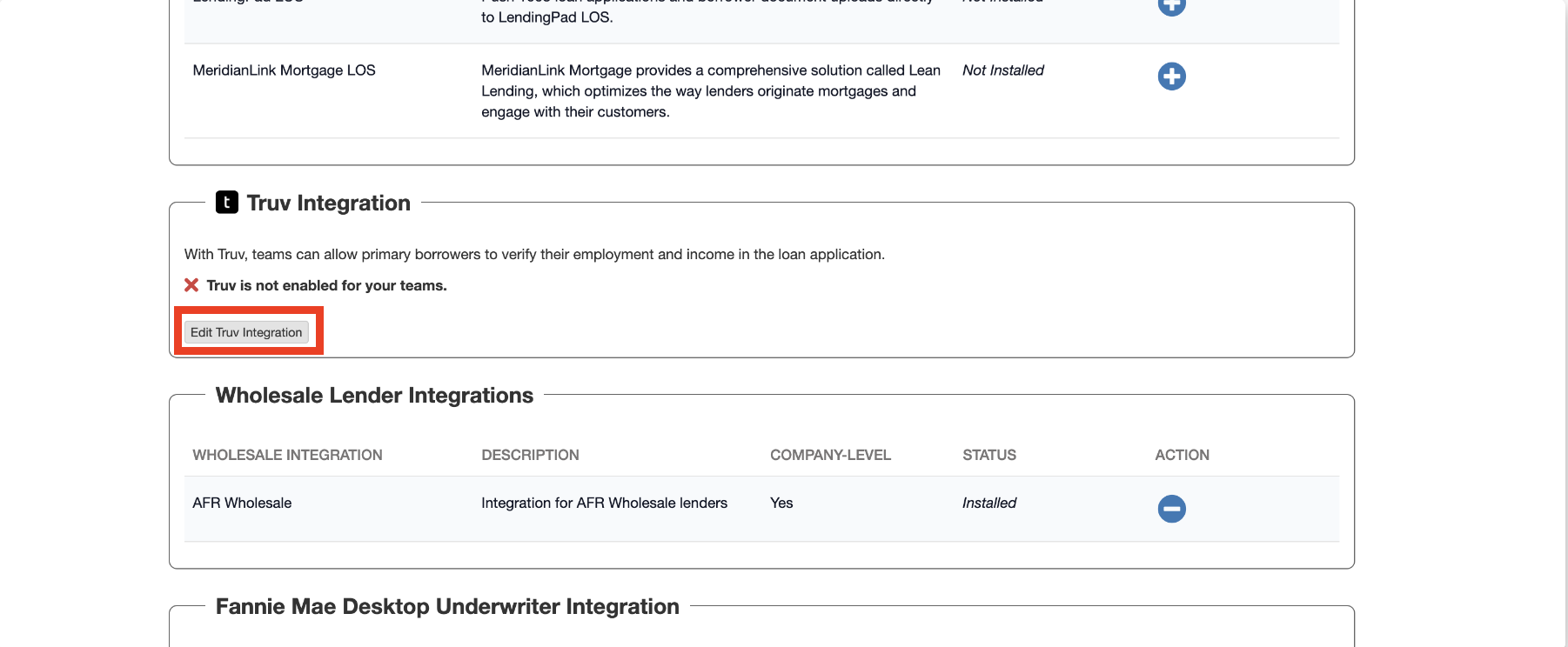
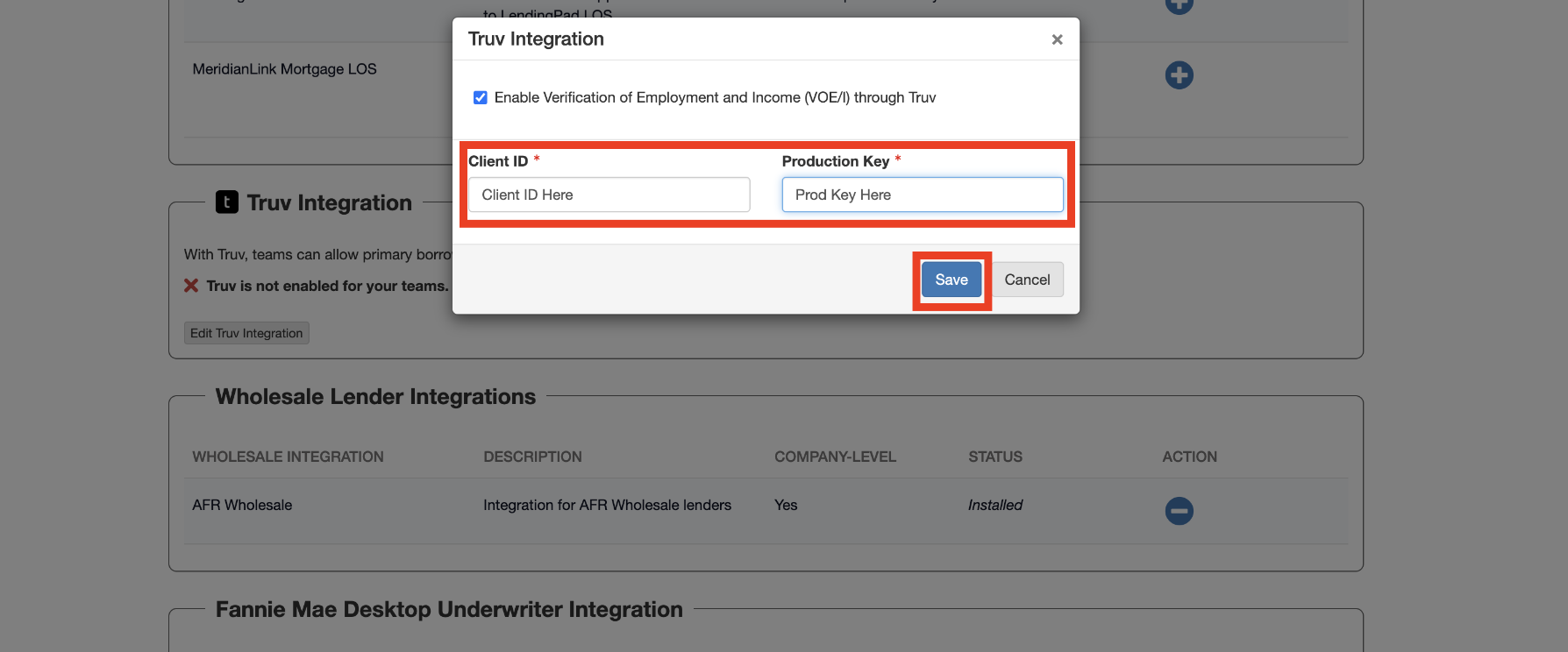
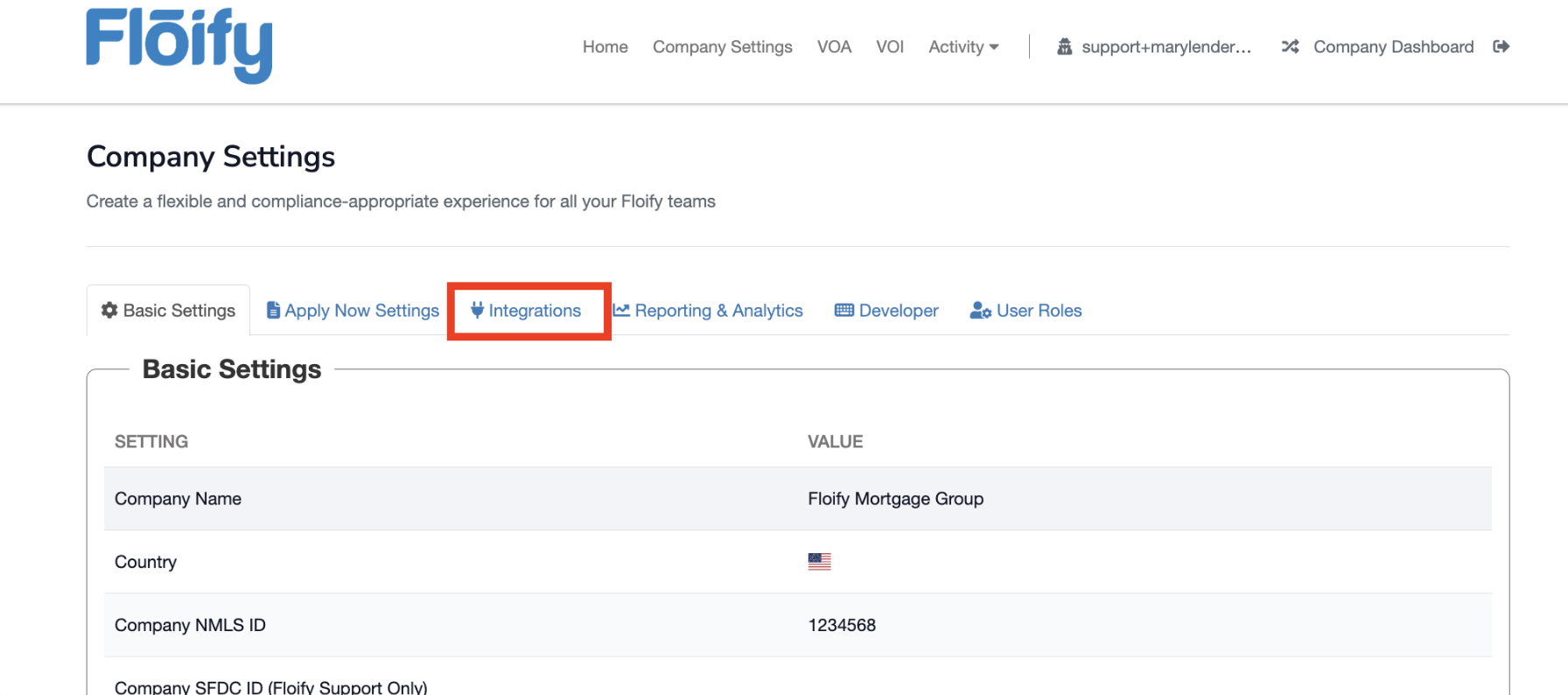 Step 3: Locate the Truv Integration section and choose Edit Truv Integration.
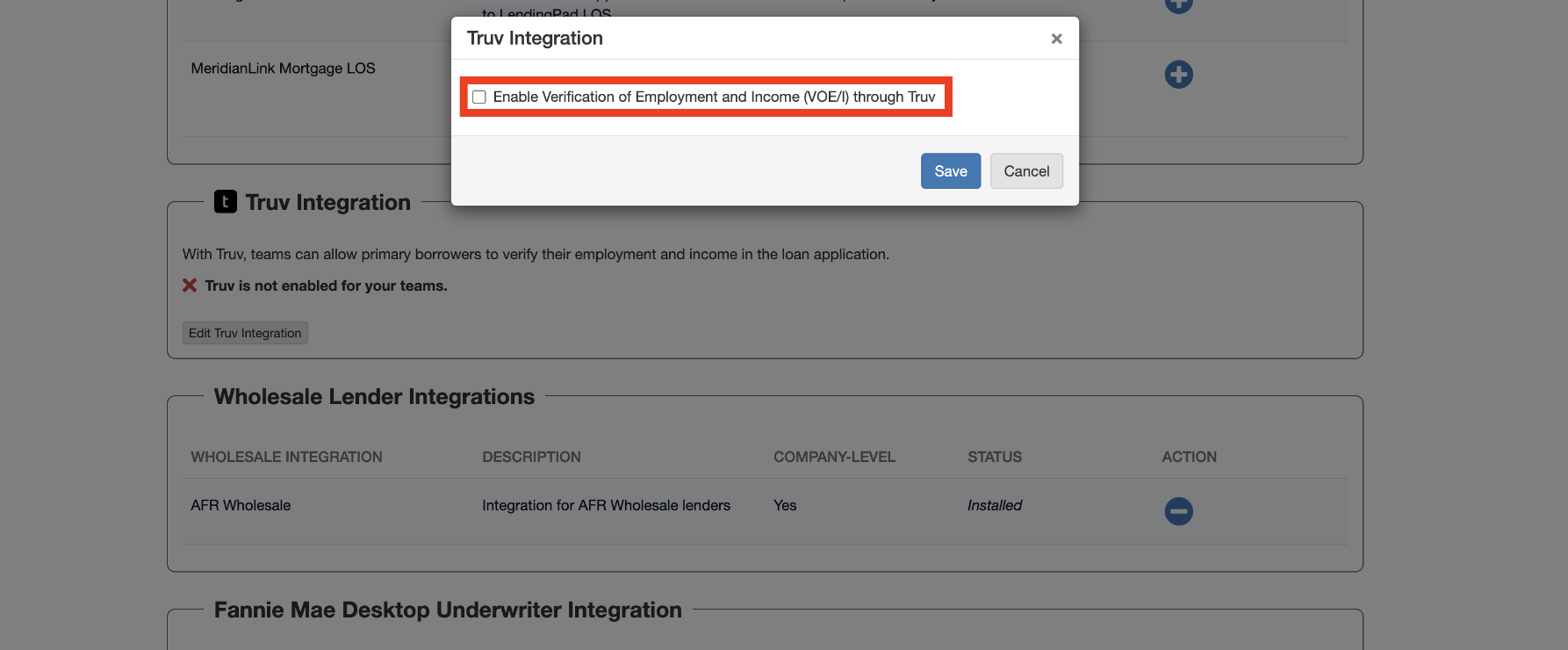
 Step 4: Check the box to Enable Verification of Employment and Income (VOE/I) through Truv.
 Step 5: Input the Client ID and Access Secret (Production Key) from your Truv Dashboard.
Team Dashboard
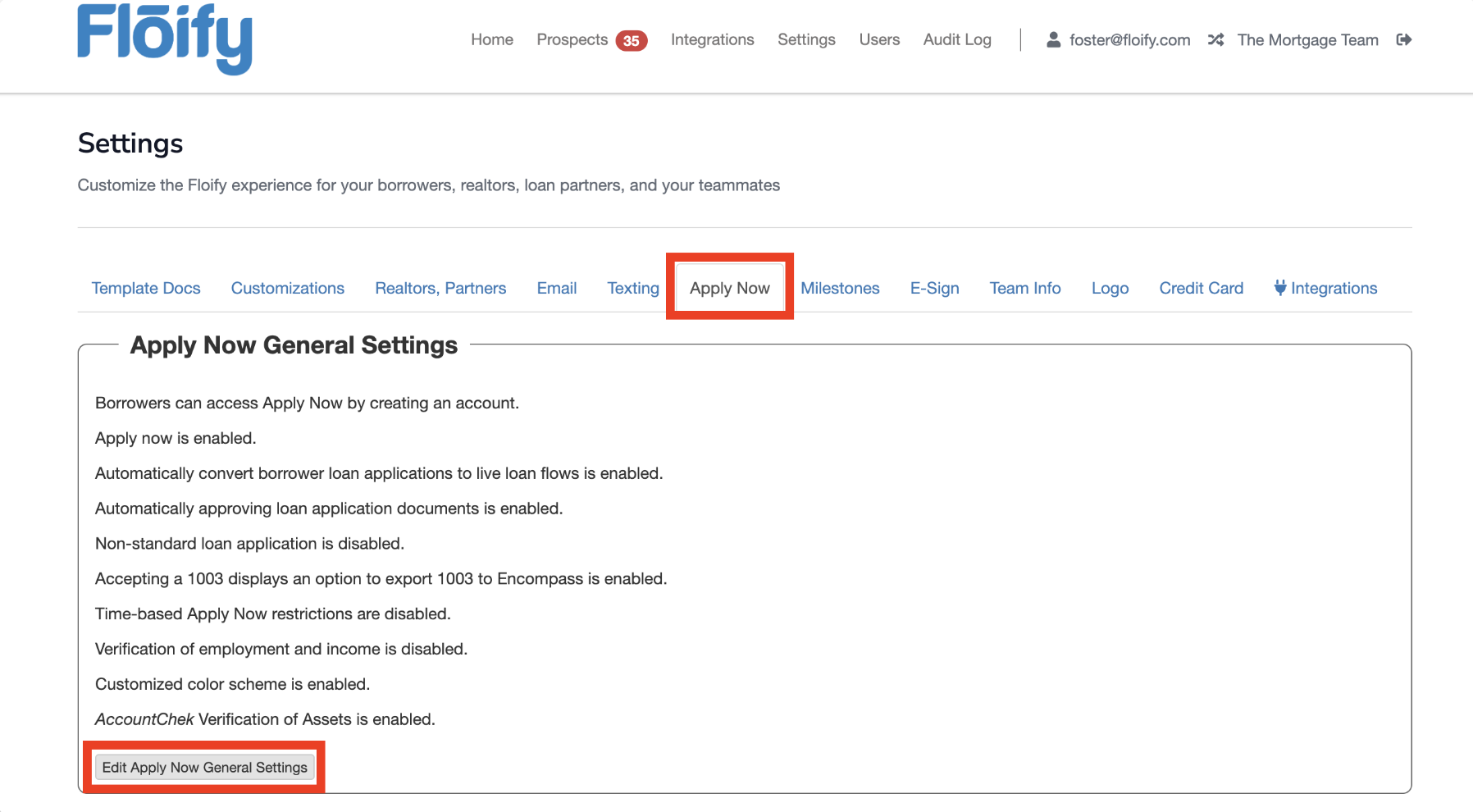
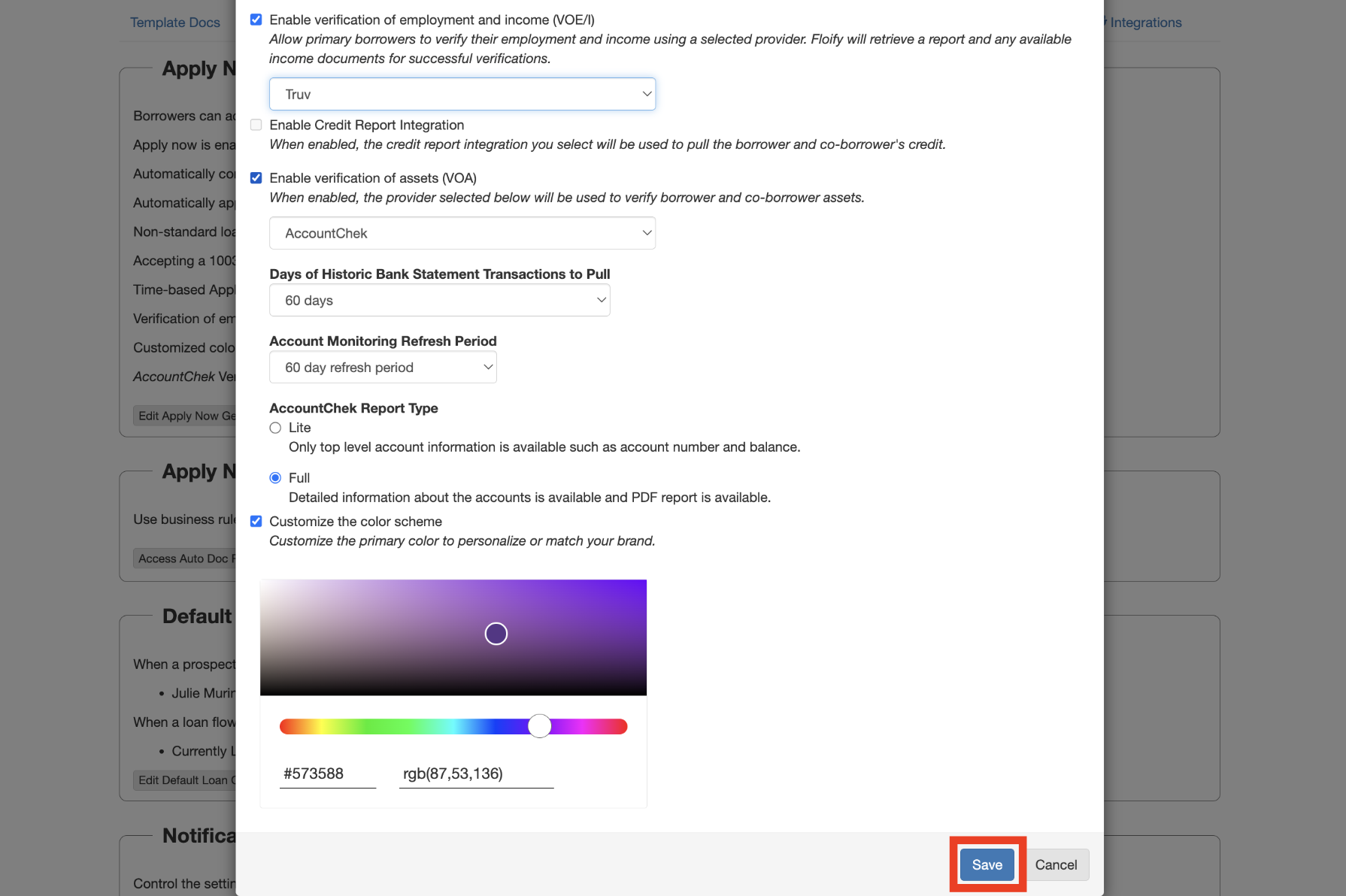
Step 1: Navigate to the Team Dashboard and select Team Settings.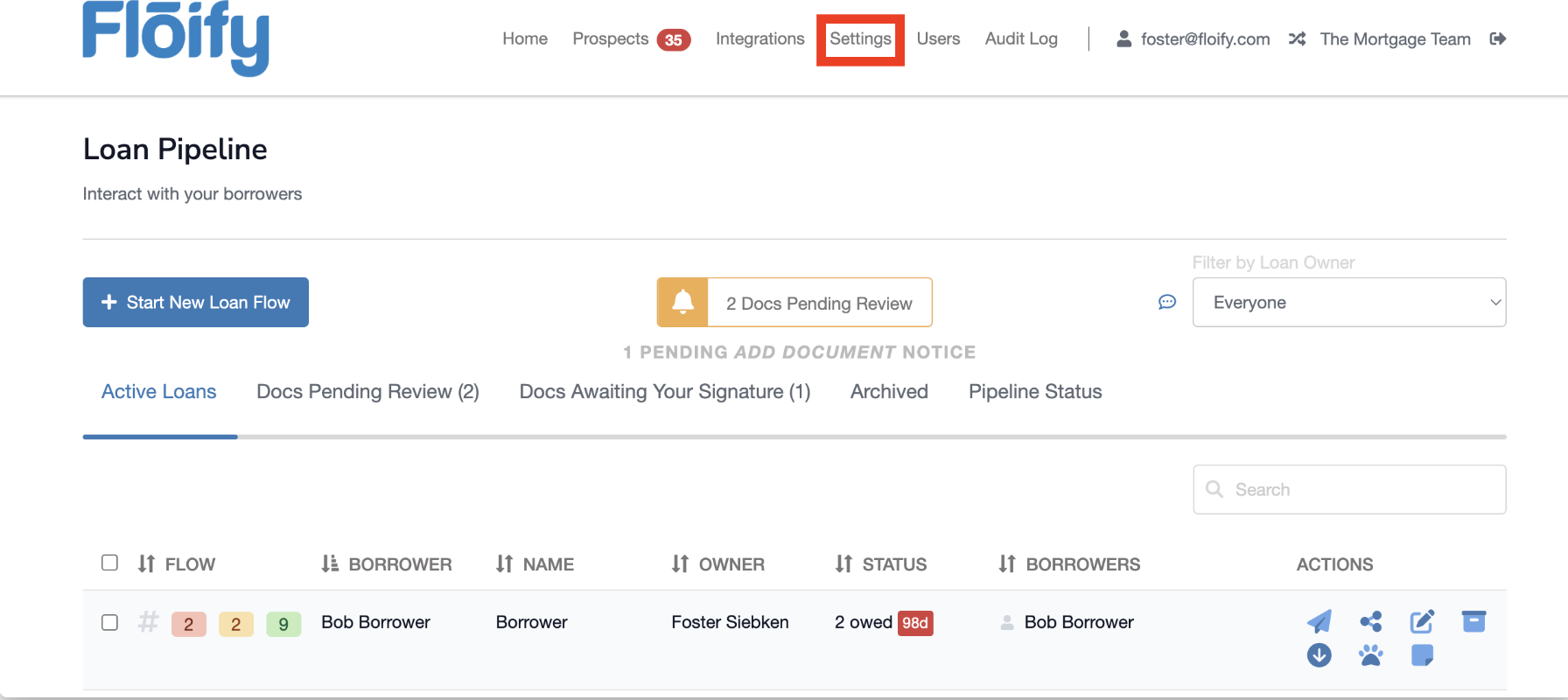 Step 2: Go to Apply Now → Edit Apply Now General Settings.
 Step 3: Check the box to enable Verification of Employment and Income (VOE/I).
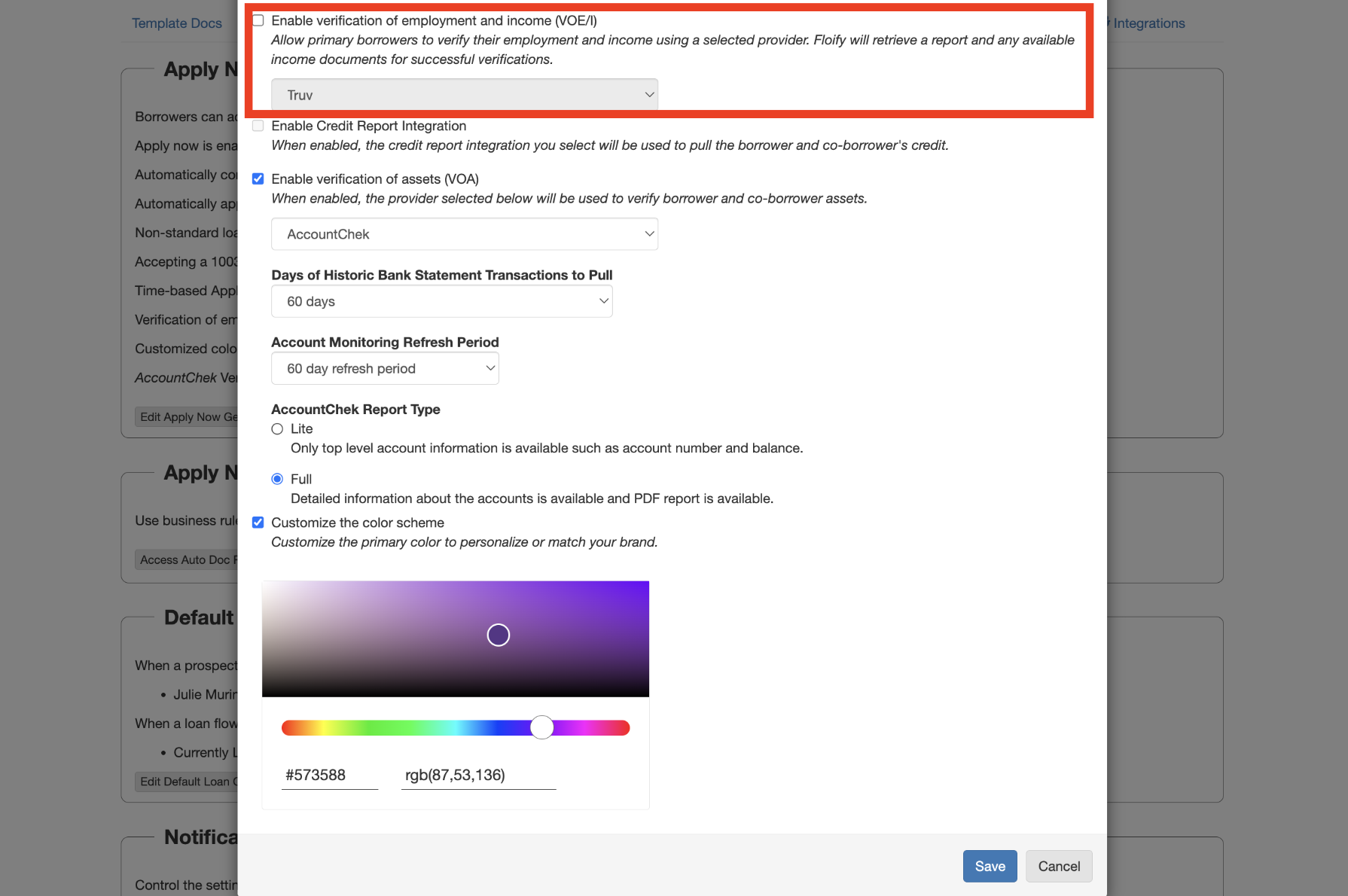 Step 4: Choose Truv from the dropdown menu and click Save.
Borrower workflow
Borrowers enter their employment and income details, then proceed to the Verify Income section of their application to link their accounts and/or upload relevant documents. All connected data, including manually uploaded files and tax documents pulled from payroll, flows directly into the loan process.Next steps
POS Integrations
View all POS integration options
Sandbox Testing
Test your integration in sandbox
Support
Truv Support
Floify Support
Contact Floify customer success for platform-specific issues