

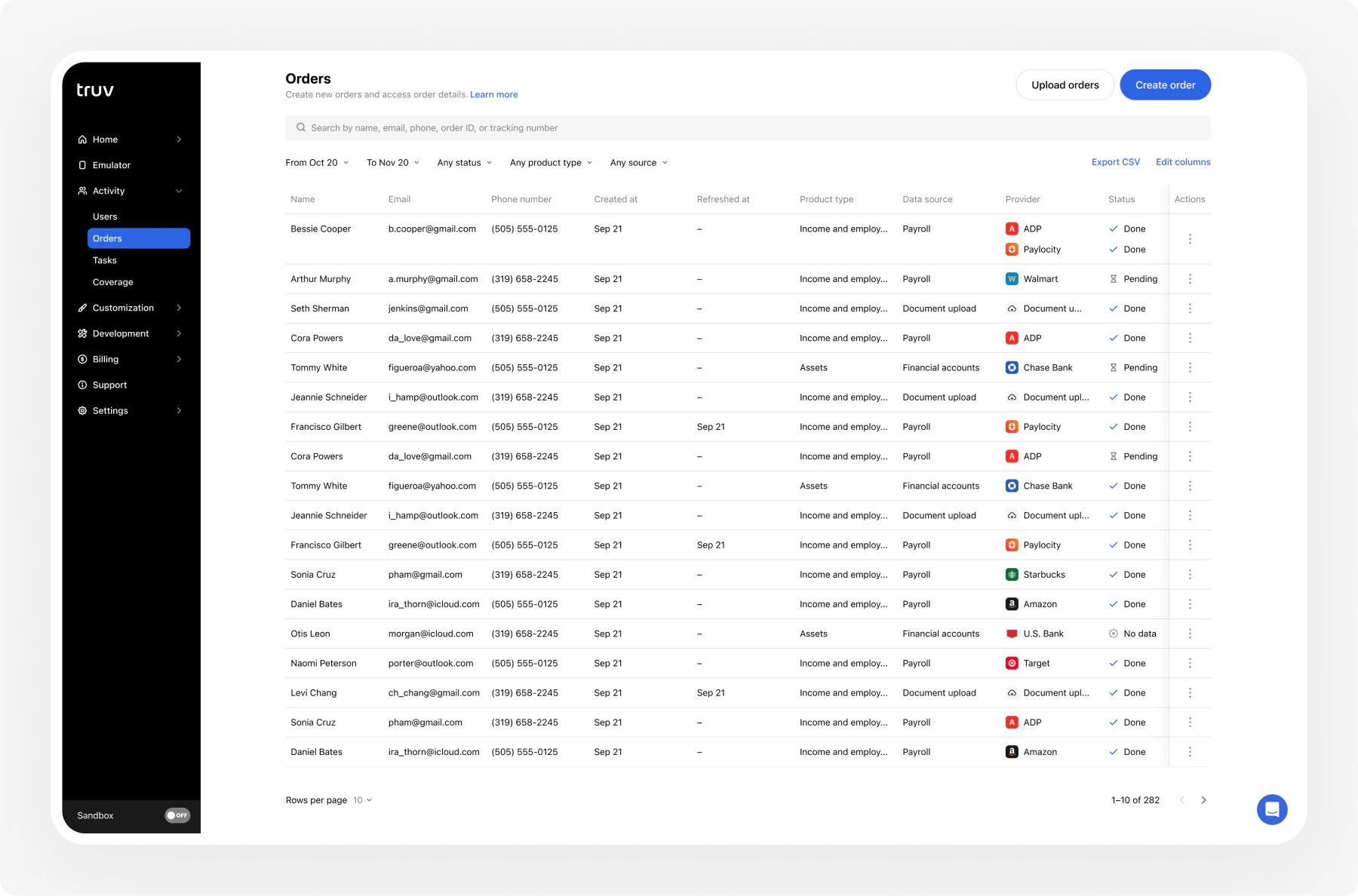
Filter orders
Narrow the orders table using these filters:| Filter | Options |
|---|---|
| Date range | Custom start and end dates |
| Status | Pending, Sent, Completed, Error, Canceled, Expired, Skipped, No Data |
| Product type | Income, Employment, Assets |
| Source | Dashboard, API, CSV upload |
| Creator | Team member who created the order |
Search orders
Search across multiple fields to find specific orders:| Search field | Example |
|---|---|
| Order ID | 39aa1486ccca4bc19cda071ffc1ba392 |
| Applicant name | John Doe |
john@example.com | |
| Phone | 4155554193 |
| Employer | Facebook |
| Loan number | LN-2024-001 |
| Tracking number | Custom tracking identifiers |
| Report ID | Income & Employment (VOIE) or Assets (VOA) report identifiers |
Export orders
Export filtered order data as a CSV file.- Apply your desired filters
- Click Export CSV
- The file downloads with all visible columns
Large exports (10,000+ rows) may take a few minutes to generate.
Customize columns
Control which columns appear in the orders table.- Click Edit Columns above the table
- Toggle columns on or off
- Drag to reorder columns
Order statuses
| Status | Description | Terminal |
|---|---|---|
| Pending | Order created, system processing | No |
| Sent | Email or SMS sent to the user | No |
| Completed | User connected their account | Yes |
| Error | Notification delivery failed | Yes |
| Canceled | Order manually canceled | Yes |
| Expired | Order exceeded its expiration window | Yes |
| Skipped | User opened the link but did not complete | Yes |
| No Data | User connected but the provider returned no data | Yes |
Expiration & reminders
Expiration
The default expiration window is 72 hours, configurable in your account settings from 1 day to 12 weeks.Expiration periods do not count weekends. An order created on Friday with a 2-day expiration expires on Tuesday, not Sunday.
Automatic reminders
Truv sends 3 reminder notifications evenly spaced throughout the order lifespan:- Reminders stop once the order reaches a terminal status (Completed, Canceled, Expired, etc.)
- SMS reminders are only sent between 10am–6pm ET
- Each reminder includes the original order link
Cancel an order
Cancel an active order from the Dashboard when it’s no longer needed. Open the order and click Cancel. If the order is partially completed, previously verified data remains accessible.Once canceled, the verification link is deactivated. The user can no longer complete the order.
Next steps
CSV Upload
Create orders in bulk via CSV
New Order
Create a single order through the Dashboard
Dashboard
Full Dashboard overview and backend integration